
Kinder - Find Baby Names PC
Kinder babynames
قم بتنزيل Kinder - Find Baby Names على جهاز الكمبيوتر باستخدام GameLoop Emulator
Kinder - Find Baby Names على الكمبيوتر الشخصي
Kinder - Find Baby Names ، القادم من المطور Kinder babynames ، يعمل على نظام Android في الماضي.
الآن ، يمكنك لعب Kinder - Find Baby Names على جهاز الكمبيوتر باستخدام GameLoop بسلاسة.
قم بتنزيله في مكتبة GameLoop أو في نتائج البحث. لا مزيد من الانتباه إلى البطارية أو المكالمات المحبطة في الوقت الخطأ بعد الآن.
ما عليك سوى الاستمتاع بجهاز Kinder - Find Baby Names على الشاشة الكبيرة مجانًا!
Kinder - Find Baby Names مقدمة
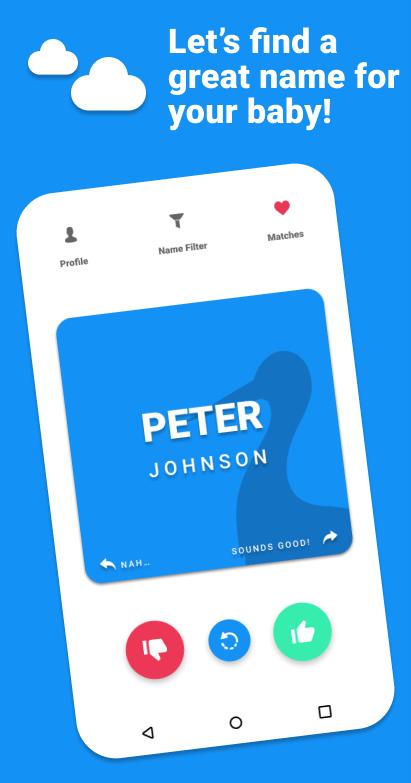
Kinder is a super simple name choosing app. Through Kinder you can quickly swipe name suggestions you like to the right and dismiss the ones you don’t like.
You get one name set for free based on your location and if you want you can easily buy additional name sets for a small fee. Purchased name sets will also be available for your partner.
You can connect to your partner to find matches.
Kinder has over 18.000 names in the library with a grand variety in origins so you can find that unique name that your child will write history with!
FAQ’s
Why are extra name sets not free?
Of course it would be great if you could have them all for free, but unfortunately it’s not a sustainable way to keep the app in the Play Store. You get one set for free and additional name sets are available for a small fee. Hopefully you understand.
I can’t connect to my partner, please help!
If you can’t connect it might be that the connection code is expired. Please try to invite each other once more. If that doesn’t help it might be your time settings; those must be set to automatic, otherwise the connection mechanism can’t connect you unfortunately.
I don’t see our matches?
We try to update matches every 30 seconds. So please bear with us! If after that time you still don’t see them, please try to restart the app.
If I purchase a name set, will my partner also get these? Yes! It might not show up in a split second, but if you’re connected purchases will be shared.
I bought a new phone, what will happen with my Kinder likes?
We are very sorry, unfortunately we don’t have a feature to save your likes, dismisses and matches just yet. We are working on a solution to save these though.
Who runs Kinder?
Kinder is app started by me; Krijn Haasnoot. I’m a Dutch guy who had an idea after having dinner with a couple of friends years ago. They were having their first child and my question was: ‘How do you find a name?’. Their answer was: ‘Probably some books, the internet, family’. I immediately thought, ‘that can be more fun’ and I came up with the idea of using an intuitive swipe like selection mechanism used by another app, but than with baby names! And it should be able to match likes between partners!’
I don’t think Kinder is the end solution to choose the name for your child, I just hope to inspire, get the discussion going in a positive way and help out! Having a baby is a fun, sacred, but also tiring and possibly stressful time. Let’s take a small thing out and make it nicer.
As you can read, Kinder is just a small one-man company.
Want to learn more? Work together? Feel free to reach out to me through FB messenger or krijn.kinderapp@gmail.com
معاينة

العلامات
أسلوب الحياةمعلومة
مطور
Kinder babynames
احدث اصدار
3.0.1
آخر تحديث
2025-07-18
فئة
أسلوب الحياة
متاح على
Google Play
أظهر المزيد
كيف تلعب Kinder - Find Baby Names مع GameLoop على جهاز الكمبيوتر
1. قم بتنزيل GameLoop من الموقع الرسمي ، ثم قم بتشغيل ملف exe لتثبيت GameLoop.
2. افتح GameLoop وابحث عن "Kinder - Find Baby Names" ، وابحث عن Kinder - Find Baby Names في نتائج البحث وانقر على "تثبيت".
3. استمتع بلعب Kinder - Find Baby Names على GameLoop.
Minimum requirements
OS
Windows 8.1 64-bit or Windows 10 64-bit
GPU
GTX 1050
CPU
i3-8300
Memory
8GB RAM
Storage
1GB available space
Recommended requirements
OS
Windows 8.1 64-bit or Windows 10 64-bit
GPU
GTX 1050
CPU
i3-9320
Memory
16GB RAM
Storage
1GB available space