How To Draw Hands PC
WhiteStore
قم بتنزيل How To Draw Hands على جهاز الكمبيوتر باستخدام GameLoop Emulator
How To Draw Hands على الكمبيوتر الشخصي
How To Draw Hands ، القادم من المطور WhiteStore ، يعمل على نظام Android في الماضي.
الآن ، يمكنك لعب How To Draw Hands على جهاز الكمبيوتر باستخدام GameLoop بسلاسة.
قم بتنزيله في مكتبة GameLoop أو في نتائج البحث. لا مزيد من الانتباه إلى البطارية أو المكالمات المحبطة في الوقت الخطأ بعد الآن.
ما عليك سوى الاستمتاع بجهاز How To Draw Hands على الشاشة الكبيرة مجانًا!
How To Draw Hands مقدمة
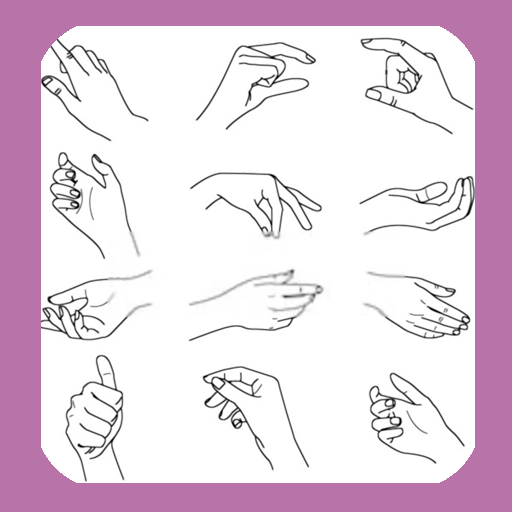
The basic shapes of a hand are not perfectly square or parallel so it is easy to get them wrong. When spread, the fingers all point in different directions.
Because the fingers’ points of origin and lengths are different, the joints do not line up in a straight line.
Note that the thumb moves in a different direction than the rest of the fingers.
To make bending possible, the skin is relatively loose and thin at the joints.
The bending marks on the palm side do not necessarily line up with the joints.
These lines might not be visible in simple drawing styles, but knowing where they are and where the skin overlaps can help when drawing the fingers bent.
معاينة
العلامات
أسلوب الحياةمعلومة
مطور
WhiteStore
احدث اصدار
1.0.4
آخر تحديث
2022-07-26
فئة
أسلوب الحياة
متاح على
Google Play
أظهر المزيد
كيف تلعب How To Draw Hands مع GameLoop على جهاز الكمبيوتر
1. قم بتنزيل GameLoop من الموقع الرسمي ، ثم قم بتشغيل ملف exe لتثبيت GameLoop.
2. افتح GameLoop وابحث عن "How To Draw Hands" ، وابحث عن How To Draw Hands في نتائج البحث وانقر على "تثبيت".
3. استمتع بلعب How To Draw Hands على GameLoop.
Minimum requirements
OS
Windows 8.1 64-bit or Windows 10 64-bit
GPU
GTX 1050
CPU
i3-8300
Memory
8GB RAM
Storage
1GB available space
Recommended requirements
OS
Windows 8.1 64-bit or Windows 10 64-bit
GPU
GTX 1050
CPU
i3-9320
Memory
16GB RAM
Storage
1GB available space