
TOYOTA SmartDeviceLink for DH PC
TOYOTA MOTOR CORP.
قم بتنزيل TOYOTA SmartDeviceLink for DH على جهاز الكمبيوتر باستخدام GameLoop Emulator
TOYOTA SmartDeviceLink for DH على الكمبيوتر الشخصي
TOYOTA SmartDeviceLink for DH ، القادم من المطور TOYOTA MOTOR CORP. ، يعمل على نظام Android في الماضي.
الآن ، يمكنك لعب TOYOTA SmartDeviceLink for DH على جهاز الكمبيوتر باستخدام GameLoop بسلاسة.
قم بتنزيله في مكتبة GameLoop أو في نتائج البحث. لا مزيد من الانتباه إلى البطارية أو المكالمات المحبطة في الوقت الخطأ بعد الآن.
ما عليك سوى الاستمتاع بجهاز TOYOTA SmartDeviceLink for DH على الشاشة الكبيرة مجانًا!
TOYOTA SmartDeviceLink for DH مقدمة
TOYOTA SmartDeviceLink for DH is a dedicated app required to use SDL (SmartDeviceLink) in the RAIZE and Roomy models equipped with the manufacturer-option navigation system.
*Customers using a dealer-installed optional navigation system in a RAIZE, Roomy, or other Toyota vehicle with an SDL-compatible in-car device (in-car display or in-car navigation system) should use "TOYOTA SmartDeviceLink."
■What is SDL (SmartDeviceLink)?
Connects your car and smartphone via Bluetooth.
Displays SDL-compatible apps installed on your smartphone on the in-car display.
You can safely and comfortably use your usual convenient and fun smartphone apps on the in-car display without touching your smartphone.
【Main Functions】
(1) Linking the in-car display and SDL-compatible smartphone apps
By connecting the car and smartphone via Bluetooth, SDL-compatible smartphone apps are displayed on the in-car display via TOYOTA SmartDeviceLink for DH.
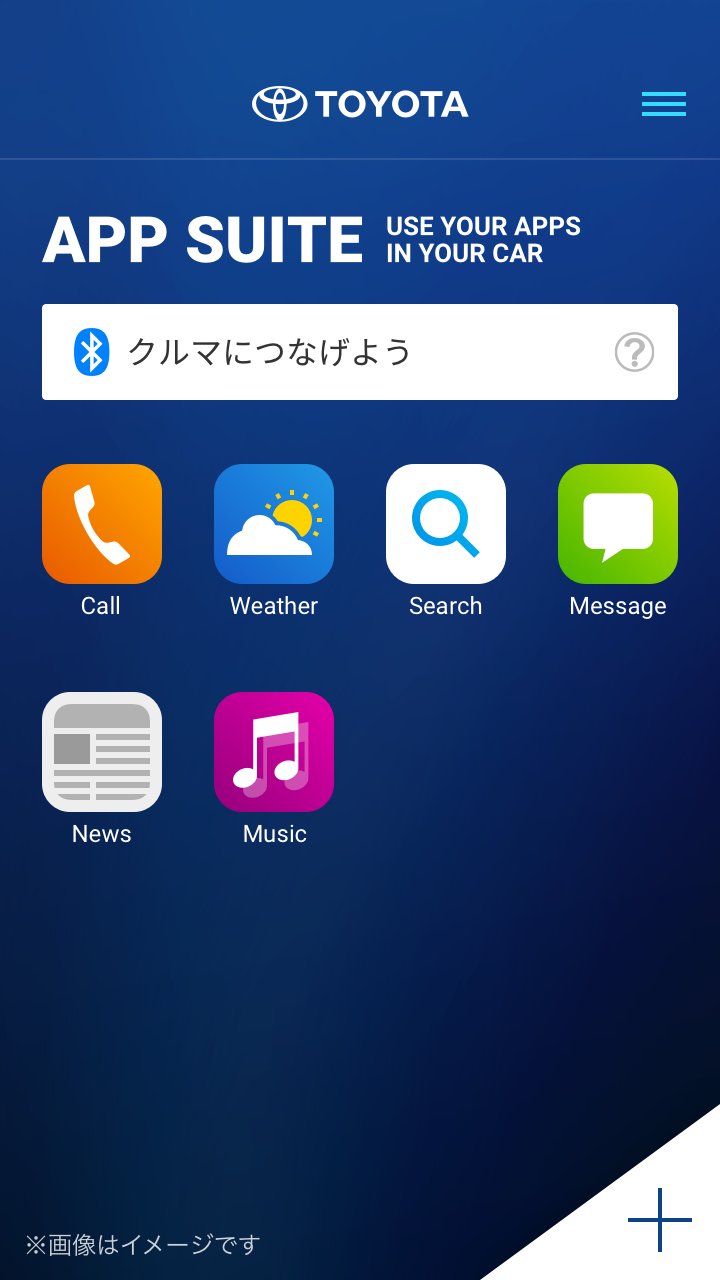
(2) App List
Displays a list of SDL-compatible smartphone apps installed on your smartphone. You can also configure app display/hide settings and change the order of icons.
(3) Adding Apps
Displays a list of SDL-compatible smartphone apps that are not installed on your smartphone.
You can go to the "Google Play" installation screen for each app with one click.
*When using SDL, operation restrictions may be imposed on the smartphone for security reasons.
[Tested OS]
Android 13 or later
[Tested Devices]
Smartphones only (excluding tablets)
*Operation has been confirmed under certain conditions, and it may not work properly on some models. Please be aware of this in advance.
[Notes on Use]
・Regarding the installation and use of compatible smartphone apps, please follow the terms of service of each app.
・A vehicle equipped with a Toyota in-car navigation system that supports SDL is required.
・Your smartphone must be compatible with the in-car navigation system.
・Depending on the smartphone app you use, you may need to connect a USB cable.
معاينة
العلامات
وسائل الترفيهمعلومة
مطور
TOYOTA MOTOR CORP.
احدث اصدار
1.1.10
آخر تحديث
2026-09-10
فئة
وسائل الترفيه
متاح على
Google Play
أظهر المزيد
كيف تلعب TOYOTA SmartDeviceLink for DH مع GameLoop على جهاز الكمبيوتر
1. قم بتنزيل GameLoop من الموقع الرسمي ، ثم قم بتشغيل ملف exe لتثبيت GameLoop.
2. افتح GameLoop وابحث عن "TOYOTA SmartDeviceLink for DH" ، وابحث عن TOYOTA SmartDeviceLink for DH في نتائج البحث وانقر على "تثبيت".
3. استمتع بلعب TOYOTA SmartDeviceLink for DH على GameLoop.
Minimum requirements
OS
Windows 8.1 64-bit or Windows 10 64-bit
GPU
GTX 1050
CPU
i3-8300
Memory
8GB RAM
Storage
1GB available space
Recommended requirements
OS
Windows 8.1 64-bit or Windows 10 64-bit
GPU
GTX 1050
CPU
i3-9320
Memory
16GB RAM
Storage
1GB available space