Scrolling Text Display PC
James Gilbert
قم بتنزيل Scrolling Text Display على جهاز الكمبيوتر باستخدام GameLoop Emulator
Scrolling Text Display على الكمبيوتر الشخصي
Scrolling Text Display ، القادم من المطور James Gilbert ، يعمل على نظام Android في الماضي.
الآن ، يمكنك لعب Scrolling Text Display على جهاز الكمبيوتر باستخدام GameLoop بسلاسة.
قم بتنزيله في مكتبة GameLoop أو في نتائج البحث. لا مزيد من الانتباه إلى البطارية أو المكالمات المحبطة في الوقت الخطأ بعد الآن.
ما عليك سوى الاستمتاع بجهاز Scrolling Text Display على الشاشة الكبيرة مجانًا!
Scrolling Text Display مقدمة
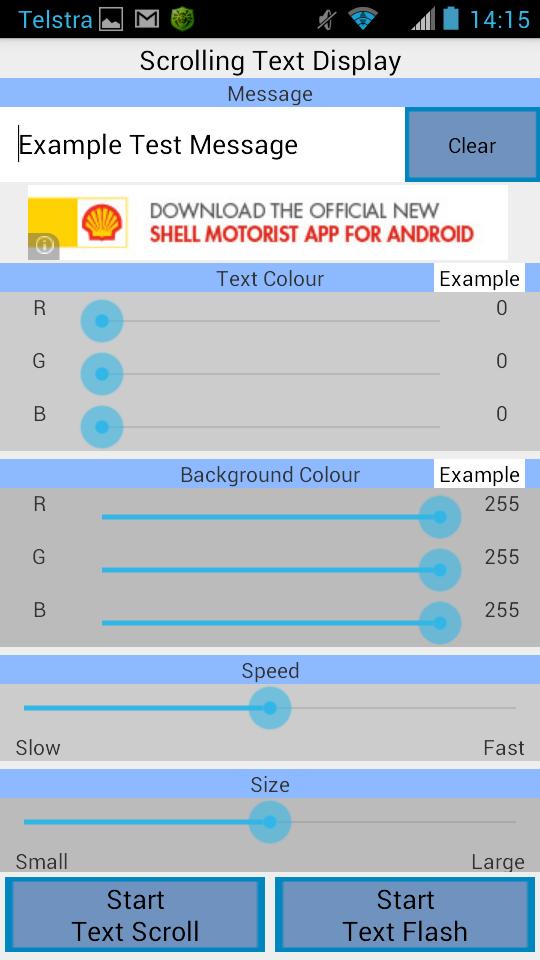
This application can be used to display a message in large block letters on the screen. The message can be scrolled across the screen (marquee), or it can be displayed one word at a time.
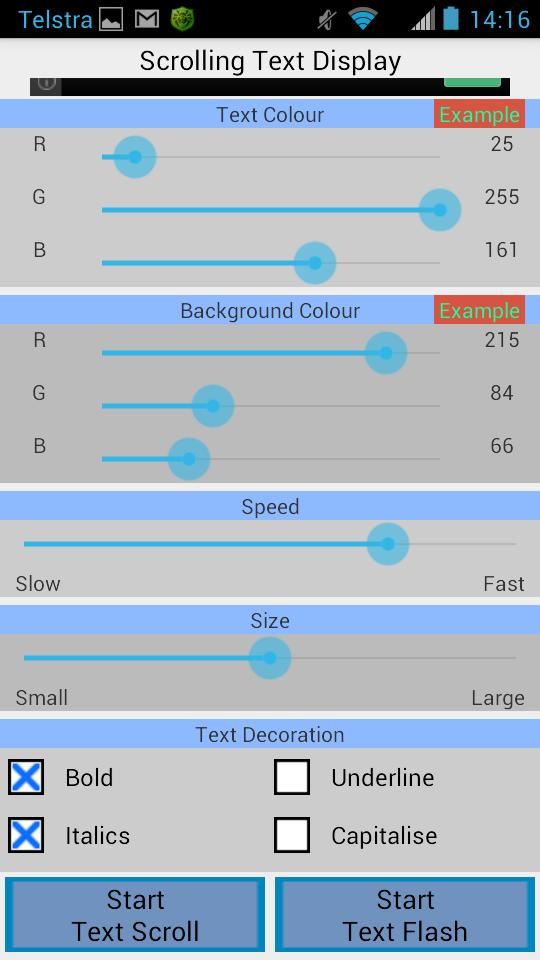
You can also customise the colours of the displayed text and the background. When you change the colours a preview of the message will be displayed to show you what your selection will look like, this helps you to choose colours that look good together without having to guess.
The size and speed of the text can be easily changed. You can have text sizes ranging from quite small to very large (which takes up most of the screen). The large text is ideal to use when you want to show the message to someone who is far away. Also the text can be scrolled / displayed very slowly or very quickly.
You also have the choice of using different styling on the message. These include making the text bold, italicised, underlined, and making every letter a capital letter.
Press the 'Start Text Scroll' button to start scrolling your text across the screen. Press the 'Start Text Flash' button to show your message one word at a time.
معاينة
العلامات
وسائل الترفيهمعلومة
مطور
James Gilbert
احدث اصدار
1.0
آخر تحديث
2014-07-02
فئة
وسائل الترفيه
متاح على
Google Play
أظهر المزيد
كيف تلعب Scrolling Text Display مع GameLoop على جهاز الكمبيوتر
1. قم بتنزيل GameLoop من الموقع الرسمي ، ثم قم بتشغيل ملف exe لتثبيت GameLoop.
2. افتح GameLoop وابحث عن "Scrolling Text Display" ، وابحث عن Scrolling Text Display في نتائج البحث وانقر على "تثبيت".
3. استمتع بلعب Scrolling Text Display على GameLoop.
Minimum requirements
OS
Windows 8.1 64-bit or Windows 10 64-bit
GPU
GTX 1050
CPU
i3-8300
Memory
8GB RAM
Storage
1GB available space
Recommended requirements
OS
Windows 8.1 64-bit or Windows 10 64-bit
GPU
GTX 1050
CPU
i3-9320
Memory
16GB RAM
Storage
1GB available space