
Test Maker: Quiz & MCQ Builder PC
SergeyV Apps
قم بتنزيل Test Maker: Quiz & MCQ Builder على جهاز الكمبيوتر باستخدام GameLoop Emulator
Test Maker: Quiz & MCQ Builder على الكمبيوتر الشخصي
Test Maker: Quiz & MCQ Builder ، القادم من المطور SergeyV Apps ، يعمل على نظام Android في الماضي.
الآن ، يمكنك لعب Test Maker: Quiz & MCQ Builder على جهاز الكمبيوتر باستخدام GameLoop بسلاسة.
قم بتنزيله في مكتبة GameLoop أو في نتائج البحث. لا مزيد من الانتباه إلى البطارية أو المكالمات المحبطة في الوقت الخطأ بعد الآن.
ما عليك سوى الاستمتاع بجهاز Test Maker: Quiz & MCQ Builder على الشاشة الكبيرة مجانًا!
Test Maker: Quiz & MCQ Builder مقدمة
Make and share tests, quizzes, and study tools. Perfect for exam revision.
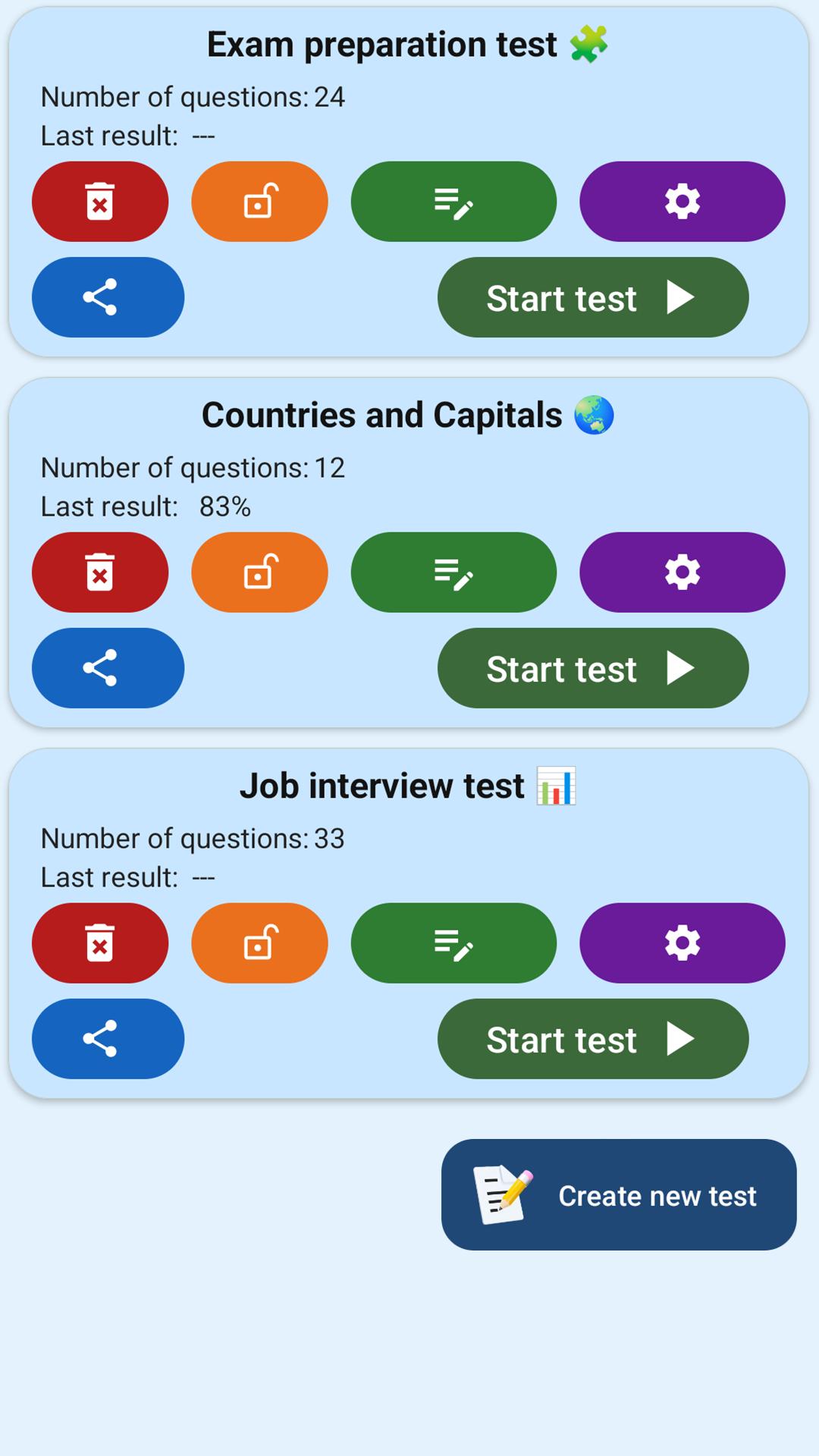
Test Maker is a simple yet powerful app for creating custom quizzes and tests. With just a few taps, you can build your own question sets and share them instantly. It's ideal for students, teachers, and anyone looking to study smarter. 📝📱
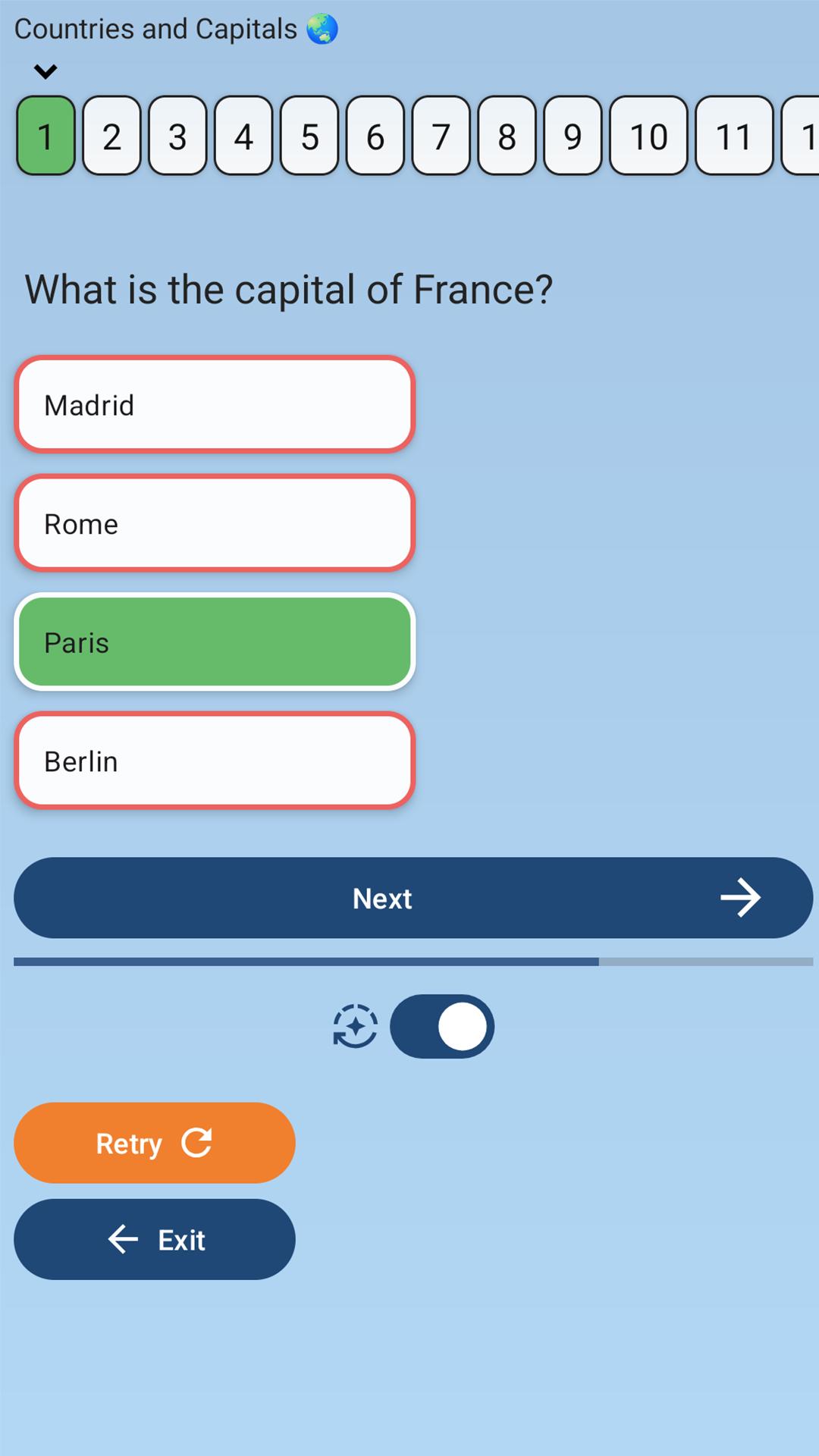
You can create tests with up to 7 answer choices per question, using the classic MCQ (Multiple Choice Question) format. Just enter a title, add your questions, and start learning.
Whether you're preparing for exams, reviewing knowledge, or building educational games — Test Maker helps you stay focused and organized.
🧩 Key features:
— Create unlimited tests and quizzes
— Up to 7 answer options per question
— Single or multiple correct answers
— Open-ended questions with manual input
— Instant link generation and easy sharing
— Offline mode — works without internet
Fast, clean, and user-friendly interface
🎓 Who it's for:
— Students preparing for school exams, university tests, or final assessments
— Teachers creating custom exercises, quizzes, or practice tests
— Self-learners studying history, geography, languages, and more
— Anyone building a fun quiz to challenge friends
— People training memory and focus through test-based learning
Prepare for exams, review key topics, and learn with confidence — with Test Maker.
Join thousands of users and make your studying more effective and interactive today! 📲
معاينة
العلامات
تعليممعلومة
مطور
SergeyV Apps
احدث اصدار
4.0.0
آخر تحديث
2025-10-15
فئة
تعليم
متاح على
Google Play
أظهر المزيد
كيف تلعب Test Maker: Quiz & MCQ Builder مع GameLoop على جهاز الكمبيوتر
1. قم بتنزيل GameLoop من الموقع الرسمي ، ثم قم بتشغيل ملف exe لتثبيت GameLoop.
2. افتح GameLoop وابحث عن "Test Maker: Quiz & MCQ Builder" ، وابحث عن Test Maker: Quiz & MCQ Builder في نتائج البحث وانقر على "تثبيت".
3. استمتع بلعب Test Maker: Quiz & MCQ Builder على GameLoop.
Minimum requirements
OS
Windows 8.1 64-bit or Windows 10 64-bit
GPU
GTX 1050
CPU
i3-8300
Memory
8GB RAM
Storage
1GB available space
Recommended requirements
OS
Windows 8.1 64-bit or Windows 10 64-bit
GPU
GTX 1050
CPU
i3-9320
Memory
16GB RAM
Storage
1GB available space