
Mobile SCD Cribs PC
Charlie Inglis
قم بتنزيل Mobile SCD Cribs على جهاز الكمبيوتر باستخدام GameLoop Emulator
Mobile SCD Cribs على الكمبيوتر الشخصي
Mobile SCD Cribs ، القادم من المطور Charlie Inglis ، يعمل على نظام Android في الماضي.
الآن ، يمكنك لعب Mobile SCD Cribs على جهاز الكمبيوتر باستخدام GameLoop بسلاسة.
قم بتنزيله في مكتبة GameLoop أو في نتائج البحث. لا مزيد من الانتباه إلى البطارية أو المكالمات المحبطة في الوقت الخطأ بعد الآن.
ما عليك سوى الاستمتاع بجهاز Mobile SCD Cribs على الشاشة الكبيرة مجانًا!
Mobile SCD Cribs مقدمة
Search for dances and create lists for Scottish Country socials/balls and classes. Dances are those provided from the Scottish Country Dance Database (SCDDB)
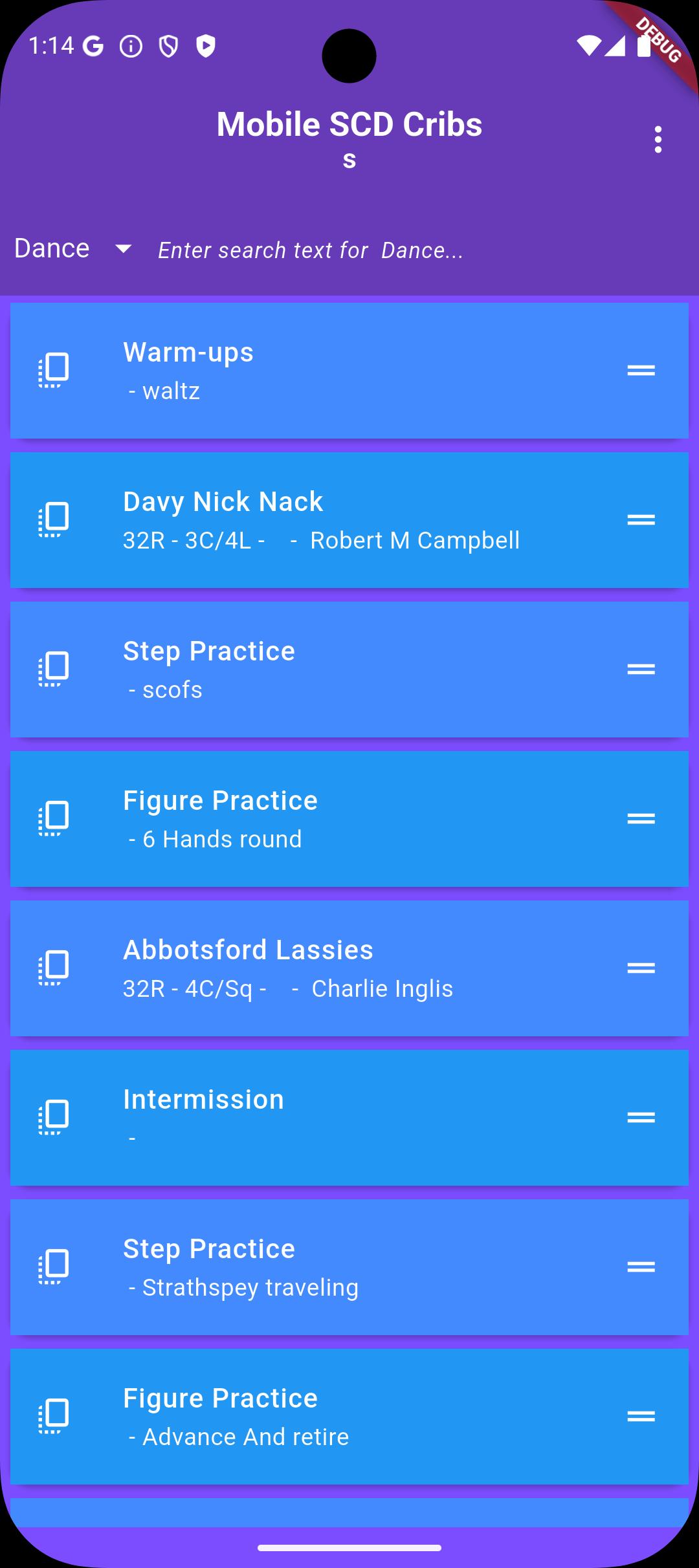
Build a list of dances by entering letters (within the title/deviser name /dance/publication) in the search area. Tap on that title in the dropdown list and it will be added to your list of dances. The more characters entered in the search, the more refined the search will be. The dropdown list of titles can be scrolled through.
A large number of individual lists can be created and stored on the device.
Add non dance item to the list including step practice, figure practice for teachers and intermission, extras for program creation.
Display crib instructions, Keith Rose diagrams, videos and information/personal notes of each dance on the list. All but the videos will remain available even if your device is offline.
Add an audio player to a dance detail and load your favourite track from your device or cloud storage (google drive of iCloud) .
Retrieve a list by choosing "Display saved lists" from the dropdown menu. Tap on the list name you wish to access. Your lists will be saved automatically between sessions.
Delete a dance from a list by swiping the dance name right or left. You will be asked to confirm the deletion.
Reorder a list by pressing down on a dance name and sliding it either up or down the list.
Copy a dance from one list to another by tapping on the Copy icon to the left of the dance title on the list. You will be prompted to select the new list or create a new one.
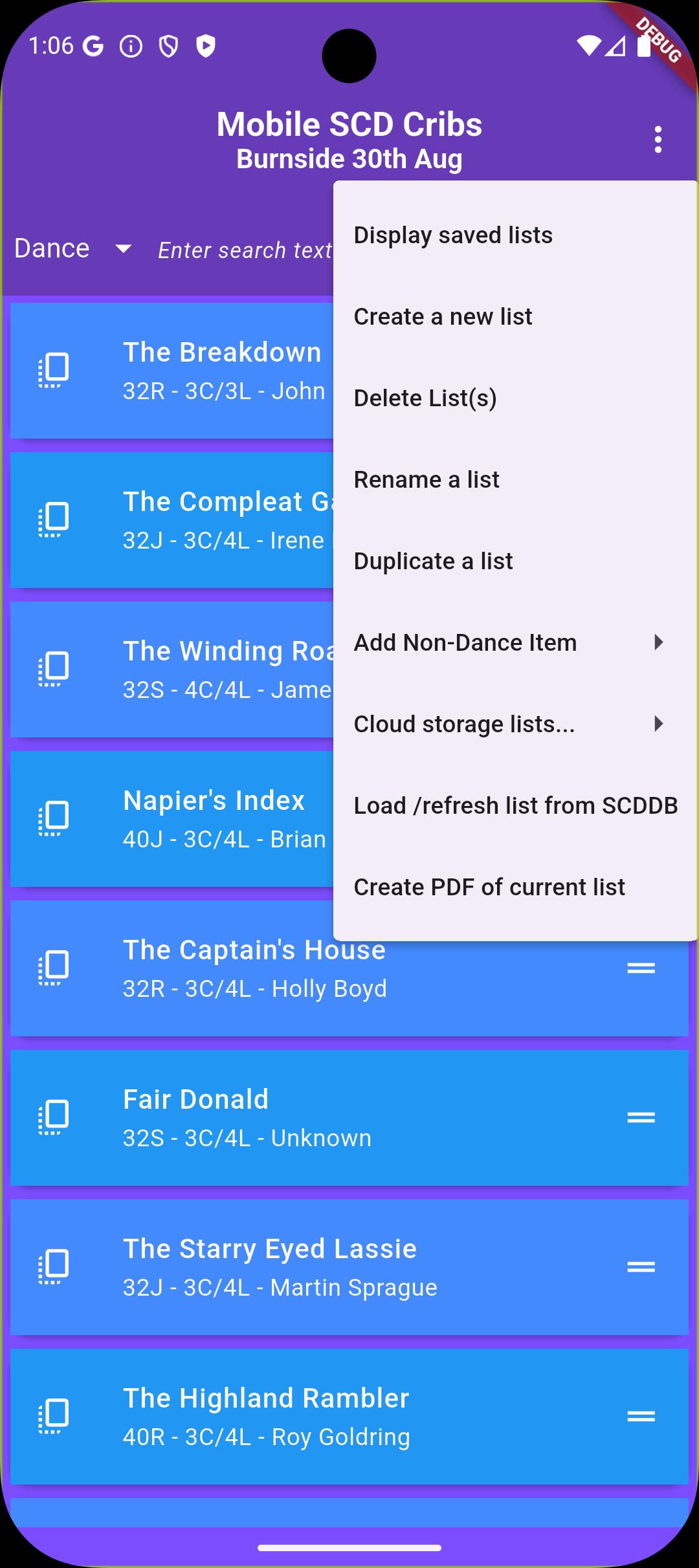
Delete an entire list by choosing "Delete this list" from the dropdown menu at the top left of the screen. You will be asked to confirm this action.
Rename a list by choosing "Rename this list" from the dropdown menu. You will be prompted for the new name.
Duplicate a list by choosing "Duplicate this list" from the dropdown menu. You will be prompted for the new name.
Create personal notes (or teaching notes) for each dance.
Share a list with other users by uploading the list to 'cloud storage' (menu item "Save list to cloud storage" , The list will be assigned an id number. Send another user the id number of the list and they can access it by using menu item 'Load list from cloud storage'.
A list of your lists saved in cloud storage' can be displayed in menu item 'Display/delete lists on cloud storage'. This menu item can also be used to delete lists stored in 'cloud storage'. This only works on the device that the list was originally saved from.
Directly download public dance lists from the Scottish Country Dance Database (SCDDB) using the dance list id number.
Any list can be printed or saved as a PDF.
معاينة
العلامات
تعليممعلومة
مطور
Charlie Inglis
احدث اصدار
5.0.0
آخر تحديث
2025-08-29
فئة
تعليم
متاح على
Google Play
أظهر المزيد
كيف تلعب Mobile SCD Cribs مع GameLoop على جهاز الكمبيوتر
1. قم بتنزيل GameLoop من الموقع الرسمي ، ثم قم بتشغيل ملف exe لتثبيت GameLoop.
2. افتح GameLoop وابحث عن "Mobile SCD Cribs" ، وابحث عن Mobile SCD Cribs في نتائج البحث وانقر على "تثبيت".
3. استمتع بلعب Mobile SCD Cribs على GameLoop.
Minimum requirements
OS
Windows 8.1 64-bit or Windows 10 64-bit
GPU
GTX 1050
CPU
i3-8300
Memory
8GB RAM
Storage
1GB available space
Recommended requirements
OS
Windows 8.1 64-bit or Windows 10 64-bit
GPU
GTX 1050
CPU
i3-9320
Memory
16GB RAM
Storage
1GB available space