
Khotta - School Planner PC
Axenda
قم بتنزيل Khotta - School Planner على جهاز الكمبيوتر باستخدام GameLoop Emulator
Khotta - School Planner على الكمبيوتر الشخصي
Khotta - School Planner ، القادم من المطور Axenda ، يعمل على نظام Android في الماضي.
الآن ، يمكنك لعب Khotta - School Planner على جهاز الكمبيوتر باستخدام GameLoop بسلاسة.
قم بتنزيله في مكتبة GameLoop أو في نتائج البحث. لا مزيد من الانتباه إلى البطارية أو المكالمات المحبطة في الوقت الخطأ بعد الآن.
ما عليك سوى الاستمتاع بجهاز Khotta - School Planner على الشاشة الكبيرة مجانًا!
Khotta - School Planner مقدمة
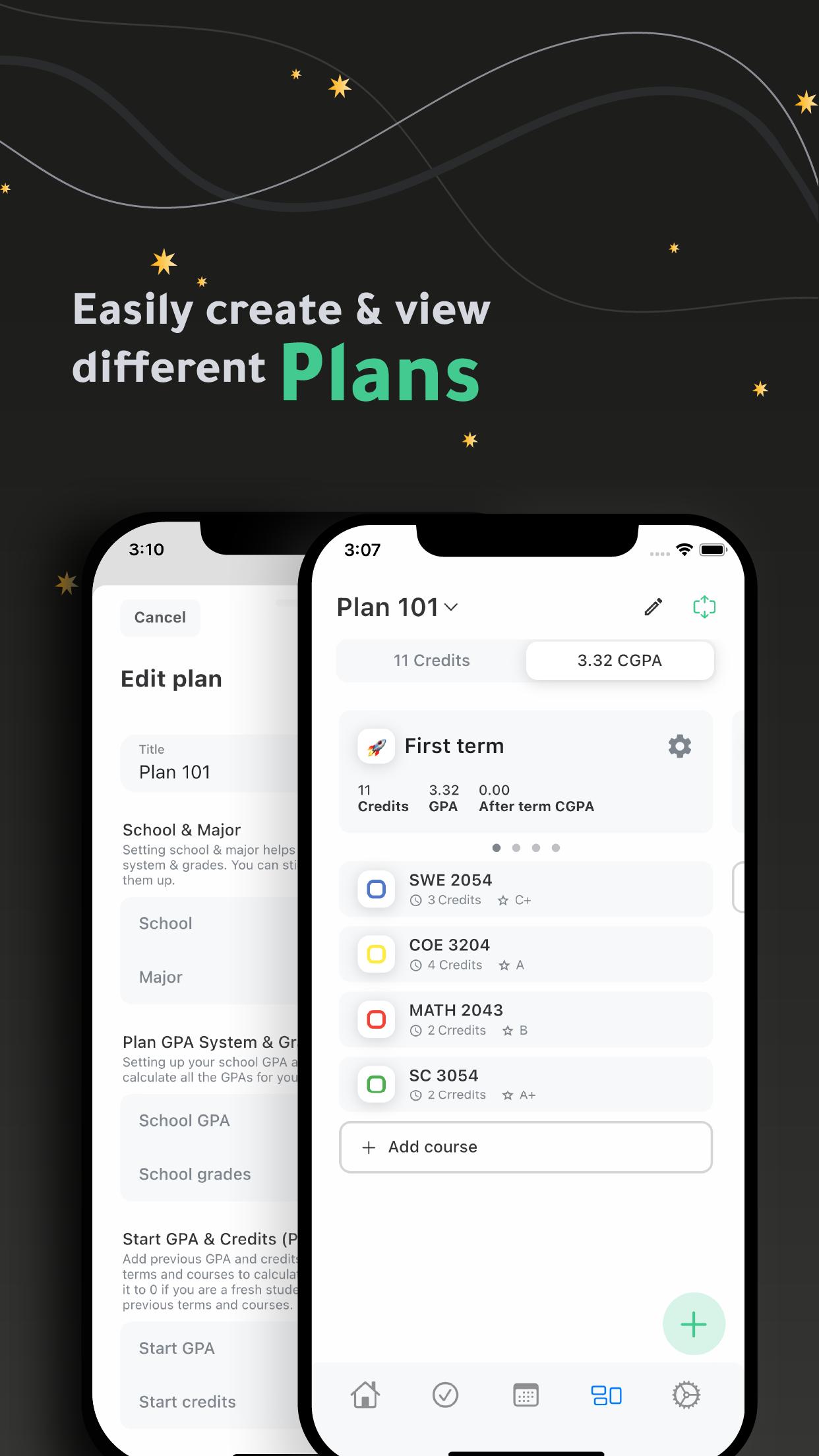
Khotta is a cross-platform planner for students, it helps student plan effectively to get much more work done and act toward desired outcomes.
Plans:
- Create multiple plans.
- Set up your plan easily by finding your school & major.
- Easily manage your plan (terms & courses) by adding plans created by other student.
- Track your GPAs for each term.
- Design your plan using emojis for terms and colors for courses.
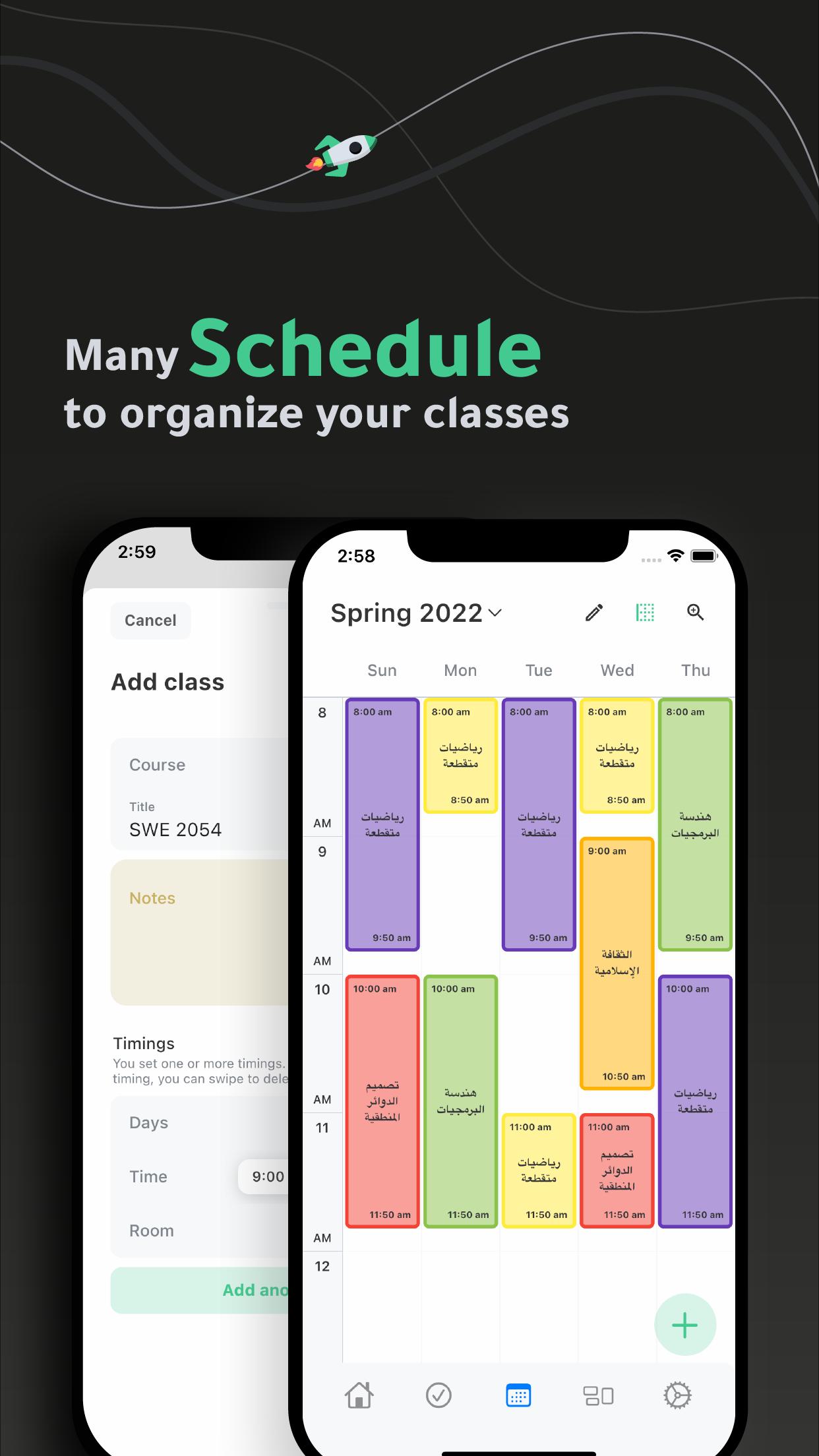
Schedules:
- Create multiple schedules.
- Easily add and organize your classes in your schedule(s).
Tasks:
- Get your tasks organized.
- View your tasks by date, course or priority.
Widget
- Check your daily schedule through home widget.
Settings:
- Use 12 or 24-hour system.
- Manage classes and tasks reminders.
- Manage classes and term default duration.
- Choose from light, dark and black themes.
- Get Sirius and have a flexible planning experience.
Ready to achieve greater results in less time? Stop procrastinating and START planning with Khotta.
معاينة
العلامات
تعليممعلومة
مطور
Axenda
احدث اصدار
3.2.8(2)
آخر تحديث
2024-09-26
فئة
تعليم
متاح على
Google Play
أظهر المزيد
كيف تلعب Khotta - School Planner مع GameLoop على جهاز الكمبيوتر
1. قم بتنزيل GameLoop من الموقع الرسمي ، ثم قم بتشغيل ملف exe لتثبيت GameLoop.
2. افتح GameLoop وابحث عن "Khotta - School Planner" ، وابحث عن Khotta - School Planner في نتائج البحث وانقر على "تثبيت".
3. استمتع بلعب Khotta - School Planner على GameLoop.
Minimum requirements
OS
Windows 8.1 64-bit or Windows 10 64-bit
GPU
GTX 1050
CPU
i3-8300
Memory
8GB RAM
Storage
1GB available space
Recommended requirements
OS
Windows 8.1 64-bit or Windows 10 64-bit
GPU
GTX 1050
CPU
i3-9320
Memory
16GB RAM
Storage
1GB available space