
Grade 8 Mathematics PC
JSDT SOLUTIONS
قم بتنزيل Grade 8 Mathematics على جهاز الكمبيوتر باستخدام GameLoop Emulator
Grade 8 Mathematics على الكمبيوتر الشخصي
Grade 8 Mathematics ، القادم من المطور JSDT SOLUTIONS ، يعمل على نظام Android في الماضي.
الآن ، يمكنك لعب Grade 8 Mathematics على جهاز الكمبيوتر باستخدام GameLoop بسلاسة.
قم بتنزيله في مكتبة GameLoop أو في نتائج البحث. لا مزيد من الانتباه إلى البطارية أو المكالمات المحبطة في الوقت الخطأ بعد الآن.
ما عليك سوى الاستمتاع بجهاز Grade 8 Mathematics على الشاشة الكبيرة مجانًا!
Grade 8 Mathematics مقدمة
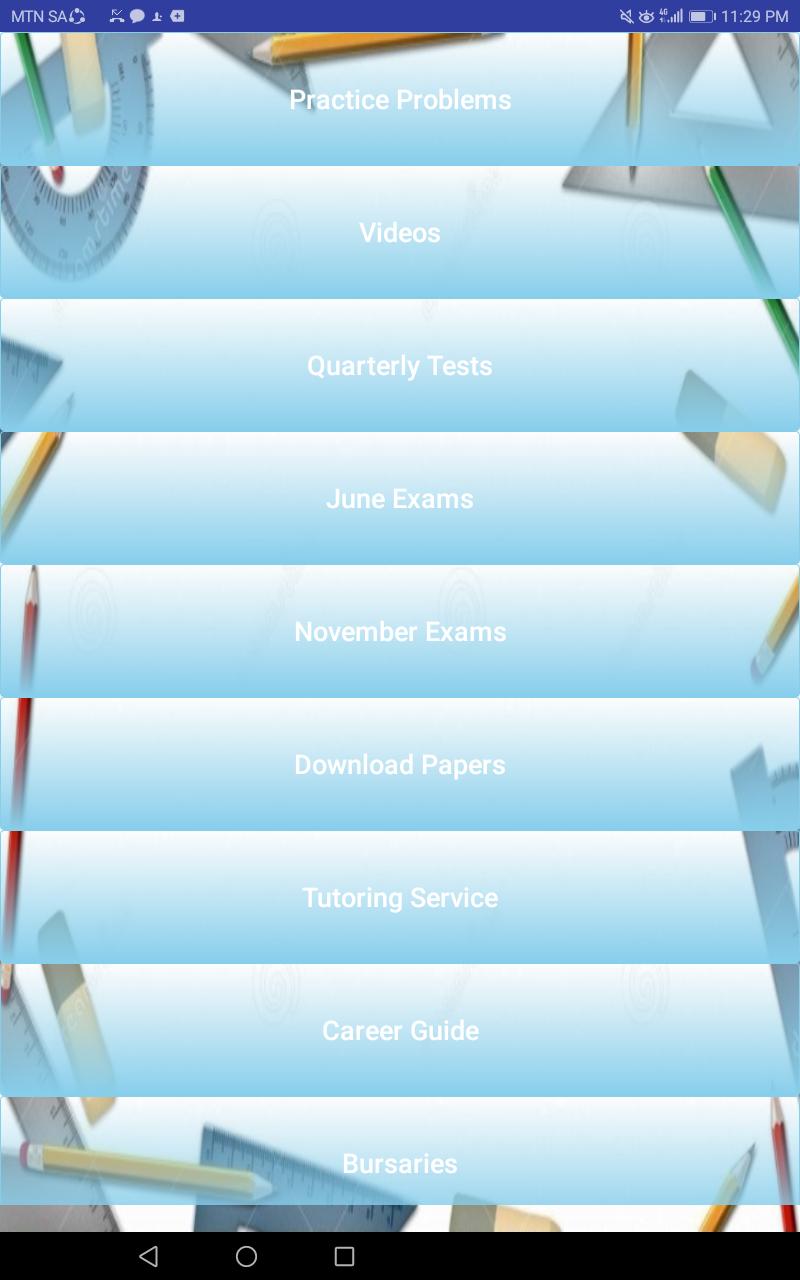
The Grade 8 Mathematics App provides students with essential tools to boost their academic performance. Key features include:
Practice Problems: A wide variety of problems to help you master different subjects.
March Tests: Access past March test papers for exam preparation.
June Exams: Review past June exam papers for effective practice.
Exemplar Papers: Understand exam formats and question types with exemplar papers.
September Tests: Test your knowledge and readiness with previous September test papers.
November Exams: Get ready for finals by reviewing past November exam papers.
Tutoring Service: Connect with expert tutors for personalized academic guidance.
Career Guide: Explore career options and future job opportunities.
Disclaimer: This app is independently developed and is not affiliated with or endorsed by any government entity. All content is based on publicly available information. Please verify details through official sources.
معاينة
العلامات
تعليممعلومة
مطور
JSDT SOLUTIONS
احدث اصدار
1.0
آخر تحديث
2020-01-18
فئة
تعليم
متاح على
Google Play
أظهر المزيد
كيف تلعب Grade 8 Mathematics مع GameLoop على جهاز الكمبيوتر
1. قم بتنزيل GameLoop من الموقع الرسمي ، ثم قم بتشغيل ملف exe لتثبيت GameLoop.
2. افتح GameLoop وابحث عن "Grade 8 Mathematics" ، وابحث عن Grade 8 Mathematics في نتائج البحث وانقر على "تثبيت".
3. استمتع بلعب Grade 8 Mathematics على GameLoop.
Minimum requirements
OS
Windows 8.1 64-bit or Windows 10 64-bit
GPU
GTX 1050
CPU
i3-8300
Memory
8GB RAM
Storage
1GB available space
Recommended requirements
OS
Windows 8.1 64-bit or Windows 10 64-bit
GPU
GTX 1050
CPU
i3-9320
Memory
16GB RAM
Storage
1GB available space