
IDD Prefix Dialer (IDD/ISD) PC
Allvins
قم بتنزيل IDD Prefix Dialer (IDD/ISD) على جهاز الكمبيوتر باستخدام GameLoop Emulator
IDD Prefix Dialer (IDD/ISD) على الكمبيوتر الشخصي
IDD Prefix Dialer (IDD/ISD) ، القادم من المطور Allvins ، يعمل على نظام Android في الماضي.
الآن ، يمكنك لعب IDD Prefix Dialer (IDD/ISD) على جهاز الكمبيوتر باستخدام GameLoop بسلاسة.
قم بتنزيله في مكتبة GameLoop أو في نتائج البحث. لا مزيد من الانتباه إلى البطارية أو المكالمات المحبطة في الوقت الخطأ بعد الآن.
ما عليك سوى الاستمتاع بجهاز IDD Prefix Dialer (IDD/ISD) على الشاشة الكبيرة مجانًا!
IDD Prefix Dialer (IDD/ISD) مقدمة
IDD/ISD Prefix Dialer will help you to make international calls with the various IDD/ISD Plan.
No need to add Prefix number/Access Number manually. Just save the phone number with + or isd code. you make calls easily.
Steps:
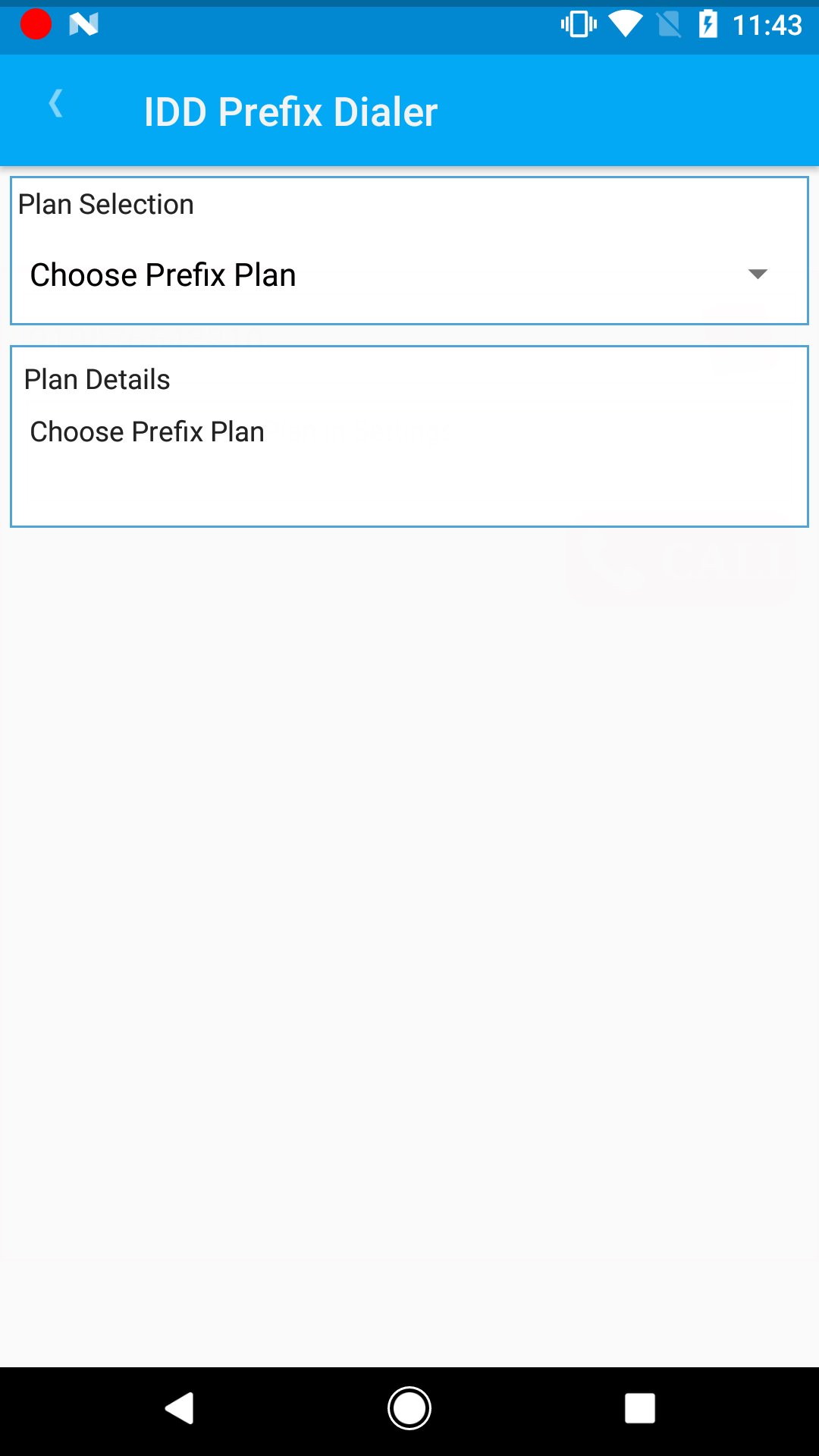
1. Go to settings, choose the plan name (configure first time only)
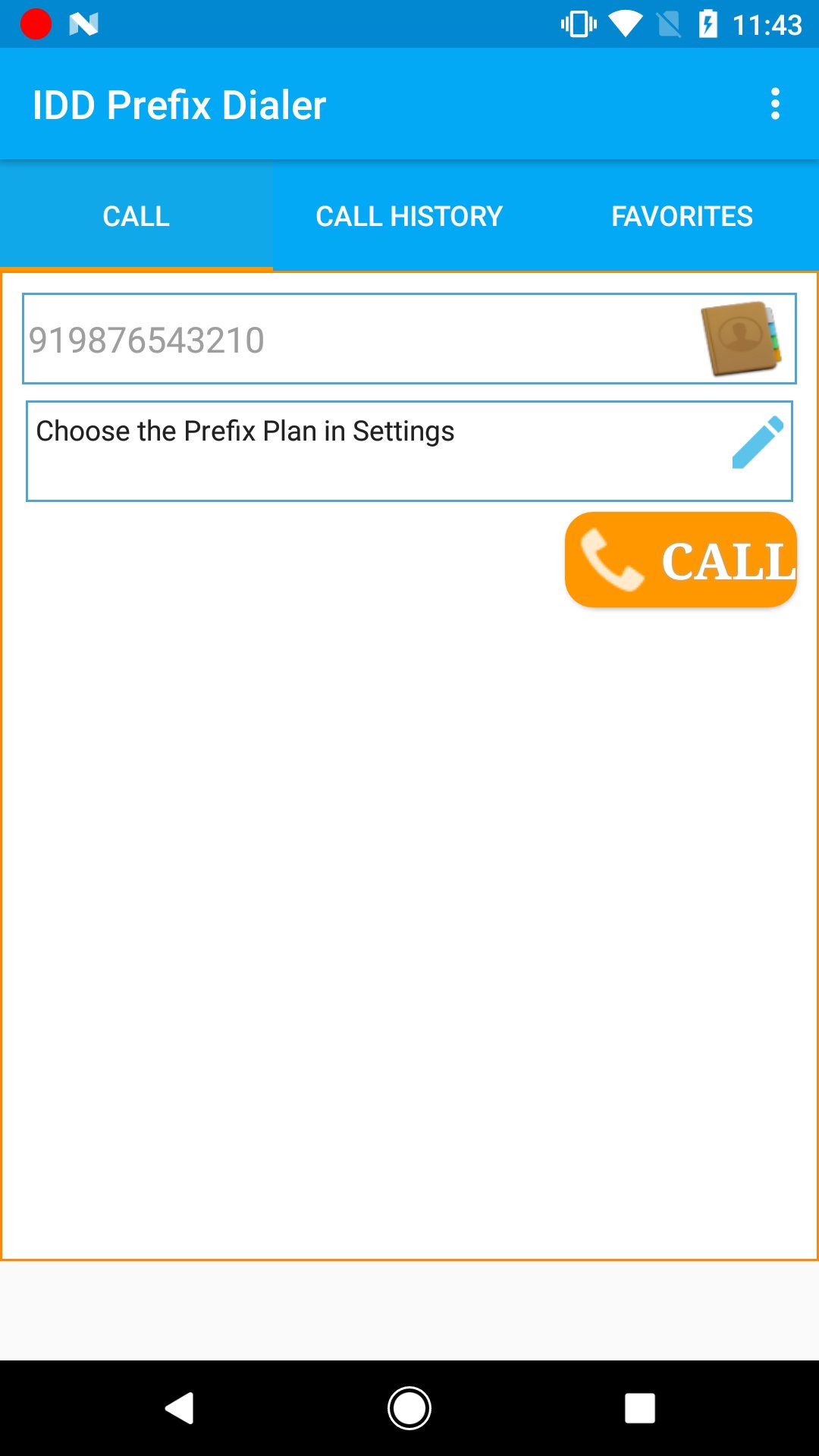
2. Call Screen - type the mobile number / click contacts icon to choose the phone number from contacts.
3. Press Call Button to connect the call.
Features (screens) :
Settings (menu->settings):
1. IDD/ISD Prefix Plan Selection
Call:
1. Type and Dial
2. Click the contact to select the contact
4. display plan name and Dial Pattern for the selected IDD/ISD Plan
Call History
1. You can make calls from the call history Screen. click on the call log to Make Call
2. Click the star icon to make the phone number as Favorite Number
Favorite
1. You can make calls from the Favorites Screen. click on the number to Make Call
2. you can remove the number from favorite using delete button
Note :
* This is not a VOIP application.
* It will work without Internet Connection.
Below the Supported Networks and IDD/ISD Plans:
1. Brunei DST - Economy Call 095
2. China Unicom
3. Kuwait Zain - Prepaid Calling Card
4. Malaysia
4.1. Digi - IDD 133
4.2. Maxis - IDD 132
4.3. U Mobile - IDD 1310
4.4. Dhiraagu BUDGET IDD 018 and 019
5. Singapore
5.1. M1 - IDD 021
5.2. Sing Tel – Budget Call 013, IDD 001, STD 020, v019
5.3. Star Hub - IDD 008, IDD 018
5.4. Phoenix-1516 IDD
6. Sri Lanka
6.1. Lanka Bell - BELL IDD
6.2. Mobitel - IDD Buddy
7. Philippines
7.1. Globe-IDD Sakto Calls
8. Hong Kong
8.1. China Mobile-IDD 001, IDD 1597 and IDD 1523
8.2. Three-IDD 001, IDD 1968, IDD 1966 and IDD 1969
8.3. CSL-IDD 001, IDD 0060 and IDD 1678
8.4. HGC - IDD 0080 Long Distance Call Service and IDD 0088 Unlimited Plan
if you want to add new network / idd plan, send the details in email. i will add it in future release.
send email if you are facing any issues.
Facebook:
https://www.facebook.com/AllvinsIN
Email:
Demo Video (Youtube) :
معاينة
العلامات
مجال الاتصالاتمعلومة
مطور
Allvins
احدث اصدار
1.29
آخر تحديث
2025-07-09
فئة
مجال الاتصالات
متاح على
Google Play
أظهر المزيد
كيف تلعب IDD Prefix Dialer (IDD/ISD) مع GameLoop على جهاز الكمبيوتر
1. قم بتنزيل GameLoop من الموقع الرسمي ، ثم قم بتشغيل ملف exe لتثبيت GameLoop.
2. افتح GameLoop وابحث عن "IDD Prefix Dialer (IDD/ISD)" ، وابحث عن IDD Prefix Dialer (IDD/ISD) في نتائج البحث وانقر على "تثبيت".
3. استمتع بلعب IDD Prefix Dialer (IDD/ISD) على GameLoop.
Minimum requirements
OS
Windows 8.1 64-bit or Windows 10 64-bit
GPU
GTX 1050
CPU
i3-8300
Memory
8GB RAM
Storage
1GB available space
Recommended requirements
OS
Windows 8.1 64-bit or Windows 10 64-bit
GPU
GTX 1050
CPU
i3-9320
Memory
16GB RAM
Storage
1GB available space