Croma-App PC
Axalta Coating Systems Australia
قم بتنزيل Croma-App على جهاز الكمبيوتر باستخدام GameLoop Emulator
Croma-App على الكمبيوتر الشخصي
Croma-App ، القادم من المطور Axalta Coating Systems Australia ، يعمل على نظام Android في الماضي.
الآن ، يمكنك لعب Croma-App على جهاز الكمبيوتر باستخدام GameLoop بسلاسة.
قم بتنزيله في مكتبة GameLoop أو في نتائج البحث. لا مزيد من الانتباه إلى البطارية أو المكالمات المحبطة في الوقت الخطأ بعد الآن.
ما عليك سوى الاستمتاع بجهاز Croma-App على الشاشة الكبيرة مجانًا!
Croma-App مقدمة
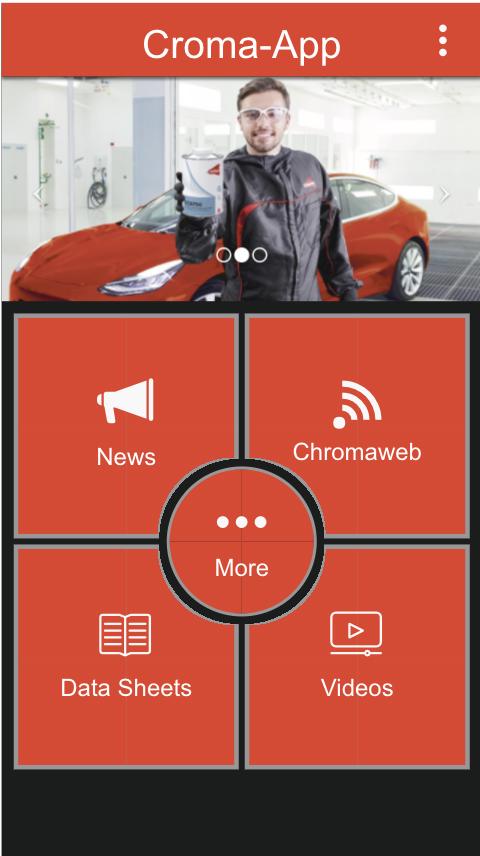
Introducing “Croma-App”, our new mobile app providing simple and quick access to product information, technical and safety data sheets and best practice training videos for Cromax customers in Australia & New Zealand.
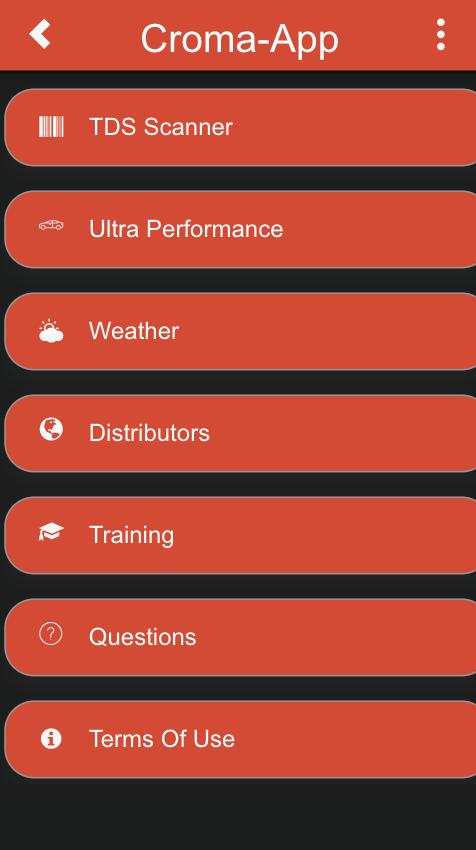
Croma-App is divided into sections including data sheets, colour retrieval, latest news and a distributor locator. In addition, customers can access up-to-date information such as technical data sheets, safety data sheets and application best practice videos. Two features that customers will appreciate are accessibility to the latest humidity levels through the weather section and the barcode scanner, that allows easy access to the product data sheet through using the device’s camera to scan the paint can product barcode
معاينة
العلامات
اعمالمعلومة
مطور
Axalta Coating Systems Australia
احدث اصدار
1.0
آخر تحديث
2024-12-02
فئة
اعمال
متاح على
Google Play
أظهر المزيد
كيف تلعب Croma-App مع GameLoop على جهاز الكمبيوتر
1. قم بتنزيل GameLoop من الموقع الرسمي ، ثم قم بتشغيل ملف exe لتثبيت GameLoop.
2. افتح GameLoop وابحث عن "Croma-App" ، وابحث عن Croma-App في نتائج البحث وانقر على "تثبيت".
3. استمتع بلعب Croma-App على GameLoop.
Minimum requirements
OS
Windows 8.1 64-bit or Windows 10 64-bit
GPU
GTX 1050
CPU
i3-8300
Memory
8GB RAM
Storage
1GB available space
Recommended requirements
OS
Windows 8.1 64-bit or Windows 10 64-bit
GPU
GTX 1050
CPU
i3-9320
Memory
16GB RAM
Storage
1GB available space