Bible Bookmark (Light Version) PC
Donut Pond
قم بتنزيل Bible Bookmark (Light Version) على جهاز الكمبيوتر باستخدام GameLoop Emulator
Bible Bookmark (Light Version) على الكمبيوتر الشخصي
Bible Bookmark (Light Version) ، القادم من المطور Donut Pond ، يعمل على نظام Android في الماضي.
الآن ، يمكنك لعب Bible Bookmark (Light Version) على جهاز الكمبيوتر باستخدام GameLoop بسلاسة.
قم بتنزيله في مكتبة GameLoop أو في نتائج البحث. لا مزيد من الانتباه إلى البطارية أو المكالمات المحبطة في الوقت الخطأ بعد الآن.
ما عليك سوى الاستمتاع بجهاز Bible Bookmark (Light Version) على الشاشة الكبيرة مجانًا!
Bible Bookmark (Light Version) مقدمة
Features:
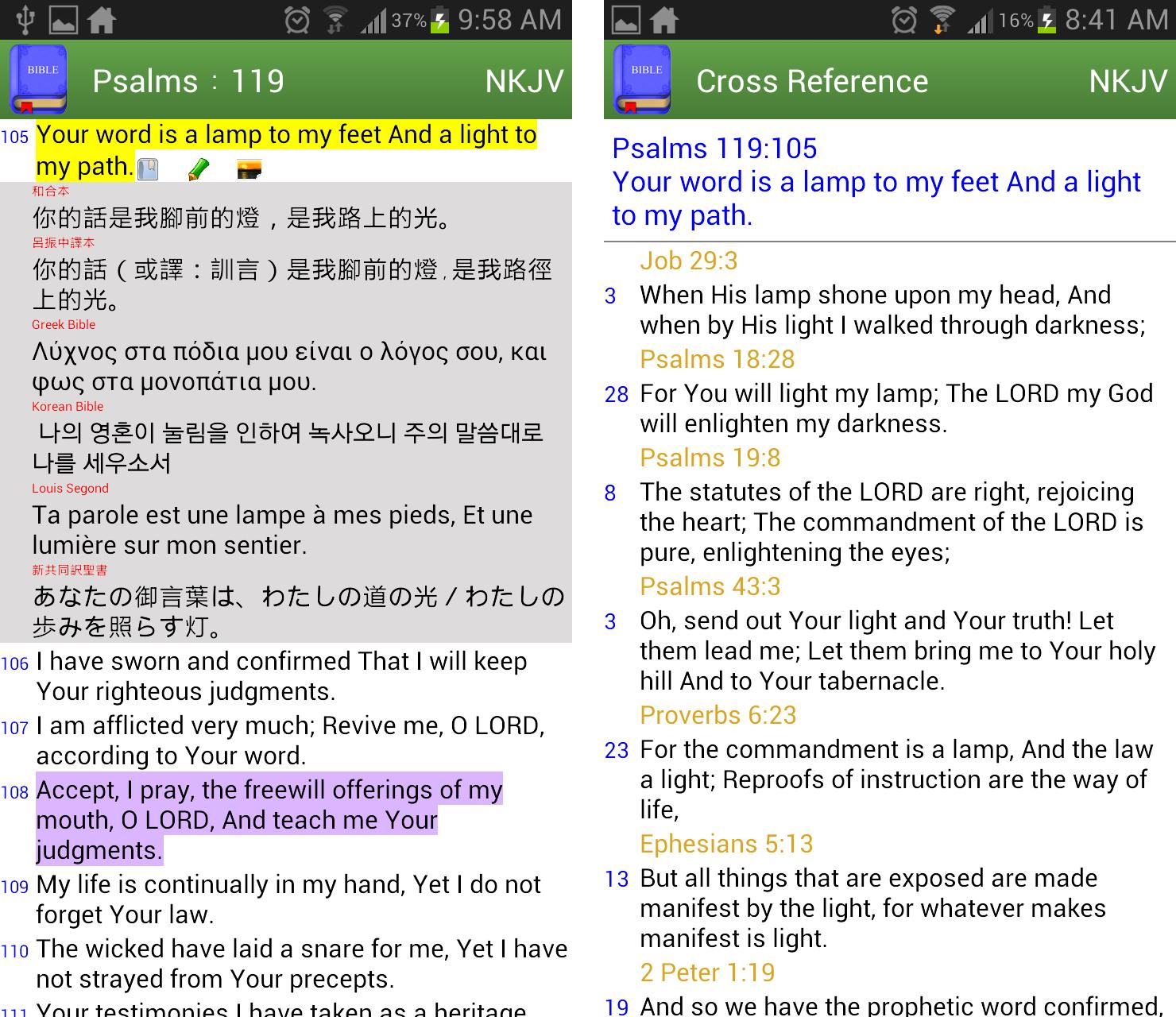
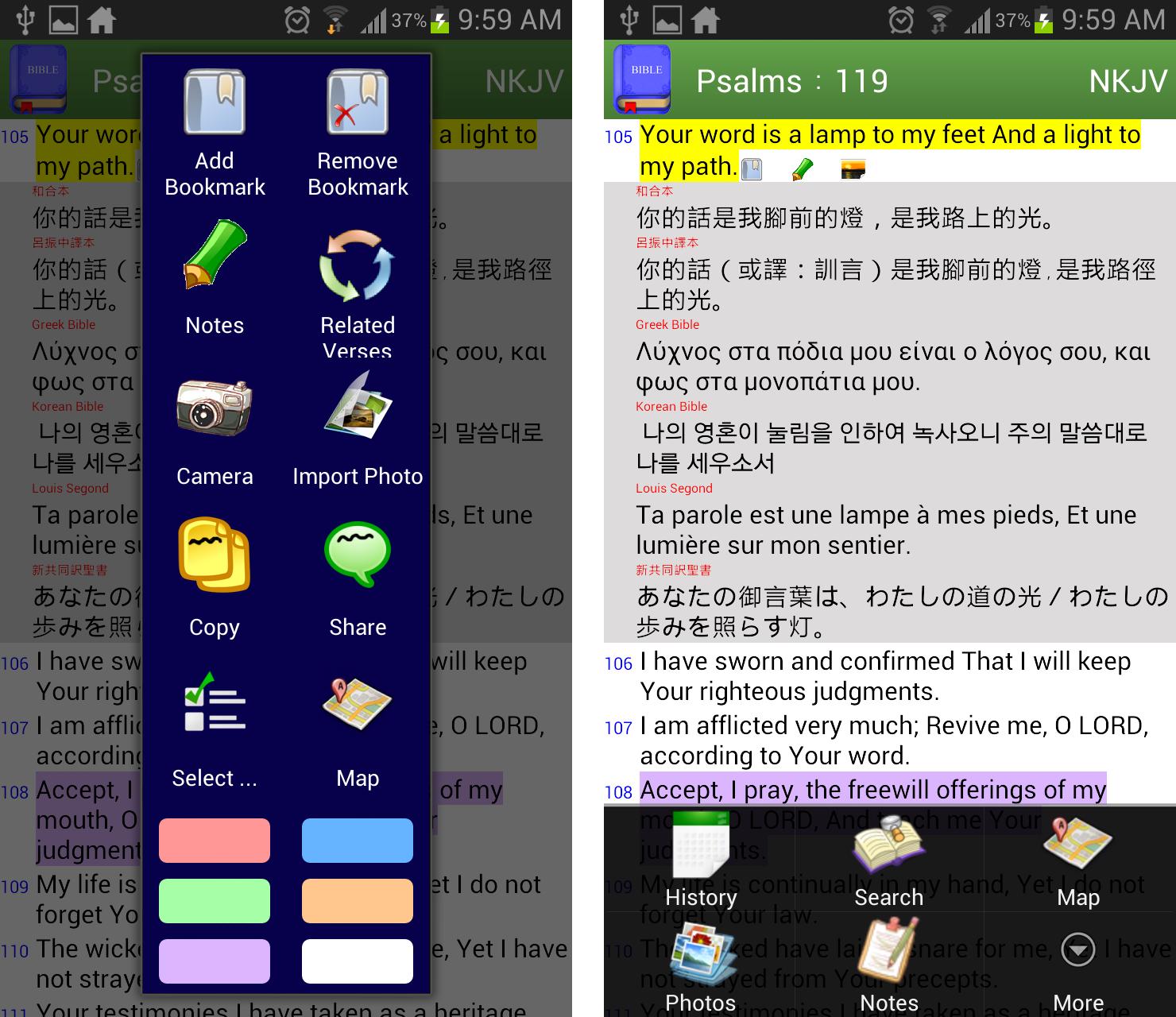
✔ bookmarks are organized in tree structure
✔ easy to compare multiversion of translations verse by verse
✔ built-in common verses index like "My comfort", "My living", "Evangelistic" so that you can quickly find some reminder from God in need
✔ built-in related concordance, a.k.a. Treasury of Scripture Knowledge
✔ take or import photos to be linked to verse level
✔ highlight verses in colors
✔ view bible locations in Google Map
✔ write notes in verse level
✔ support white or dark theme
✔ select book by mnemonic view or full book name according to main language
✔ fast search of text from old/new testament, book range or previous search results
✔ volume up/down button to scroll page up/down
✔ share arbitrary verses to other apps
✔ change font size by pinch zoom or setting
Free App Limitations:
★ add bookmark/note/photo, copy and share functions are limited to new testament only
★ I'd never ever put any adv here to respect every single word from God. If you like this app, please rate and share it to the one you love.
Contact:
If you have any questions and suggestions or want to translate the interface to your language, please email me
bible.bookmarks.for.jesus@gmail.com
معاينة
العلامات
Books-&معلومة
مطور
Donut Pond
احدث اصدار
2.70
آخر تحديث
2020-12-31
فئة
Books-reference
متاح على
Google Play
أظهر المزيد
كيف تلعب Bible Bookmark (Light Version) مع GameLoop على جهاز الكمبيوتر
1. قم بتنزيل GameLoop من الموقع الرسمي ، ثم قم بتشغيل ملف exe لتثبيت GameLoop.
2. افتح GameLoop وابحث عن "Bible Bookmark (Light Version)" ، وابحث عن Bible Bookmark (Light Version) في نتائج البحث وانقر على "تثبيت".
3. استمتع بلعب Bible Bookmark (Light Version) على GameLoop.
Minimum requirements
OS
Windows 8.1 64-bit or Windows 10 64-bit
GPU
GTX 1050
CPU
i3-8300
Memory
8GB RAM
Storage
1GB available space
Recommended requirements
OS
Windows 8.1 64-bit or Windows 10 64-bit
GPU
GTX 1050
CPU
i3-9320
Memory
16GB RAM
Storage
1GB available space