Miracast - Wifi Display на пк
FunStudioz
Скачать Miracast - Wifi Display на ПК с помощью эмулятора GameLoop
Miracast - Wifi Display на ПК
Miracast - Wifi Display, исходящий от разработчика FunStudioz, в прошлом работал на системе Android.
Теперь вы можете без проблем играть в Miracast - Wifi Display на ПК с помощью GameLoop.
Загрузите его в библиотеке GameLoop или результатах поиска. Больше не нужно смотреть на аккумулятор или разочаровывать звонки в неподходящее время.
Просто наслаждайтесь Miracast - Wifi Display на ПК на большом экране бесплатно!
Miracast - Wifi Display Введение
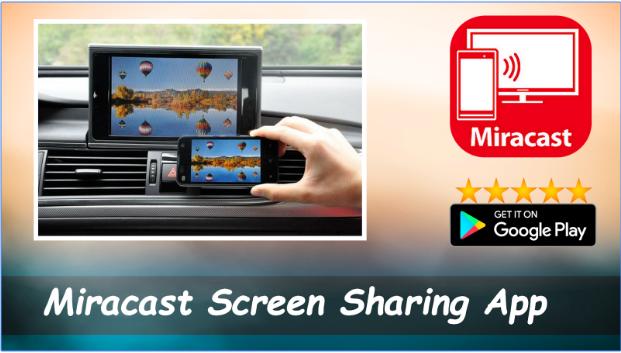
Miracast or Screen Mirroring able to play videos, music, photos, etc in my smartphone with any devices (smartphone, smartTV, laptop, tablet, etc) at anywhere.
Screen Mirroring provides an easy shortcut and widget to use the Miracast external display screen casting feature included in Android 4.2 and above!
With this app, user will more conveniently be able to mirror own screen or use the cast feature from supported devices.
To Share/mirror mobile screen to SmartTV or Wifi Display dongle connected to TV,
Following steps needs to performed:
1. Check your TV wheather it supports Wireless Display / Miracast.
2. Make sure TV is connected to the same WiFi network as your mobile device. You can't connect it with wired connection (LAN).
3. Make sure your Android device version is 4.2 or higher.
4. Make sure your device inbuilt hardware of Miracast.
5. Download and run Miracast App.
How to use?
Firstly App open then click on wi-fi display you will go on cast screen directly.
Enable the TV Miracast.
Tap on start wifi of the application.
Miracast application should be enabled.
Both will connect automatically to each other then you can see same mobile screen show on Smart TV.
Ease of Use: The app is fast event in 3g-4g-6g network and easy to browse .
Miracast gives you -
- Truly amazing graphics
- Amazing animations
- Carefully crafted option more apps
P.S. : This app always requires Miracast hardware/ software supported phones to connect and work successfully. Please do not rate the app with lower rating if your mobile did not support this feature.
Happy Miracasting.
Предварительный просмотр
Информация
Разработчик
FunStudioz
Последняя версия
1.01
Последнее обновление
2018-09-16
Категория
Video-players-editors
Доступно на
Google Play
Показать больше
Как играть в Miracast - Wifi Display с GameLoop на ПК
1. Загрузите GameLoop с официального сайта, затем запустите исполняемый файл для установки GameLoop.
2. Откройте GameLoop и выполните поиск Miracast - Wifi Display, найдите Miracast - Wifi Display в результатах поиска и нажмите Установить.
3. Наслаждайтесь игрой в Miracast - Wifi Display на GameLoop.
Minimum requirements
OS
Windows 8.1 64-bit or Windows 10 64-bit
GPU
GTX 1050
CPU
i3-8300
Memory
8GB RAM
Storage
1GB available space
Recommended requirements
OS
Windows 8.1 64-bit or Windows 10 64-bit
GPU
GTX 1050
CPU
i3-9320
Memory
16GB RAM
Storage
1GB available space