WiFi Auto Connect, WiFi Auto Unlock Hotspots на пк
up to date apps
Скачать WiFi Auto Connect, WiFi Auto Unlock Hotspots на ПК с помощью эмулятора GameLoop
WiFi Auto Connect, WiFi Auto Unlock Hotspots на ПК
WiFi Auto Connect, WiFi Auto Unlock Hotspots, исходящий от разработчика up to date apps, в прошлом работал на системе Android.
Теперь вы можете без проблем играть в WiFi Auto Connect, WiFi Auto Unlock Hotspots на ПК с помощью GameLoop.
Загрузите его в библиотеке GameLoop или результатах поиска. Больше не нужно смотреть на аккумулятор или разочаровывать звонки в неподходящее время.
Просто наслаждайтесь WiFi Auto Connect, WiFi Auto Unlock Hotspots на ПК на большом экране бесплатно!
WiFi Auto Connect, WiFi Auto Unlock Hotspots Введение
WiFi Automatic or Wi-Fi Auto Connect app can help you increase the standby time of your device. WiFi Automatic disable your WiFi Radio when you don't need it and thereby lowers the battery consumption. Wi-Fi Auto Connect app helps you Reconnect Wi-Fi and Auto Stop WiFi Connection, Mobile Hotspot automatic. Download the FREE Find Wifi app now and find out why millions of people use it to improve their mobile phone experience!
The WiFi Auto Unlock and wifi connect app is the best tool to automatically turn on Wi-Fi when the screen is unlocked and automatically turn off Wi-Fi when the screen is locked. In addition, Wifi has built the world's largest map of free Wi-Fi hotspots, so we can help you find a nearby free Wifi hotspot with our Wi-Fi finder map and find wifi locator.
WiFi Auto Unlock and wifi connect allows you to automatically connect to WiFi with just one touch.
You can also easily connect to or disconnect from any network.
WiFi Automatic Unlock app help your device auto Turn ON or turn OFF WIFI connection .This wifi automatic on off wifi automatically to help your device save battery life and data internet connection . Most of the time device uses a battery to maintain the connection over WiFi even when the screen is off.So here we designed this Free automatic WiFi app to turn off your WiFi data connection if your screen is off or lock , and also when your screen is on or unlock it will automatically on the WiFi and data connection.
You can also specify to automatically turn on WiFi again, if you turn on your device or when you enter a specified location (requires a cell radio and therefore does not work on WiFi-only tablets!). Also, the app can regularly scan for available networks to connect to and re-disable WiFi if no suitable network is found. This way, you are always connected to your WiFi network when using the device. A WiFi connection generally uses less power than a mobile data connection, so on your phone, it makes sense to keep the WiFi radio active, whenever a WiFi network is in range and when the Device Is out of the WiFi range then the app automatic of the WiFi.
FEATURES OF WiFi Automatic :-
📶 Auto WiFi On/Off :
- With Wi-Fi Auto Connect app Device Screen is On the WiFi gets Connected, When the device is getting charged the WiFi gets Connected and when the user launch the WiFi required apps then also the WiFi get connected Automatically. When the Device get out of the WIFi Range and the WiFi is not required by the apps then WiFi Automatically get turned Off.
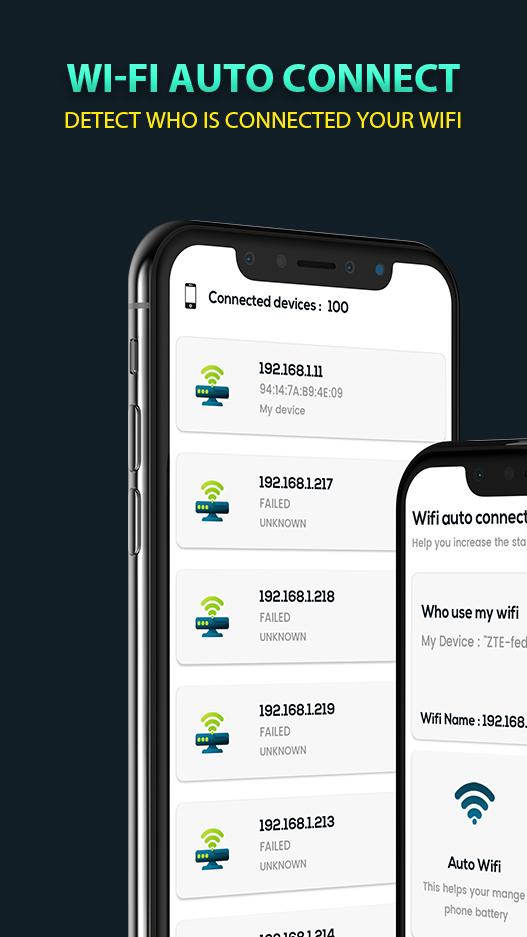
📶 Who Use My WiFi : User & MAC Address Details
- The Wi-Fi Auto Reconnect app gives you your WiFi user Device Details and also you can block them for using your WiFi Connection with the best WiFi Automatic app.
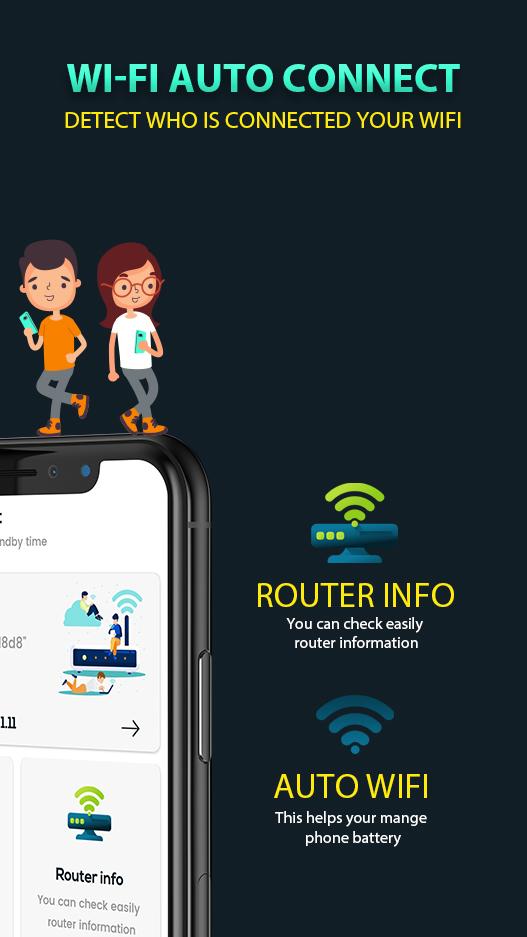
📶 Router Info :
- By using The Wi-Fi auto Connect app you get the Connected Wi-Fi Router Information and also save them for future with best Wi-Fi Automatic app.
Thank you...
Предварительный просмотр
Информация
Разработчик
up to date apps
Последняя версия
1.3
Последнее обновление
2021-06-29
Категория
Инструменты
Доступно на
Google Play
Показать больше
Как играть в WiFi Auto Connect, WiFi Auto Unlock Hotspots с GameLoop на ПК
1. Загрузите GameLoop с официального сайта, затем запустите исполняемый файл для установки GameLoop.
2. Откройте GameLoop и выполните поиск WiFi Auto Connect, WiFi Auto Unlock Hotspots, найдите WiFi Auto Connect, WiFi Auto Unlock Hotspots в результатах поиска и нажмите Установить.
3. Наслаждайтесь игрой в WiFi Auto Connect, WiFi Auto Unlock Hotspots на GameLoop.
Minimum requirements
OS
Windows 8.1 64-bit or Windows 10 64-bit
GPU
GTX 1050
CPU
i3-8300
Memory
8GB RAM
Storage
1GB available space
Recommended requirements
OS
Windows 8.1 64-bit or Windows 10 64-bit
GPU
GTX 1050
CPU
i3-9320
Memory
16GB RAM
Storage
1GB available space