Qnotes HD на пк
QNAP
Скачать Qnotes HD на ПК с помощью эмулятора GameLoop
Qnotes HD на ПК
Qnotes HD, исходящий от разработчика QNAP, в прошлом работал на системе Android.
Теперь вы можете без проблем играть в Qnotes HD на ПК с помощью GameLoop.
Загрузите его в библиотеке GameLoop или результатах поиска. Больше не нужно смотреть на аккумулятор или разочаровывать звонки в неподходящее время.
Просто наслаждайтесь Qnotes HD на ПК на большом экране бесплатно!
Qnotes HD Введение
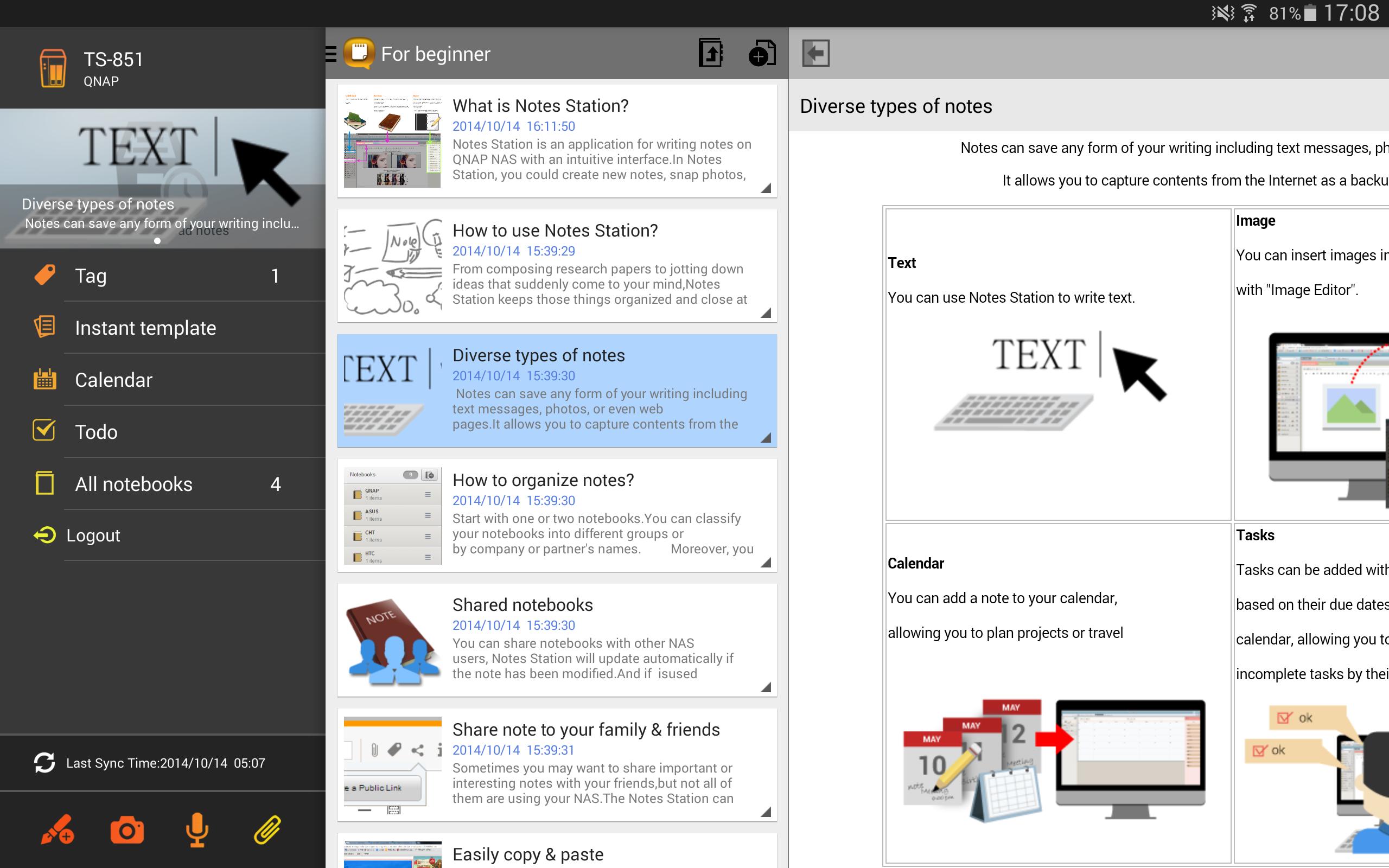
Qnotes provides an effective way to take notes with highly privacy. It is the only android note taking app that supports private cloud. Qnotes can sync data with other devices via QNAP Turbo NAS, but can also works alone without any NAS or Internet.
Key Features:
- Support local mode that can work alone with your Android device.
- With Notes Station on the QNAP Turbo NAS, Qnotes can easily sync data with other devices or people.
- Create and edit text notes, calendar events and to-do lists.
- Add pictures or voices in your note.
- Organize notes by notebooks and sessions.
- Support offline editing.
System Requirements:
- Android 4.0.3 and above
Private Cloud Requirements (to sync and share data)
- QNAP QTS 4.0.7 and above
- QNAP Notes Station 1.0.92 and above
Предварительный просмотр
Информация
Разработчик
QNAP
Последняя версия
1.2.6.0621
Последнее обновление
2018-08-03
Категория
Инструменты
Доступно на
Google Play
Показать больше
Как играть в Qnotes HD с GameLoop на ПК
1. Загрузите GameLoop с официального сайта, затем запустите исполняемый файл для установки GameLoop.
2. Откройте GameLoop и выполните поиск Qnotes HD, найдите Qnotes HD в результатах поиска и нажмите Установить.
3. Наслаждайтесь игрой в Qnotes HD на GameLoop.
Minimum requirements
OS
Windows 8.1 64-bit or Windows 10 64-bit
GPU
GTX 1050
CPU
i3-8300
Memory
8GB RAM
Storage
1GB available space
Recommended requirements
OS
Windows 8.1 64-bit or Windows 10 64-bit
GPU
GTX 1050
CPU
i3-9320
Memory
16GB RAM
Storage
1GB available space