Move to OS devices на пк
NawNaw Labs
Скачать Move to OS devices на ПК с помощью эмулятора GameLoop
Move to OS devices на ПК
Move to OS devices, исходящий от разработчика NawNaw Labs, в прошлом работал на системе Android.
Теперь вы можете без проблем играть в Move to OS devices на ПК с помощью GameLoop.
Загрузите его в библиотеке GameLoop или результатах поиска. Больше не нужно смотреть на аккумулятор или разочаровывать звонки в неподходящее время.
Просто наслаждайтесь Move to OS devices на ПК на большом экране бесплатно!
Move to OS devices Введение
Whatever the reason, here’s how to move your entire digital life from Android to iOS with as little head-scratching as possible.
For simplicity’s sake, we’ll assume you’re set up on Android Device with your data plugged into Google’s services (Gmail, Google Calendar and so on). If you’re using something else, like a Microsoft or Yahoo email address, the process will be similar, and often just involves installing the relevant Android-analogous app on your new iPhone.
Here's what you need for moving to ios
iOS 10 or later ( iOS 10 / iOS 12 / iOS 11 / iOS 12/ iOS 13)
iPhone 6 or later ( iPhone 5 / iPhoneX / iPhoneXR )
iPad 4th generation or later
iPad mini 2nd generation or later
iPod touch 6th generation
Android version 4.0 or later
Before you begin with Move to ios app
On your Android device, make sure that Wi-Fi is turned on.
Plug your new iOS device and your Android device into power.
Make sure that the content you're moving, including what's on your external Micro SD card, will fit on your new iOS device
If you want to move your Chrome bookmarks, update to the latest version of Chrome on your Android device.
If you have issues moving your content, there are a couple of things that you can check:
Make sure that you leave both devices alone until the transfer finishes. For example, on your Android device, the Move to iOS app should stay onscreen the whole time. If you use another app or get a phone call on your Android before the transfer finishes, your content won't moving.
On your Android device, turn off apps or settings that might affect your Wi-Fi connection, like the Sprint Connections Optimizer or the Smart Network Switch. Then find Wi-Fi in Settings, touch and hold each known network, and forget the network. Then try the transfer again.
Restart both of your devices and try again.
On your Android device, turn off your cellular data connection. Then try the transfer again.
You might find that only some content transferred and your iOS device ran out of space, or your iOS device might appear full even though the transfer didn't finish. If so, erase your iOS device and start the transfer again. Make sure that your Android content doesn't exceed the available space on your iOS device.
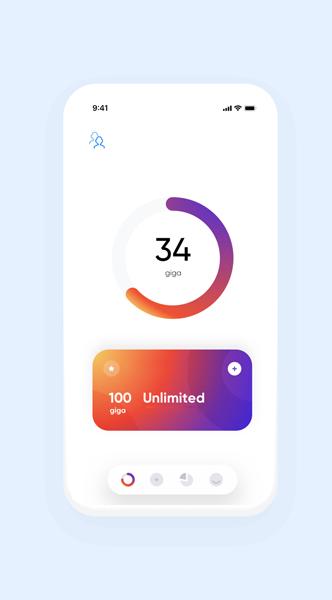
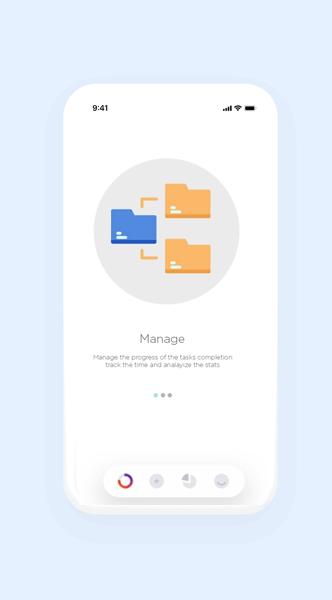
Предварительный просмотр
Информация
Разработчик
NawNaw Labs
Последняя версия
3
Последнее обновление
2020-05-20
Категория
Инструменты
Доступно на
Google Play
Показать больше
Как играть в Move to OS devices с GameLoop на ПК
1. Загрузите GameLoop с официального сайта, затем запустите исполняемый файл для установки GameLoop.
2. Откройте GameLoop и выполните поиск Move to OS devices, найдите Move to OS devices в результатах поиска и нажмите Установить.
3. Наслаждайтесь игрой в Move to OS devices на GameLoop.
Minimum requirements
OS
Windows 8.1 64-bit or Windows 10 64-bit
GPU
GTX 1050
CPU
i3-8300
Memory
8GB RAM
Storage
1GB available space
Recommended requirements
OS
Windows 8.1 64-bit or Windows 10 64-bit
GPU
GTX 1050
CPU
i3-9320
Memory
16GB RAM
Storage
1GB available space