PWS Manager на пк
Sony Storage Media Solutions Corporation
Скачать PWS Manager на ПК с помощью эмулятора GameLoop
PWS Manager на ПК
PWS Manager, исходящий от разработчика Sony Storage Media Solutions Corporation, в прошлом работал на системе Android.
Теперь вы можете без проблем играть в PWS Manager на ПК с помощью GameLoop.
Загрузите его в библиотеке GameLoop или результатах поиска. Больше не нужно смотреть на аккумулятор или разочаровывать звонки в неподходящее время.
Просто наслаждайтесь PWS Manager на ПК на большом экране бесплатно!
PWS Manager Введение
“PWS Manager” is a dedicated application for “Portable Wireless Server” from Sony.
Connect “Portable Wireless Server” to your Android device via Wi-Fi and you can
browse the content in “Portable Wireless Server” and operate (copy, delete and so on)
using this App.
Main features of PWS (Portable Wireless Server)
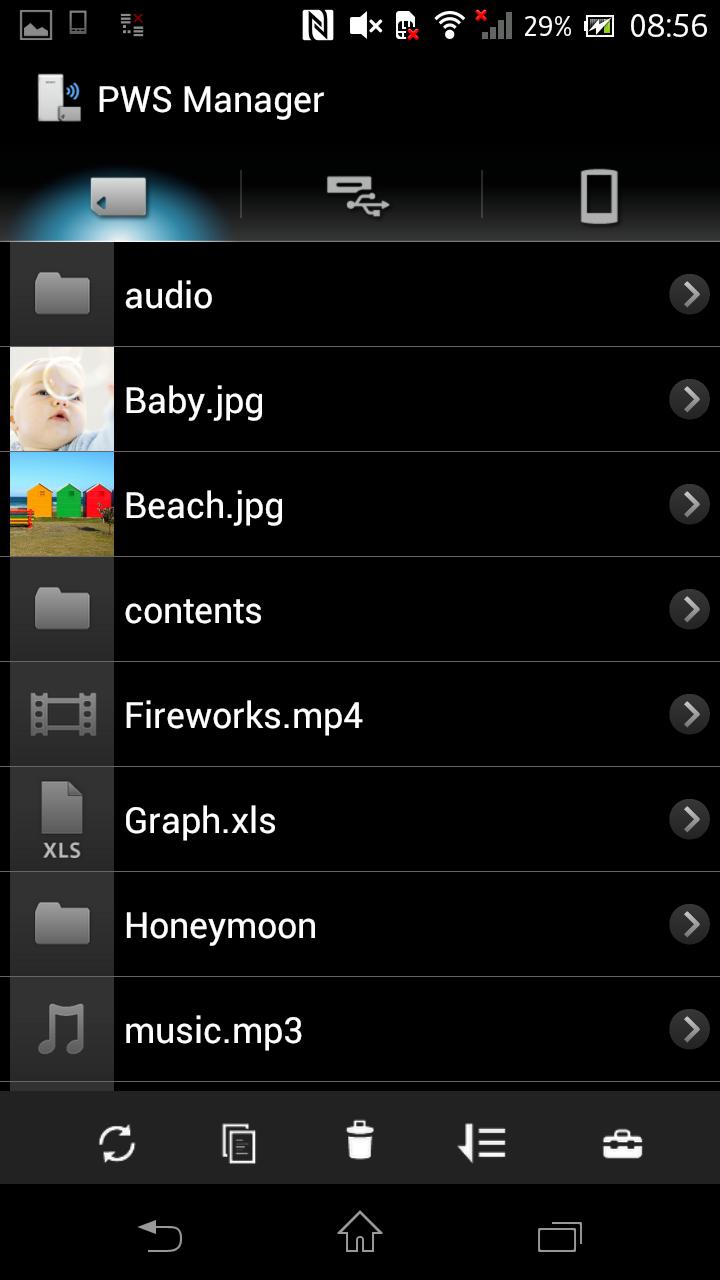
1. Playback/View content
- Playback/View the content stored on Memory card inserted into PWS.
- Playback/View the content stored on USB device connected t o PWS.
- Playback/View the content within Android device that you are operating.
2. Copy files
- Copy files between memory card inserted into PWS, USB device connected to PWS and Android device that you are operating.
3.Use as memory card R/W
- Connect PWS to PC via USB cable and you can use as external card R/W.
4.Use as Power charger
- Connect via USB cable and PWS can supply power to Smartphone or camera.
Promotion Video for “Portable Wireless Server”
http://www.youtube.com/watch?v=-C1HAQj0YpQ
Help Guide
http://rd1.sony.net/help/pws/c10/gb/
Supported OS
Android 2.3 - 6.0
On Android 6.0 devices, the PWS Manager cannot support with Portable Wireless Server "WG-C10" in some functions. Please refer to the web site below for details.
*The customer who uses WG-C10.
http://www.sony.net/note_pwsmgr
Предварительный просмотр

Информация
Разработчик
Sony Storage Media Solutions Corporation
Последняя версия
1.7.1
Последнее обновление
2016-08-09
Категория
Инструменты
Доступно на
Google Play
Показать больше
Как играть в PWS Manager с GameLoop на ПК
1. Загрузите GameLoop с официального сайта, затем запустите исполняемый файл для установки GameLoop.
2. Откройте GameLoop и выполните поиск PWS Manager, найдите PWS Manager в результатах поиска и нажмите Установить.
3. Наслаждайтесь игрой в PWS Manager на GameLoop.
Minimum requirements
OS
Windows 8.1 64-bit or Windows 10 64-bit
GPU
GTX 1050
CPU
i3-8300
Memory
8GB RAM
Storage
1GB available space
Recommended requirements
OS
Windows 8.1 64-bit or Windows 10 64-bit
GPU
GTX 1050
CPU
i3-9320
Memory
16GB RAM
Storage
1GB available space