AutoRotation Control на пк
rpor
Скачать AutoRotation Control на ПК с помощью эмулятора GameLoop
AutoRotation Control на ПК
AutoRotation Control, исходящий от разработчика rpor, в прошлом работал на системе Android.
Теперь вы можете без проблем играть в AutoRotation Control на ПК с помощью GameLoop.
Загрузите его в библиотеке GameLoop или результатах поиска. Больше не нужно смотреть на аккумулятор или разочаровывать звонки в неподходящее время.
Просто наслаждайтесь AutoRotation Control на ПК на большом экране бесплатно!
AutoRotation Control Введение
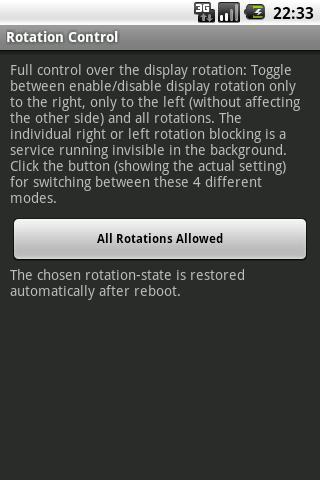
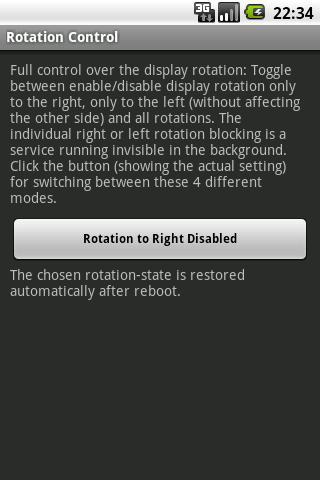
Stop the display auto-rotating to the right or left side , without affecting automatic rotation (landscape mode) to the other side.
Since Android 2.2 (Froyo) the display is enabled to autorotate in both directions without any option to disable the autorotation to the right or the left side. It for right-handed persons does not make sense to keep the rotation to the right side active. The opposite is true for left-handed persons.
The switching off of the autorotation to one side, which is controlled automatically by this app, on the other hand allows usage or the phone when lying in bed on the autorotation-disabled side without having the screen turning.
Предварительный просмотр
Информация
Разработчик
rpor
Последняя версия
1.2
Последнее обновление
2013-03-11
Категория
Работа
Доступно на
Google Play
Показать больше
Как играть в AutoRotation Control с GameLoop на ПК
1. Загрузите GameLoop с официального сайта, затем запустите исполняемый файл для установки GameLoop.
2. Откройте GameLoop и выполните поиск AutoRotation Control, найдите AutoRotation Control в результатах поиска и нажмите Установить.
3. Наслаждайтесь игрой в AutoRotation Control на GameLoop.
Minimum requirements
OS
Windows 8.1 64-bit or Windows 10 64-bit
GPU
GTX 1050
CPU
i3-8300
Memory
8GB RAM
Storage
1GB available space
Recommended requirements
OS
Windows 8.1 64-bit or Windows 10 64-bit
GPU
GTX 1050
CPU
i3-9320
Memory
16GB RAM
Storage
1GB available space