
LaunchTime (Homescreen) на пк
Quaap, my free-time FOSS apps
Скачать LaunchTime (Homescreen) на ПК с помощью эмулятора GameLoop
LaunchTime (Homescreen) на ПК
LaunchTime (Homescreen), исходящий от разработчика Quaap, my free-time FOSS apps, в прошлом работал на системе Android.
Теперь вы можете без проблем играть в LaunchTime (Homescreen) на ПК с помощью GameLoop.
Загрузите его в библиотеке GameLoop или результатах поиска. Больше не нужно смотреть на аккумулятор или разочаровывать звонки в неподходящее время.
Просто наслаждайтесь LaunchTime (Homescreen) на ПК на большом экране бесплатно!
LaunchTime (Homescreen) Введение
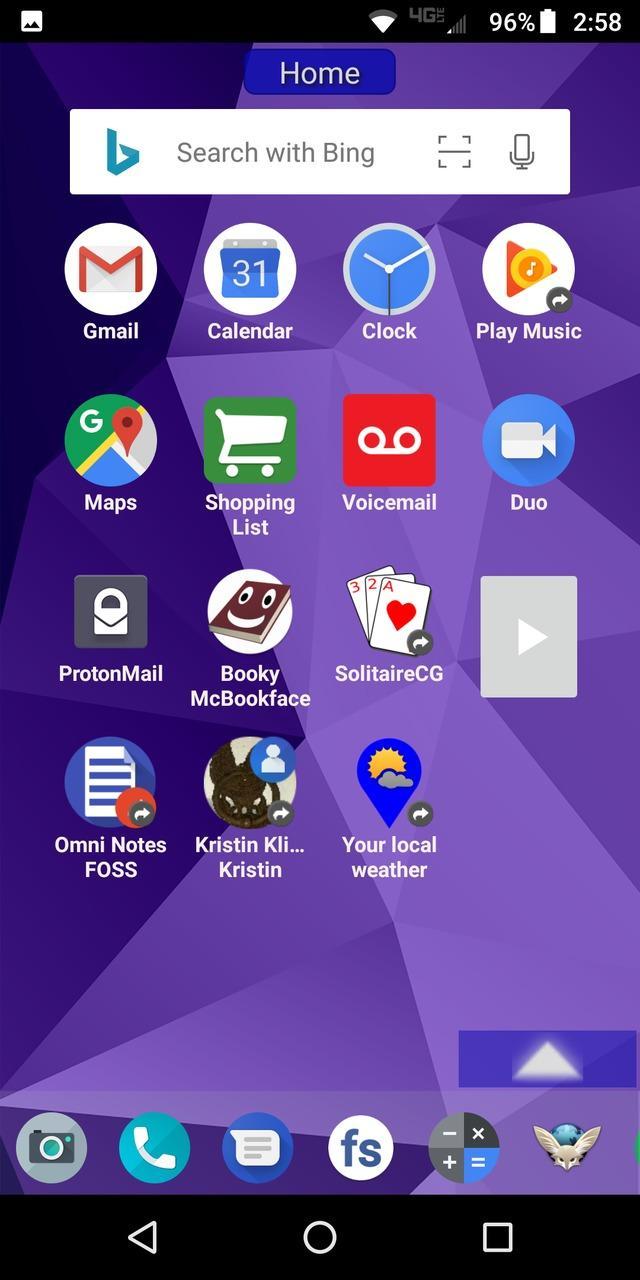
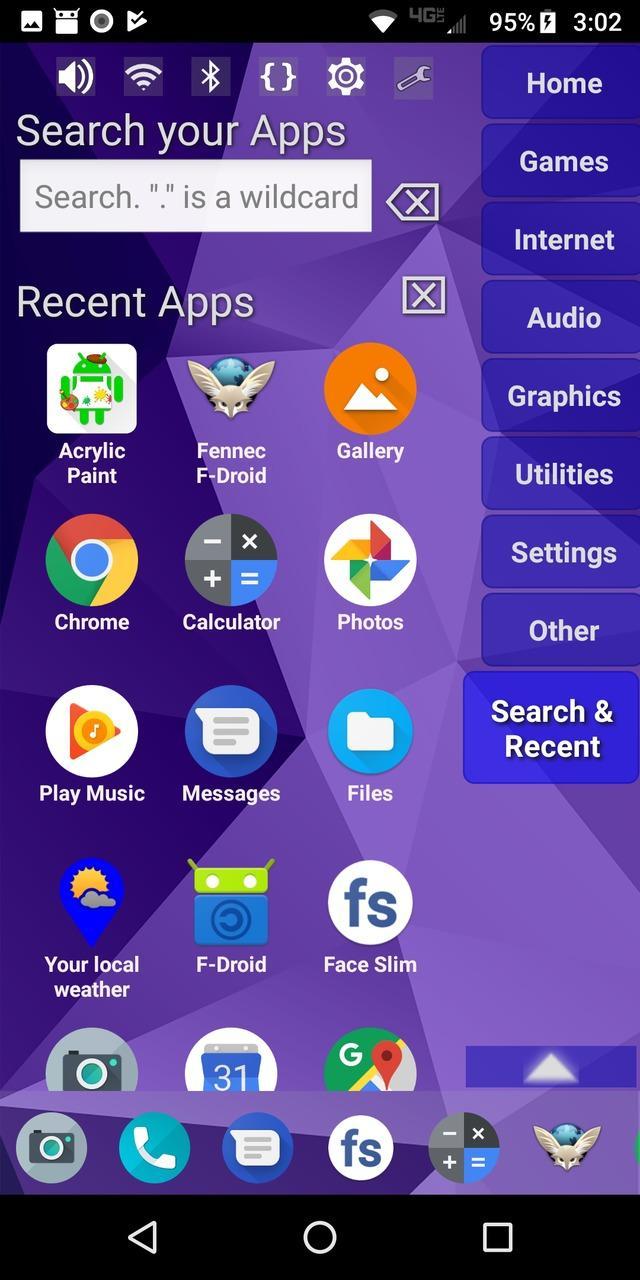
Highly configurable alternative homescreen/launcher which features a side menu to automatically and/or manually organize your apps into common-sense and customizable categories.
Latest features: Resizable widgets, hideable side menu, action menus, appinfo, better appearance, animated transitions, and an experimental "dumbphone" mode.
More features:
* Configurable app categories in a scrollable/hideable side menu.
* Scrolling QuickBar on the bottom for easy access to your favorite apps.
* Text search to find apps.
* List of recent apps.
* Quick access to settings.
* Multiple widget support.
* Rearrange/sort icons and menu items.
* Toddler/child mode
* Shortcut/link and Oreo Pinned shortcut support.
* Android 7.1+ shortcut actions / menus.
* Unread badges.
* Adw/nova/apex icon-packs.
* Supports both portrait and landscape mode.
* Can hide apps you don't want but can't uninstall.
* Back up and restore your settings.
* Configurable colors.
* Customize icons and labels.
* Built-in themes.
Предварительный просмотр
Теги
ПерсонализацияИнформация
Разработчик
Quaap, my free-time FOSS apps
Последняя версия
0.8.5
Последнее обновление
2019-08-26
Категория
Персонализация
Доступно на
Google Play
Показать больше
Как играть в LaunchTime (Homescreen) с GameLoop на ПК
1. Загрузите GameLoop с официального сайта, затем запустите исполняемый файл для установки GameLoop.
2. Откройте GameLoop и выполните поиск LaunchTime (Homescreen), найдите LaunchTime (Homescreen) в результатах поиска и нажмите Установить.
3. Наслаждайтесь игрой в LaunchTime (Homescreen) на GameLoop.
Minimum requirements
OS
Windows 8.1 64-bit or Windows 10 64-bit
GPU
GTX 1050
CPU
i3-8300
Memory
8GB RAM
Storage
1GB available space
Recommended requirements
OS
Windows 8.1 64-bit or Windows 10 64-bit
GPU
GTX 1050
CPU
i3-9320
Memory
16GB RAM
Storage
1GB available space