Back Button Gesture on Screen, Navigation bar на пк
up to date apps
Скачать Back Button Gesture on Screen, Navigation bar на ПК с помощью эмулятора GameLoop
Back Button Gesture on Screen, Navigation bar на ПК
Back Button Gesture on Screen, Navigation bar, исходящий от разработчика up to date apps, в прошлом работал на системе Android.
Теперь вы можете без проблем играть в Back Button Gesture on Screen, Navigation bar на ПК с помощью GameLoop.
Загрузите его в библиотеке GameLoop или результатах поиска. Больше не нужно смотреть на аккумулятор или разочаровывать звонки в неподходящее время.
Просто наслаждайтесь Back Button Gesture on Screen, Navigation bar на ПК на большом экране бесплатно!
Back Button Gesture on Screen, Navigation bar Введение
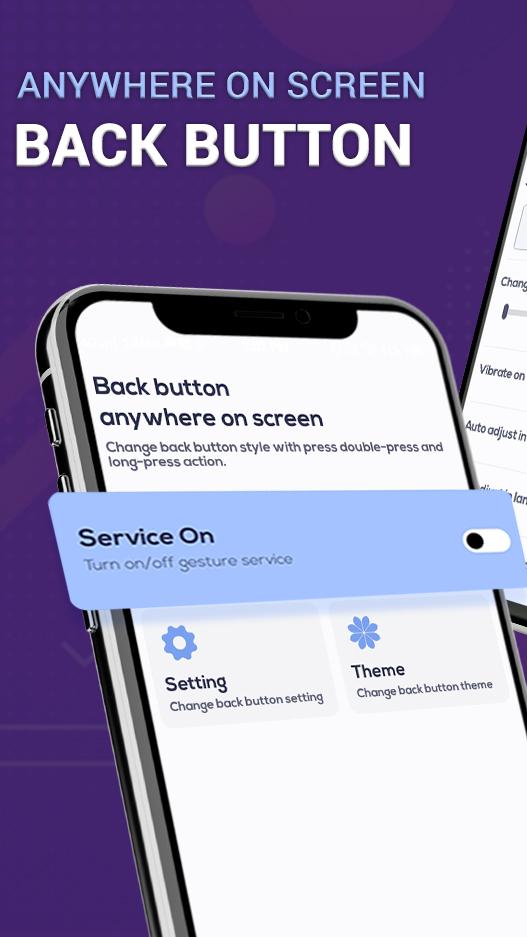
Navigation Bar android application can replace a failed and broken button for those people who has trouble using buttons or navigation bar panel is not working properly. It is easy to swipe up and down navigation bar as assistive touch.
This app provides several features and colors to make awesome navigation bar. It is easy to swipe up and down navigation bar as assistive touch. This app has Simple Buttons to navigate, This is a simple app which give you Back, Home, Recents buttons for those who their buttons phone are broken or stoped working. Easy to use, easy to launch, easy to control, simple soft app Back Home button for touch mobiles. All the functionalities are fast accessible just with a single touch like Phone X assistive touch. It remains floating on your screen and it is quick, easy, convenient and customizable. With a huge variety of stylish theme available.
Back Button or Back Home Center Control & assistive touch app is an assistive and system manager tool especially designed for Android Smart Devices. BackButton app - Anywhere (No Root needed) is enables you to customize your navigation bar by applying different themes on navigation bar. You can set height, width & color of the navigation bar. You can the position to vertically or horizontally any where your want. Choose background color, icon as you like to set.
This is small, fast, smooth and easy to use. This is a floating button that you can move anywhere on your screen. You can control your device or open your favorite app easily without exiting the app currently in use. It contains the Android system most used switches and all your installed apps.
Custom Navigation bar (back home recent button) application special design for use navigation bar for all mobile users. Best navigation system app - Navigation Bar Button is a nice little navigation bar which you can place anywhere on screen for easy access. Navigation Control bar is designed to be as simple as possible. Navigation Bar Customize offers the back button, home button and recent button along with an added button to move the navigation bar soft keys to the area of screen where you want it as custom navigation bar.
#Features :
=> Icons:
- Background effect options available.
- Icon style options available to change icon.
=> Backgrounds:
- Turn on toggle to design your own navigation bar by setting background.
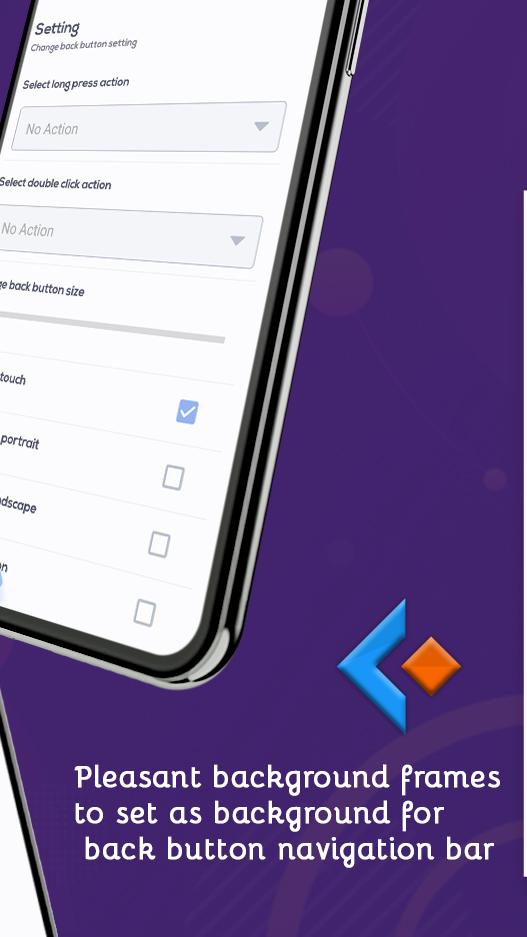
- Background frames and images to set as background for back button navigation bar.
=> Gradient Backgrounds:
- Set Gradient colors via sliders from app.
=> More Features:
- Free to install and use.
- Easy and quick installation process.
- Pleasant and simple design.
- Customize back button icon, back button background, back button position, home button background, home button position.
- Compatible with almost all screen resolutions of mobile and tablet android devices.
- Instant click executions and smooth working.
Thank you…
Предварительный просмотр
Информация
Разработчик
up to date apps
Последняя версия
1.4
Последнее обновление
2021-08-24
Категория
Персонализация
Доступно на
Google Play
Показать больше
Как играть в Back Button Gesture on Screen, Navigation bar с GameLoop на ПК
1. Загрузите GameLoop с официального сайта, затем запустите исполняемый файл для установки GameLoop.
2. Откройте GameLoop и выполните поиск Back Button Gesture on Screen, Navigation bar, найдите Back Button Gesture on Screen, Navigation bar в результатах поиска и нажмите Установить.
3. Наслаждайтесь игрой в Back Button Gesture on Screen, Navigation bar на GameLoop.
Minimum requirements
OS
Windows 8.1 64-bit or Windows 10 64-bit
GPU
GTX 1050
CPU
i3-8300
Memory
8GB RAM
Storage
1GB available space
Recommended requirements
OS
Windows 8.1 64-bit or Windows 10 64-bit
GPU
GTX 1050
CPU
i3-9320
Memory
16GB RAM
Storage
1GB available space