
Save From Net App 2019 на пк
riwayat20
Скачать Save From Net App 2019 на ПК с помощью эмулятора GameLoop
Save From Net App 2019 на ПК
Save From Net App 2019, исходящий от разработчика riwayat20, в прошлом работал на системе Android.
Теперь вы можете без проблем играть в Save From Net App 2019 на ПК с помощью GameLoop.
Загрузите его в библиотеке GameLoop или результатах поиска. Больше не нужно смотреть на аккумулятор или разочаровывать звонки в неподходящее время.
Просто наслаждайтесь Save From Net App 2019 на ПК на большом экране бесплатно!
Save From Net App 2019 Введение
SaveFrom Net - App is the best for savefrom app download,
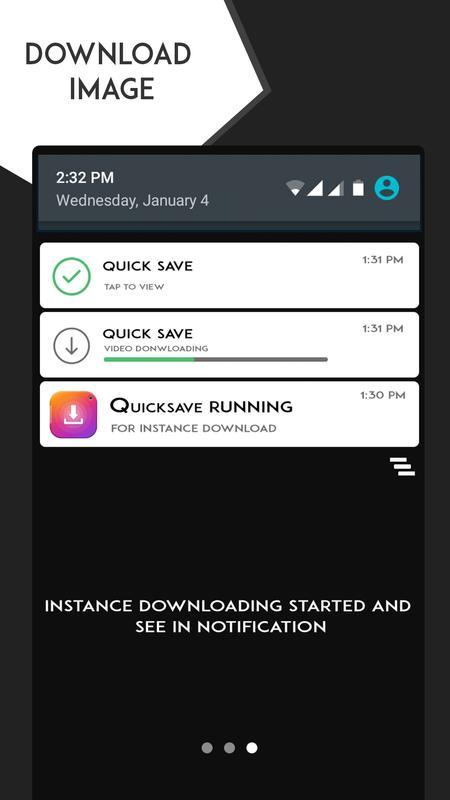
Quick Save App for Downloading images and videos from Instagram.
--------------------------------------------------------
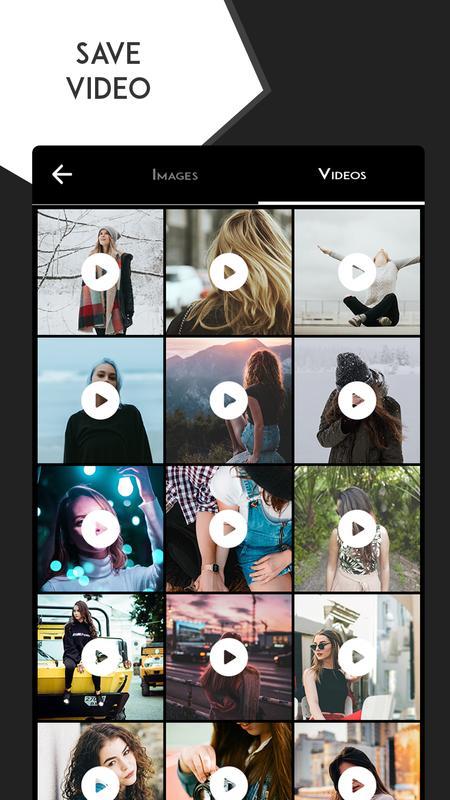
Quick Save App is for all Instagram Users to provide the extra ordinary facility to save/download images and videos by using Quick Save application.
Fastest Image Downloading and Video downloading using InstaSave app.
It was great Quick Photo Downloader with very easy steps.
Download Instagram Videos from our Quick Video Downloader.
It was very Helpful to make collection with our Instagram Photo Downloader and Instagram Video downloader.
It is the fastest Instasave photo downloader & Instasave video downloader.
You can download/save the images and download/save the video from Instagram in just a one click in InstaSave application to your device.
You also can share your downloaded photos or videos to instagram from Quick Save.
Quick Save app have a build it functionality to edit your favorite images or videos with different color filers and editing tools and you can also share directly on instagram.
Now you can make a 9 grid images for instagram, or you can photo-split.
You can also share downloaded photos or videos to any social apps from Quick Save app.
The InstaSave for Instagram so keep downloading/Saving images and videos that you love on instagram.
Faster photos and videos downloading from Instagram.
Very easy to use and beautiful material design UI concept used on app.
Have fun with Insta Save.
How To Use InstaSave:
1. Just open Insta Save and Minimize it
2. Now Open your Instragram and open any image or video you love then choose “Copy Share URL” from oprions.
3. Open the InstaSave now you can see the list of images and videos on Quick Save just click on Download Button to download any images or video or you can swipe to dismiss.
**NOTICE:
The Instagram users who have set their images or videos to private does not allow you to download or repost, so please don’t try these images or videos.
NOTE:
1. This app is not affiliated with Instagram Official app.
2. Any of the unauthorized action or repost of photos or videos and/or Intellectual property rights is the sole responsibility of the user.
3. Please do not use Quick Save to save images or videos without permission of real owner of that image or video.
Any Questions? Suggestions? Issues?
Please contact us on : multimediaeditorapps@gmail.com.
Предварительный просмотр
Информация
Разработчик
riwayat20
Последняя версия
v4.2
Последнее обновление
2019-02-26
Категория
Медицина
Доступно на
Google Play
Показать больше
Как играть в Save From Net App 2019 с GameLoop на ПК
1. Загрузите GameLoop с официального сайта, затем запустите исполняемый файл для установки GameLoop.
2. Откройте GameLoop и выполните поиск Save From Net App 2019, найдите Save From Net App 2019 в результатах поиска и нажмите Установить.
3. Наслаждайтесь игрой в Save From Net App 2019 на GameLoop.
Minimum requirements
OS
Windows 8.1 64-bit or Windows 10 64-bit
GPU
GTX 1050
CPU
i3-8300
Memory
8GB RAM
Storage
1GB available space
Recommended requirements
OS
Windows 8.1 64-bit or Windows 10 64-bit
GPU
GTX 1050
CPU
i3-9320
Memory
16GB RAM
Storage
1GB available space