
SMS Center - Send SMS from PC на пк
KD Apps
Скачать SMS Center - Send SMS from PC на ПК с помощью эмулятора GameLoop
SMS Center - Send SMS from PC на ПК
SMS Center - Send SMS from PC, исходящий от разработчика KD Apps, в прошлом работал на системе Android.
Теперь вы можете без проблем играть в SMS Center - Send SMS from PC на ПК с помощью GameLoop.
Загрузите его в библиотеке GameLoop или результатах поиска. Больше не нужно смотреть на аккумулятор или разочаровывать звонки в неподходящее время.
Просто наслаждайтесь SMS Center - Send SMS from PC на ПК на большом экране бесплатно!
SMS Center - Send SMS from PC Введение
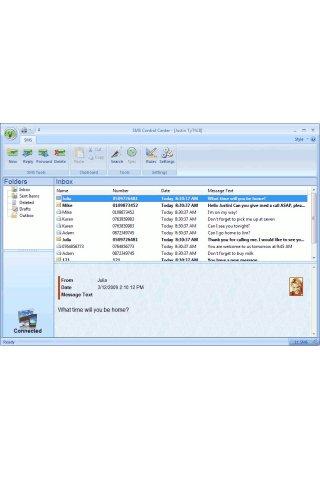
SMS Control Center allows you to send and receive SMS from your computer (PC) with your connected Android mobile.
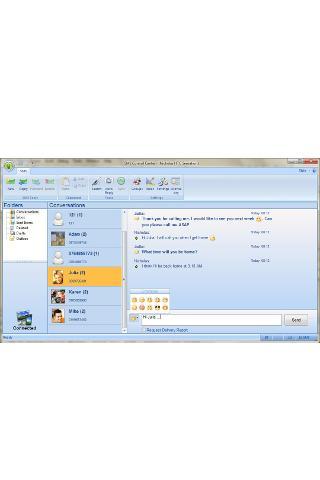
When the device is connected to the desktop application, all SMS are syncronized automatically to the desktop. You are able to check your SMS in different views: inbox, sent and conversations.
The application stays active in windows task bar and when a new SMS or incoming call is received a notification with text preview is displayed.
In the notification panel, you have the ability to immediately send a text reply or just click on the call button to call the contact.
Print/preview, copy and paste is fully supported and you can search between you messages in all folders.
The contacts are also transfered from the mobile along with contact pictures to PC. It's easy to search between your contacts and to send SMS to one or more contacts. You can also send to groups / categories.
In the Send SMS dialog you have the option to perform a spell checking (word required). You can also request for a delivery report to make sure the receiver got the message.
With a single click on "Auto Reply" the application will send a automatic reply to a SMS or a missed call. If you like you can also add more sophisticated rules when a SMS is recived (like send e-mail, start other applications, forward the SMS and more).
If you like to store the SMS for future you can export the SMS and save them in SMS Archive. This is a separate application just to save the SMS on a safe place on your computer.
You can also make calls from the desktop.
Since this is a true desktop application not running in browser, like most other software in this category, it has a very good look and feel and naturally integrates in windows desktop environment.
More recently added features:
* Emtions Icons in the conversation view.
* Windows 7 jump list.
* Language instant translation for missing texts.
* Print / Preview SMS thread and Copy to Clipboard
* Copy SMS thread to Clipboard
* Make calls from desktop
* Reconnect from device
You can connect with bluetooth, WiFi or USB cable.
SMS Control Center is supported in 18 different languages. If your language is not supported, you can contact us to add it.
Download the desktop parts from www.smscontrolcenter.com/google_play
Предварительный просмотр
Информация
Разработчик
KD Apps
Последняя версия
3.22
Последнее обновление
2017-02-28
Категория
Общение
Доступно на
Google Play
Показать больше
Как играть в SMS Center - Send SMS from PC с GameLoop на ПК
1. Загрузите GameLoop с официального сайта, затем запустите исполняемый файл для установки GameLoop.
2. Откройте GameLoop и выполните поиск SMS Center - Send SMS from PC, найдите SMS Center - Send SMS from PC в результатах поиска и нажмите Установить.
3. Наслаждайтесь игрой в SMS Center - Send SMS from PC на GameLoop.
Minimum requirements
OS
Windows 8.1 64-bit or Windows 10 64-bit
GPU
GTX 1050
CPU
i3-8300
Memory
8GB RAM
Storage
1GB available space
Recommended requirements
OS
Windows 8.1 64-bit or Windows 10 64-bit
GPU
GTX 1050
CPU
i3-9320
Memory
16GB RAM
Storage
1GB available space