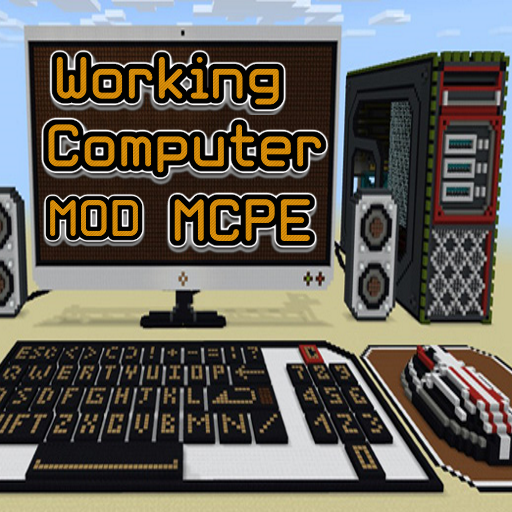
Working Computer MOD MCPE на пк
WinterXApps
Скачать Working Computer MOD MCPE на ПК с помощью эмулятора GameLoop
Working Computer MOD MCPE на ПК
Working Computer MOD MCPE, исходящий от разработчика WinterXApps, в прошлом работал на системе Android.
Теперь вы можете без проблем играть в Working Computer MOD MCPE на ПК с помощью GameLoop.
Загрузите его в библиотеке GameLoop или результатах поиска. Больше не нужно смотреть на аккумулятор или разочаровывать звонки в неподходящее время.
Просто наслаждайтесь Working Computer MOD MCPE на ПК на большом экране бесплатно!
Working Computer MOD MCPE Введение
Working Computer MOD MCPE makes it possible to use a huge computer that is fully powered by Redstone and command blocks. It includes several different functions, such as entering text, executing commands, and playing tic-tac-toe. This is definitely one of the most promising and advanced Redstone computers created so far for the Minecraft version.
It is fully functional and will surprise you more and more each time! This is an incredible piece of work at the MCPE! You can also stroll around the block itself and see how everything is arranged there!
How to use a computer?
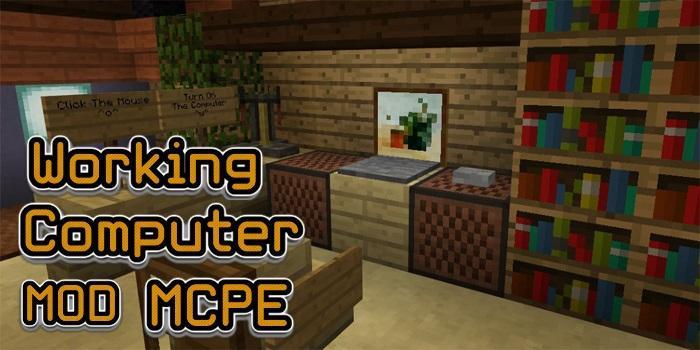
You will find yourself in the office with several bookshelves, a chair and a computer. Do not worry, there is much more than that!
Click the button next to the computer to access the huge mahogany computer.
Turn on the computer by pressing the green (left) button in the lower right corner of the screen.
You can enter things and display them on the screen, stepping on different keyboard keys (pressure plates).
This is the "Word" function, which allows you to write text on the computer. You can reset the computer screen by shutting down the computer and then turning it on.
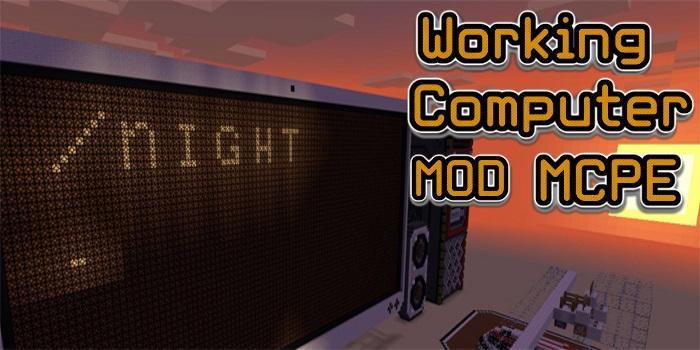
Another interesting feature is the command line function. Simply enter a command (for example, / night) to set the time to night.
You need to run the command by pressing the return button to make it work.
**** Please note ****
You also have a BlockLauncher to install the mod and the skin for minecraft Pe.
DISCLAIMER: This is an unofficial application for Minecraft Pocket Edition. This application is in no way associated with Mojang AB. The names Minecraft, Minecraft and Minecraft Assets are the property of Mojang AB or their respected owner. All rights reserved. In accordance with http://account.mojang.com/documents/brand_guidelines
Предварительный просмотр
Информация
Разработчик
WinterXApps
Последняя версия
4.0
Последнее обновление
2017-08-07
Категория
Books-reference
Доступно на
Google Play
Показать больше
Как играть в Working Computer MOD MCPE с GameLoop на ПК
1. Загрузите GameLoop с официального сайта, затем запустите исполняемый файл для установки GameLoop.
2. Откройте GameLoop и выполните поиск Working Computer MOD MCPE, найдите Working Computer MOD MCPE в результатах поиска и нажмите Установить.
3. Наслаждайтесь игрой в Working Computer MOD MCPE на GameLoop.
Minimum requirements
OS
Windows 8.1 64-bit or Windows 10 64-bit
GPU
GTX 1050
CPU
i3-8300
Memory
8GB RAM
Storage
1GB available space
Recommended requirements
OS
Windows 8.1 64-bit or Windows 10 64-bit
GPU
GTX 1050
CPU
i3-9320
Memory
16GB RAM
Storage
1GB available space