
AI Photo Video Editor: Facewow PC
Music Video Studio
گیم لوپ ایمولیٹر کے ساتھ PC پر AI Photo Video Editor: Facewow ڈاؤن لوڈ کریں۔
پی سی پر AI Photo Video Editor: Facewow
AI Photo Video Editor: Facewow، جو ڈویلپر Music Video Studio سے آرہا ہے، ماضی میں اینڈرائیڈ سسٹم پر چل رہا ہے۔
اب، آپ پی سی پر AI Photo Video Editor: Facewow آسانی سے GameLoop کے ساتھ چلا سکتے ہیں۔
اسے GameLoop لائبریری یا تلاش کے نتائج میں ڈاؤن لوڈ کریں۔ مزید غلط وقت پر بیٹری یا مایوس کن کالوں پر نظر نہیں ڈالی جائے گی۔
بس بڑی سکرین پر AI Photo Video Editor: Facewow PC کا مفت میں لطف اٹھائیں!
AI Photo Video Editor: Facewow تعارف
Facewow is an AI-powered video and portrait maker designed to turn your photos, selfies, and clips into stunning AI videos and professional AI portraits. With powerful AI photo to video technology, music-driven templates, and creative visual effects, Facewow helps anyone create viral content and artistic portraits in seconds.
📌 AI Video Generator
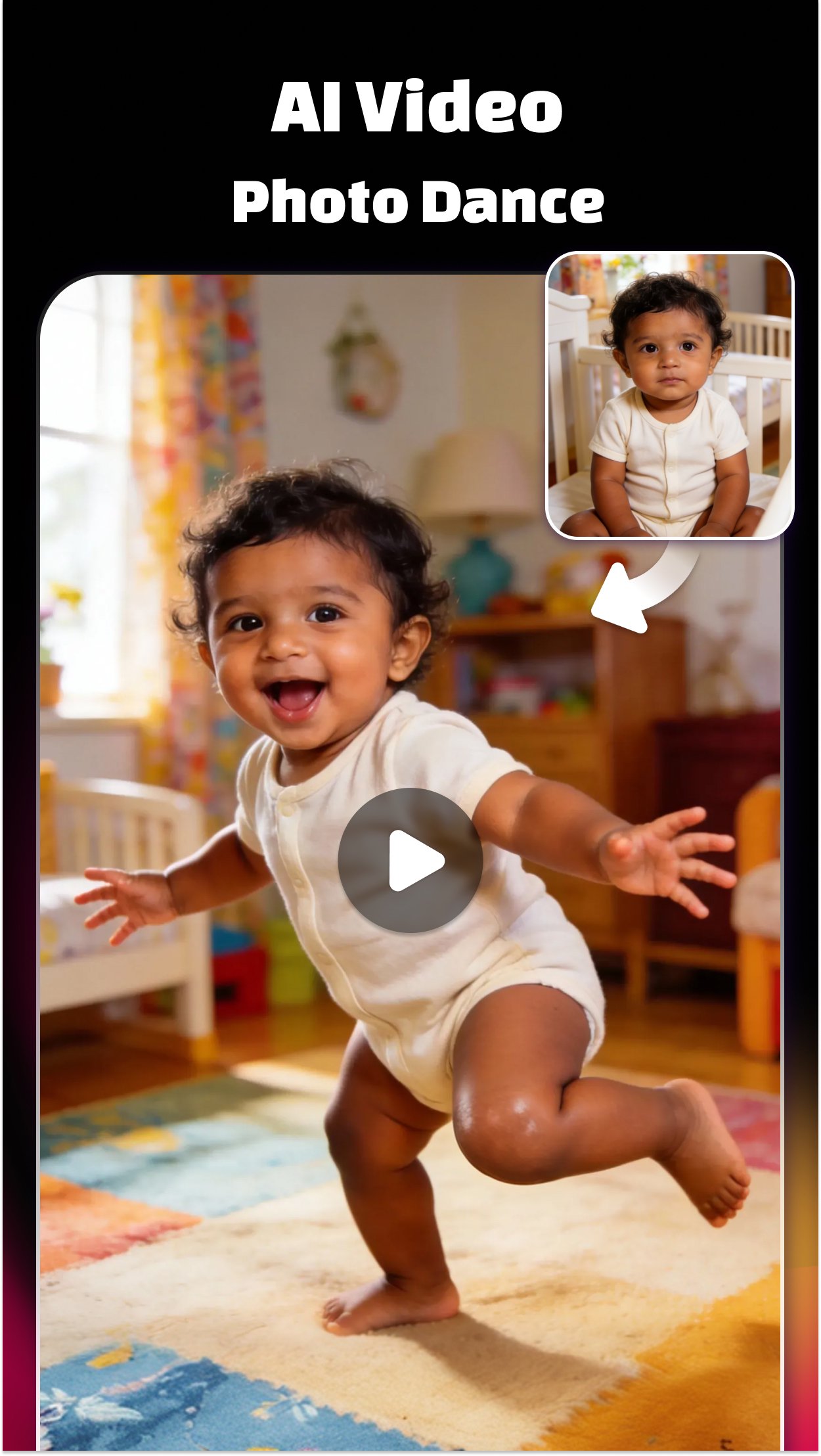
Turn photos, selfies, or text into cinematic AI videos with realistic motion and smooth animation. Using advanced AI photo to video technology, Facewow makes it easy to create viral short videos with trending templates — perfect for Reels, Shorts, and TikTok.
📸 AI Portrait Studio
Create stunning, studio-quality AI portraits from just one photo. Facewow transforms everyday selfies into artistic, cinematic, or lifestyle portraits with realistic lighting, texture, and detail.
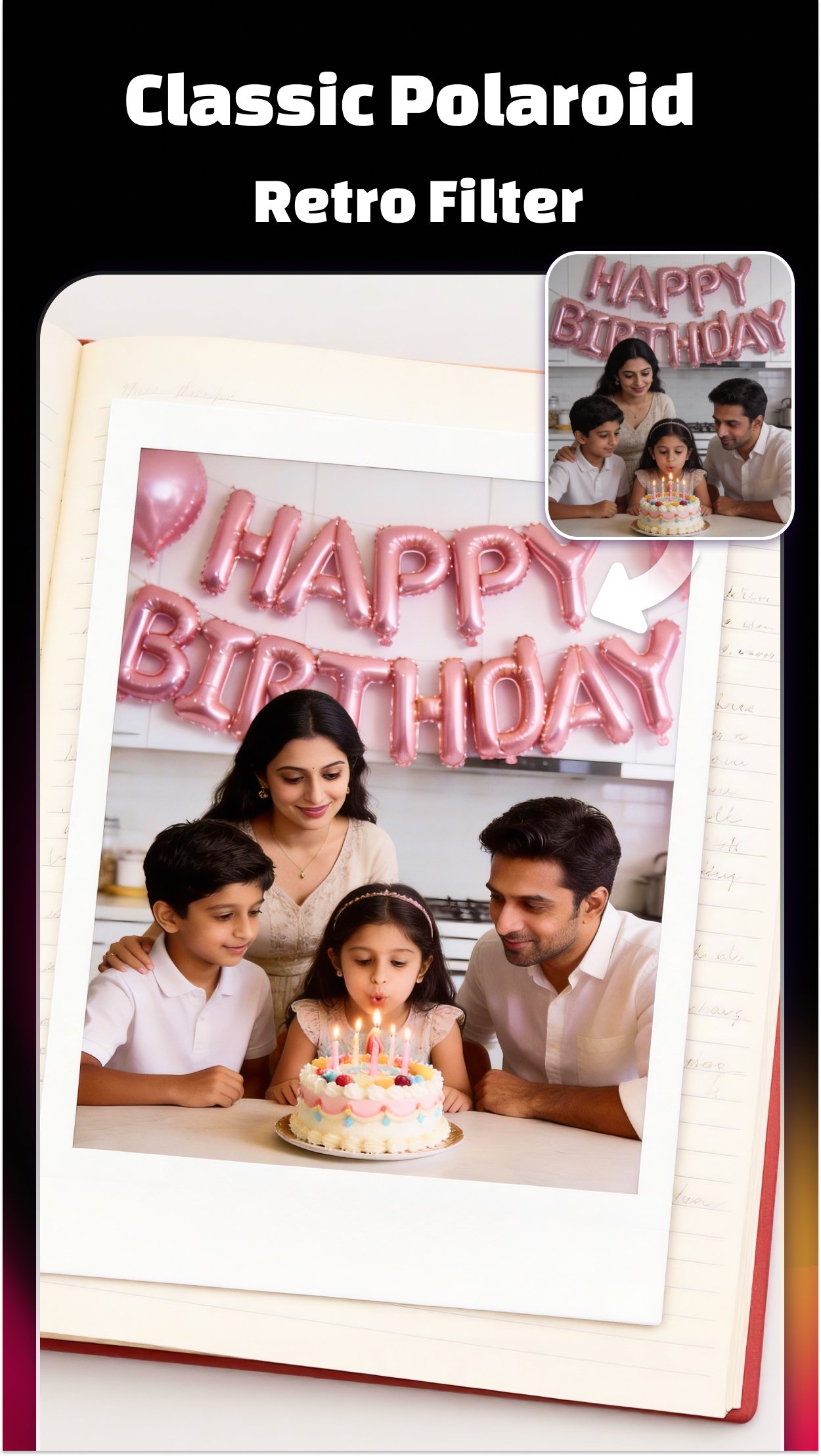
• AI Polaroid Portraits – Vintage instant-film looks with nostalgic tones
• Black & White AI Portraits – Timeless monochrome styles with dramatic light
• AI Wedding Portraits – Elegant wedding styles, including Indian traditional outfits
🎵 AI Music Video (MV) Maker
Create eye-catching music videos effortlessly. Upload photos or clips, and the AI MV Maker automatically syncs visuals to beats, adds stylish transitions, and generates cinematic motion. Perfect for creating viral AI music videos for Reels, Shorts, and TikTok.
🕰️ Animate Old Photos with AI
Bring memories back to life with AI old photo animation. Facewow adds natural facial movement, expressions, and subtle motion to old photos — a powerful way to relive family memories and historical moments.
🎭 AI Video Remover
Remove unwanted people, objects, or backgrounds with precision. The AI video remover keeps your AI videos clean, focused, and professional — no manual editing required.
❗❗ AI 3D Mini Figure
Turn your selfies into adorable AI 3D mini figures, powered by the Nano Banana Engine. Upload a portrait or group photo, and Facewow instantly generates a cute, collectible 3D version of you. Customize, save, and share your mini figures as fun digital art.
✨ AI Beautify & Body Editor
Enhance photos and videos with AI beautify and smart body reshaping tools. Smooth skin, refine facial features, and add natural muscle tone — perfect for portraits, wedding photos, and AI videos.
🎨 Filters, Effects & 3D Transitions
Choose from hundreds of filters, cinematic effects, and 3D transitions. Whether playful or professional, Facewow gives every AI video and AI portrait a unique style.
💎 Add Music to Video
Easily add music to your videos with beat-matched templates. Facewow includes a large library of trending sounds that automatically sync with your visuals, making every AI music video dynamic and engaging.
🎈 User-Friendly Interface
Facewow is designed for everyone — from beginners to creators. Its intuitive interface lets you combine photos, music, and AI effects to create stunning AI videos and portraits in minutes.
Why Choose Facewow?
• 🎬 All-in-One AI Editor: Video, portrait, photo-to-video, and music tools
• 🎵 Music-Driven Templates: Beat-synced designs for viral content
• 🕰️ Old Photo Animation: Make memories move again
• 👰 AI Wedding Portraits: Including Indian traditional styles
• 💎 HD Export: Save and share in 720P or 1080P
Contact us at 📩 vidmix.sup@gmail.com
Age Requirement: This app is intended for users aged 13 and above.
پیش نظارہ
ٹیگز
Video-Playersمعلومات
ڈویلپر
Music Video Studio
تازہ ترین ورژن
2.4.265
آخری تازہ کاری
2026-09-21
قسم
Video-players-editors
پر دستیاب ہے۔
Google Play
مزید دکھائیں
پی سی پر گیم لوپ کے ساتھ AI Photo Video Editor: Facewow کیسے کھیلا جائے۔
1. آفیشل ویب سائٹ سے گیم لوپ ڈاؤن لوڈ کریں، پھر گیم لوپ انسٹال کرنے کے لیے exe فائل چلائیں۔
2. گیم لوپ کھولیں اور "AI Photo Video Editor: Facewow" تلاش کریں، تلاش کے نتائج میں AI Photo Video Editor: Facewow تلاش کریں اور "انسٹال کریں" پر کلک کریں۔
3. گیم لوپ پر AI Photo Video Editor: Facewow کھیلنے کا لطف اٹھائیں۔
Minimum requirements
OS
Windows 8.1 64-bit or Windows 10 64-bit
GPU
GTX 1050
CPU
i3-8300
Memory
8GB RAM
Storage
1GB available space
Recommended requirements
OS
Windows 8.1 64-bit or Windows 10 64-bit
GPU
GTX 1050
CPU
i3-9320
Memory
16GB RAM
Storage
1GB available space