
Janjua IPTV - App TV ao vivo PC
Ao Vivo Tudos - Official Apps
گیم لوپ ایمولیٹر کے ساتھ PC پر Janjua IPTV - App TV ao vivo ڈاؤن لوڈ کریں۔
پی سی پر Janjua IPTV - App TV ao vivo
Janjua IPTV - App TV ao vivo، جو ڈویلپر Ao Vivo Tudos - Official Apps سے آرہا ہے، ماضی میں اینڈرائیڈ سسٹم پر چل رہا ہے۔
اب، آپ پی سی پر Janjua IPTV - App TV ao vivo آسانی سے GameLoop کے ساتھ چلا سکتے ہیں۔
اسے GameLoop لائبریری یا تلاش کے نتائج میں ڈاؤن لوڈ کریں۔ مزید غلط وقت پر بیٹری یا مایوس کن کالوں پر نظر نہیں ڈالی جائے گی۔
بس بڑی سکرین پر Janjua IPTV - App TV ao vivo PC کا مفت میں لطف اٹھائیں!
Janjua IPTV - App TV ao vivo تعارف
Hi,
Welcome to Janjua IPTV.
Janjua IPTV is perfect app for your IPTV File to play in your Mobile. If you have IPTV Channels from your internet TV provider then this app is for you.
Janjua IPTV don`t host channels or don`t provide any built-in channels, you need to have playlist with TV channels in order to use this app.
Features Of Janjua IPTV:
-> No ads*.
-> M3U, M3U8, TS, MP3, MP4 and all other possible format playlists support.
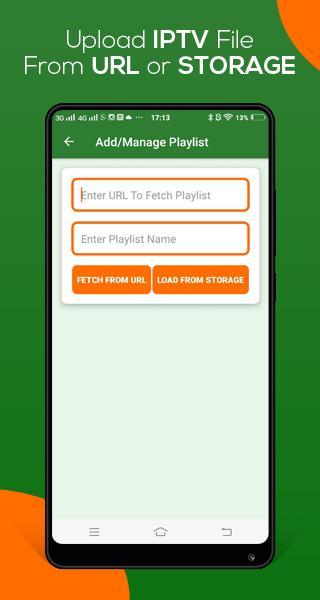
-> Load playlist from IPTV Provider URL or from your Mobile Storage.
-> Keep Multiple IPTV Playlists.
-> Grid view of TV channels
-> Add or Delete anytime. No need of deleting entire app for reinstalling IPTV Playlists.
-> Built-in lightest player.
-> Battery efficient, does`nt eat your mobile entire batter.
-> Search channels from list. No need to check entire list just type name and channel will in front of you.
FAQ:
Does app have built-in channels?
No, app don`t have any built-in channels. All users or clients need to upload their IPTV playlists.
Where to get IPTV playlists?
Please ask your internet TV provider to provide you IPTV playlist. Almost all IPTV providers have playlists to serve service of watching TV in your PC.
Is the app safe to use?
Yes, it is 100% legal app and is completely safe. The app don`t store any information of its clients as well as don`t store IPTV lists in Janjua IPTV servers. So it is completely legal & safe to use.
Important Note:
Copy of this app is strictly prohibited.
Contact US:
For any inquiry or suggestion please email us at support@aovivotudo.com
پیش نظارہ
ٹیگز
Video-Playersمعلومات
ڈویلپر
Ao Vivo Tudos - Official Apps
تازہ ترین ورژن
1.7
آخری تازہ کاری
2021-07-09
قسم
Video-players-editors
پر دستیاب ہے۔
Google Play
مزید دکھائیں
پی سی پر گیم لوپ کے ساتھ Janjua IPTV - App TV ao vivo کیسے کھیلا جائے۔
1. آفیشل ویب سائٹ سے گیم لوپ ڈاؤن لوڈ کریں، پھر گیم لوپ انسٹال کرنے کے لیے exe فائل چلائیں۔
2. گیم لوپ کھولیں اور "Janjua IPTV - App TV ao vivo" تلاش کریں، تلاش کے نتائج میں Janjua IPTV - App TV ao vivo تلاش کریں اور "انسٹال کریں" پر کلک کریں۔
3. گیم لوپ پر Janjua IPTV - App TV ao vivo کھیلنے کا لطف اٹھائیں۔
Minimum requirements
OS
Windows 8.1 64-bit or Windows 10 64-bit
GPU
GTX 1050
CPU
i3-8300
Memory
8GB RAM
Storage
1GB available space
Recommended requirements
OS
Windows 8.1 64-bit or Windows 10 64-bit
GPU
GTX 1050
CPU
i3-9320
Memory
16GB RAM
Storage
1GB available space