
Downloader for Kwai - No Logo PC
QMLab
گیم لوپ ایمولیٹر کے ساتھ PC پر Downloader for Kwai - No Logo ڈاؤن لوڈ کریں۔
پی سی پر Downloader for Kwai - No Logo
Downloader for Kwai - No Logo، جو ڈویلپر QMLab سے آرہا ہے، ماضی میں اینڈرائیڈ سسٹم پر چل رہا ہے۔
اب، آپ پی سی پر Downloader for Kwai - No Logo آسانی سے GameLoop کے ساتھ چلا سکتے ہیں۔
اسے GameLoop لائبریری یا تلاش کے نتائج میں ڈاؤن لوڈ کریں۔ مزید غلط وقت پر بیٹری یا مایوس کن کالوں پر نظر نہیں ڈالی جائے گی۔
بس بڑی سکرین پر Downloader for Kwai - No Logo PC کا مفت میں لطف اٹھائیں!
Downloader for Kwai - No Logo تعارف
Kwai is one of the fastest growing social networks around the world, with short and viral videos.
Want to download no watermark Kwai videos to your device?
Want to fast download HD Kwai videos?
👉This Video Downloader for Kwai No Watermark is exactly what you need! And it’s 100% SAFE and FREE!
When watching an interesting video on Kwai, you want to save it and share with friends without watermark, how to do?
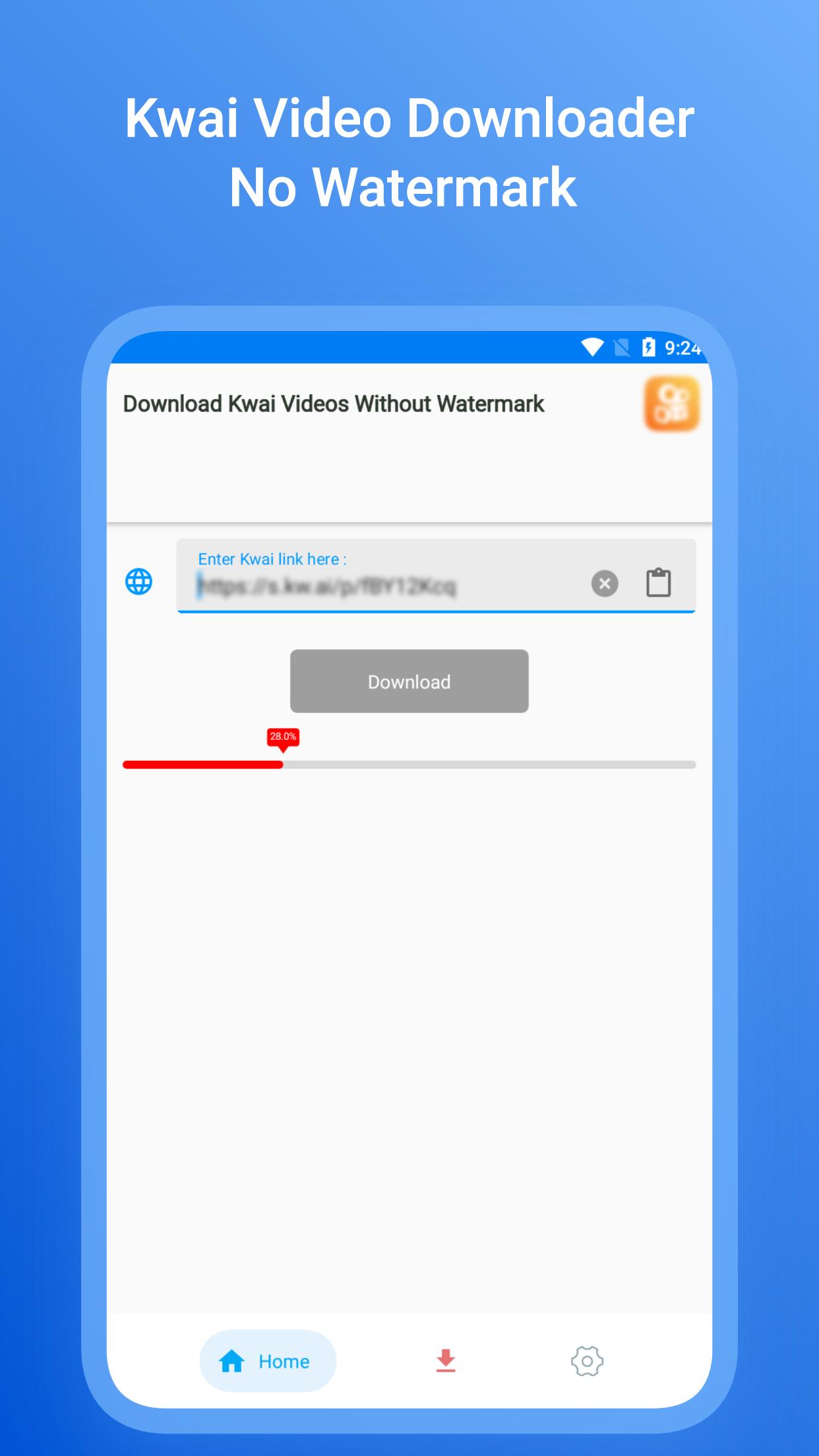
Kwai Video Downloader makes things simple! Just 2 simple steps, you can fast download🚀 and save Kwai videos without watermark. No need to log in, just copy or share the video link, then the download will auto start😉. You can enjoy saved videos offline anytime anywhere, easily Share and Repost as you like.
Free to download this Video Downloader for Kwai No Watermark and try it now!🙌
#HOW TO DOWNLOAD?#
Method 1: Copy Link
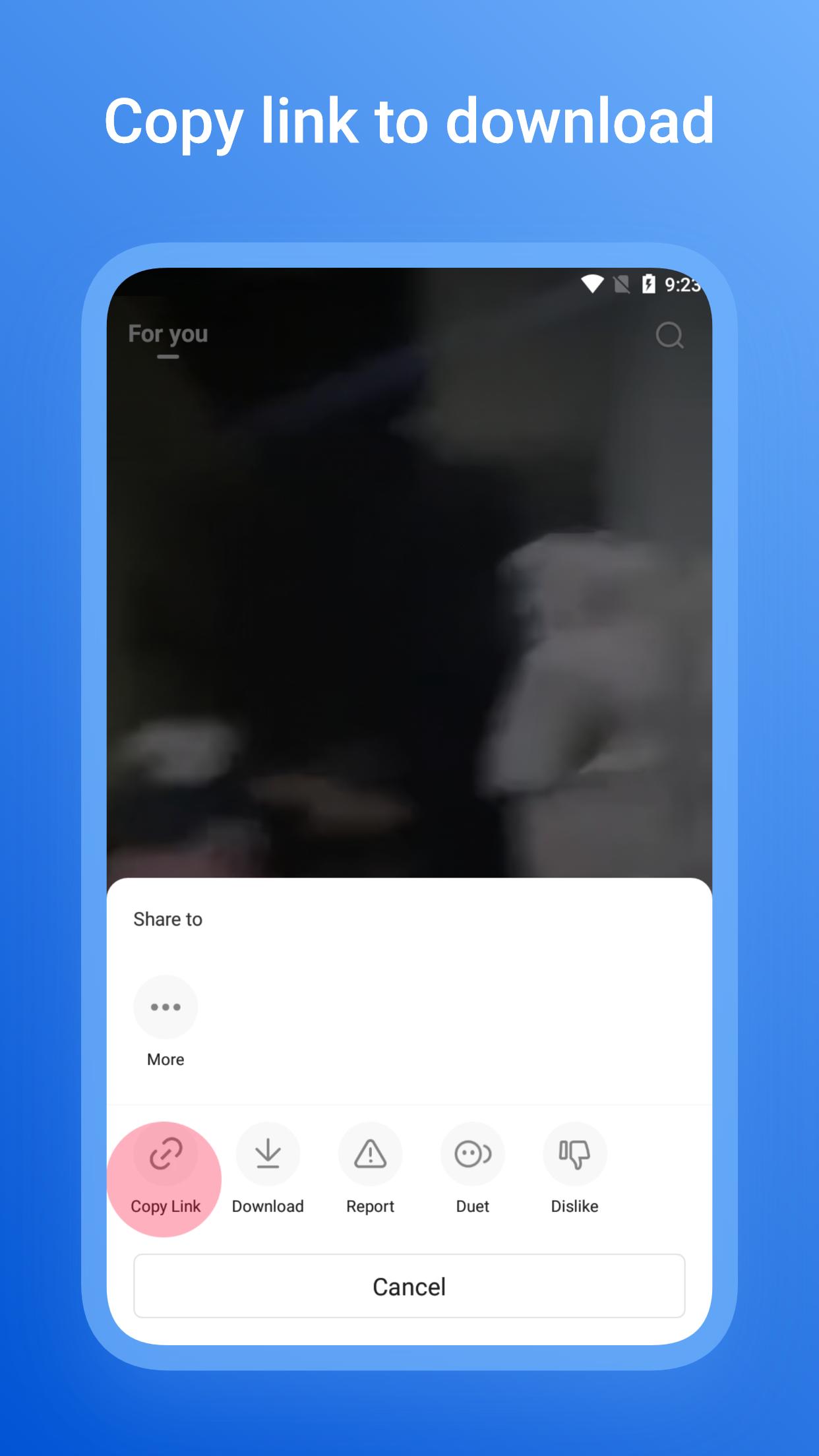
1. Open Kwai app, click "Share" button then click “Copy link” of the video you want to download.
2. Open Kwai Video Downloader - No Logo.
3. Click "Download".
4. All downloaded videos are saved at your phone's gallery.
🎉Job Done! Enjoy your videos offline!
Method 2: Share Link
1. Open Kwai app, click "Share" button then click "More" of the video you want to download.
2. Select Kwai Video Downloader - No Logo app from list.
3. Click "Download".
4. All downloaded videos are saved at your phone's gallery.
🎉Job Done! Enjoy your videos offline!
Features of Kwai Video Downloader - Without Watermark:
- No login required, 100% safe
- Free download HD videos from Kwai
- Download no watermark HD videos
- Convenient tool for Kwai video download
- Manage saved videos, easy to share, repost and play
- Support background video downloading
- Small size and lightweight
Thank you very much for using Video Downloader for Kwai No Watermark !
Disclaimer:
* This app is only a download tool for Kwai and is not affiliated with Kwai.
* We respect the intellectual property rights of the owners. Please get permission from the owner before you download and repost their videos.
پیش نظارہ
ٹیگز
Video-Playersمعلومات
ڈویلپر
QMLab
تازہ ترین ورژن
15
آخری تازہ کاری
2023-10-06
قسم
Video-players-editors
پر دستیاب ہے۔
Google Play
مزید دکھائیں
پی سی پر گیم لوپ کے ساتھ Downloader for Kwai - No Logo کیسے کھیلا جائے۔
1. آفیشل ویب سائٹ سے گیم لوپ ڈاؤن لوڈ کریں، پھر گیم لوپ انسٹال کرنے کے لیے exe فائل چلائیں۔
2. گیم لوپ کھولیں اور "Downloader for Kwai - No Logo" تلاش کریں، تلاش کے نتائج میں Downloader for Kwai - No Logo تلاش کریں اور "انسٹال کریں" پر کلک کریں۔
3. گیم لوپ پر Downloader for Kwai - No Logo کھیلنے کا لطف اٹھائیں۔
Minimum requirements
OS
Windows 8.1 64-bit or Windows 10 64-bit
GPU
GTX 1050
CPU
i3-8300
Memory
8GB RAM
Storage
1GB available space
Recommended requirements
OS
Windows 8.1 64-bit or Windows 10 64-bit
GPU
GTX 1050
CPU
i3-9320
Memory
16GB RAM
Storage
1GB available space
