Wyreless: PC Remote Controller PC
Daniel Reyhanian
گیم لوپ ایمولیٹر کے ساتھ PC پر Wyreless: PC Remote Controller ڈاؤن لوڈ کریں۔
پی سی پر Wyreless: PC Remote Controller
Wyreless: PC Remote Controller، جو ڈویلپر Daniel Reyhanian سے آرہا ہے، ماضی میں اینڈرائیڈ سسٹم پر چل رہا ہے۔
اب، آپ پی سی پر Wyreless: PC Remote Controller آسانی سے GameLoop کے ساتھ چلا سکتے ہیں۔
اسے GameLoop لائبریری یا تلاش کے نتائج میں ڈاؤن لوڈ کریں۔ مزید غلط وقت پر بیٹری یا مایوس کن کالوں پر نظر نہیں ڈالی جائے گی۔
بس بڑی سکرین پر Wyreless: PC Remote Controller PC کا مفت میں لطف اٹھائیں!
Wyreless: PC Remote Controller تعارف
Wyreless is a user-friendly PC remote control tool to control your PC via your Android device in your local network (LAN) securely and easily.
Whether you're lounging on the couch, giving a lecture, or taking a casual desktop break, controlling your PC has never been easier.
📢 Make sure to download the Wyreless host software via Microsoft Store before proceeding to control your PC:
https://apps.microsoft.com/store/detail/wyreless-pc-remote-controller/9NRBDGRF3J8C
Wyreless offers a wide range of useful features, such as:
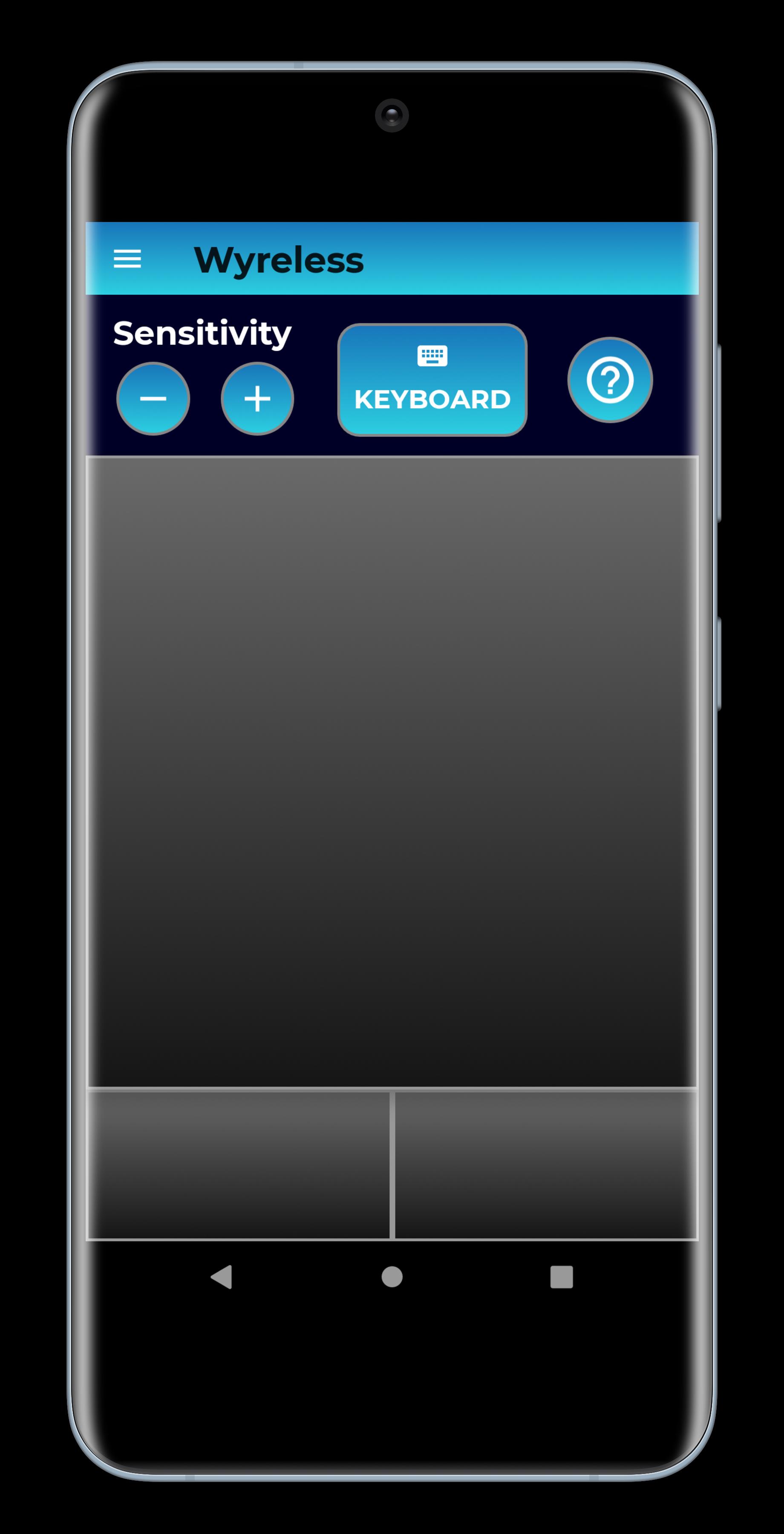
🖱️ Control Mouse & Keyboard
🖥️ High-Resolution Screenshots
🔊 Audio Control
🔒 State Control
🌐 Speedtest Data
🌎 Geolocation Information
Why use Wyreless?
1. Max Security, Max Performance - Wyreless uses advanced encryption methods to keep your data private and confidential.
2. No Registration Needed.
3. Easy and intuitive.
4. Simplify complex tasks via your smartphone.
5. Wyreless is ad-free and free for personal use.
Quick Start Guide
1. Download and run Wyreless host software for Windows (https://apps.microsoft.com/store/detail/wyreless-pc-remote-controller/9NRBDGRF3J8C).
2. Download Wyreless application to your Android device.
3. Make sure your smartphone is connected to the same network as your PC (Wi-Fi).
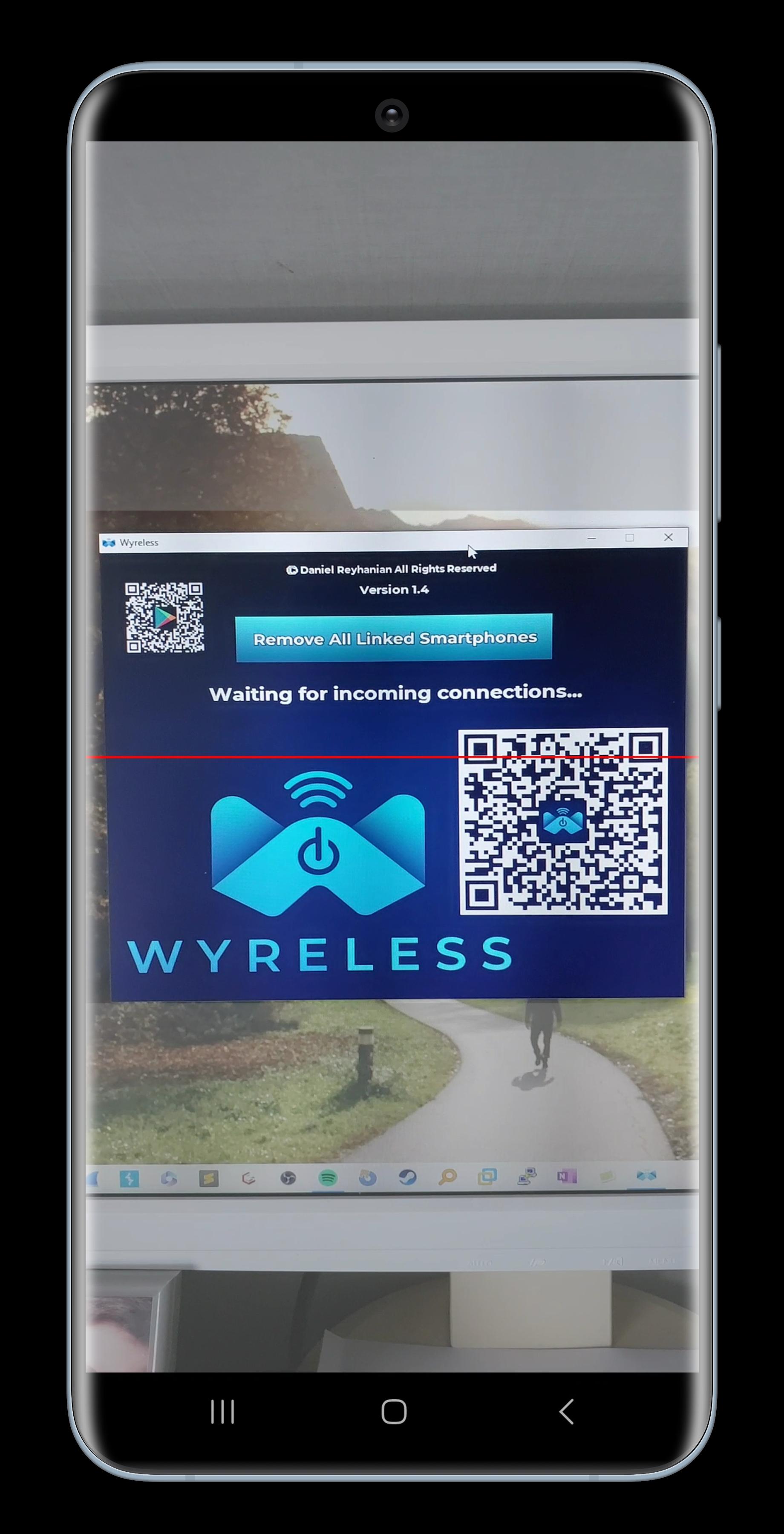
4. Scan the QR code on your PC's screen and you are good to go!
Make sure to check the EULA before using Wyreless: https://bit.ly/wyreless-eula. For any questions, contact us at daniel@wyreless-app.com.
Happy controlling! 🎮
پیش نظارہ
ٹیگز
اوزارمعلومات
ڈویلپر
Daniel Reyhanian
تازہ ترین ورژن
1.6
آخری تازہ کاری
2023-04-22
قسم
اوزار
پر دستیاب ہے۔
Google Play
مزید دکھائیں
پی سی پر گیم لوپ کے ساتھ Wyreless: PC Remote Controller کیسے کھیلا جائے۔
1. آفیشل ویب سائٹ سے گیم لوپ ڈاؤن لوڈ کریں، پھر گیم لوپ انسٹال کرنے کے لیے exe فائل چلائیں۔
2. گیم لوپ کھولیں اور "Wyreless: PC Remote Controller" تلاش کریں، تلاش کے نتائج میں Wyreless: PC Remote Controller تلاش کریں اور "انسٹال کریں" پر کلک کریں۔
3. گیم لوپ پر Wyreless: PC Remote Controller کھیلنے کا لطف اٹھائیں۔
Minimum requirements
OS
Windows 8.1 64-bit or Windows 10 64-bit
GPU
GTX 1050
CPU
i3-8300
Memory
8GB RAM
Storage
1GB available space
Recommended requirements
OS
Windows 8.1 64-bit or Windows 10 64-bit
GPU
GTX 1050
CPU
i3-9320
Memory
16GB RAM
Storage
1GB available space