
Wisom - Cam & Mic Indicator PC
Andatsoft
گیم لوپ ایمولیٹر کے ساتھ PC پر Wisom - Cam & Mic Indicator ڈاؤن لوڈ کریں۔
پی سی پر Wisom - Cam & Mic Indicator
Wisom - Cam & Mic Indicator، جو ڈویلپر Andatsoft سے آرہا ہے، ماضی میں اینڈرائیڈ سسٹم پر چل رہا ہے۔
اب، آپ پی سی پر Wisom - Cam & Mic Indicator آسانی سے GameLoop کے ساتھ چلا سکتے ہیں۔
اسے GameLoop لائبریری یا تلاش کے نتائج میں ڈاؤن لوڈ کریں۔ مزید غلط وقت پر بیٹری یا مایوس کن کالوں پر نظر نہیں ڈالی جائے گی۔
بس بڑی سکرین پر Wisom - Cam & Mic Indicator PC کا مفت میں لطف اٹھائیں!
Wisom - Cam & Mic Indicator تعارف
Most applications use your camera when needed but some apps might try to access it in the background or foreground without your consent.
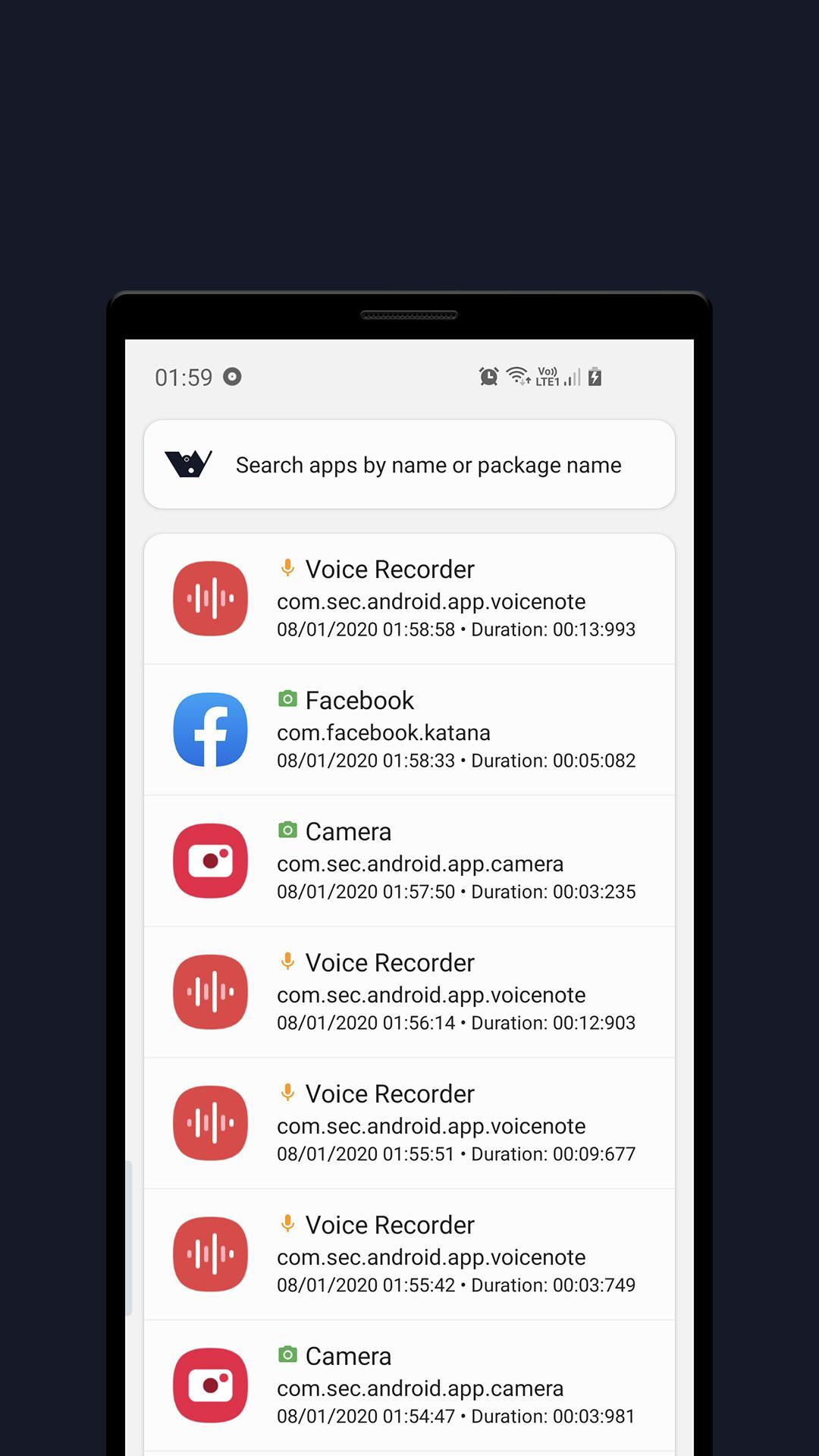
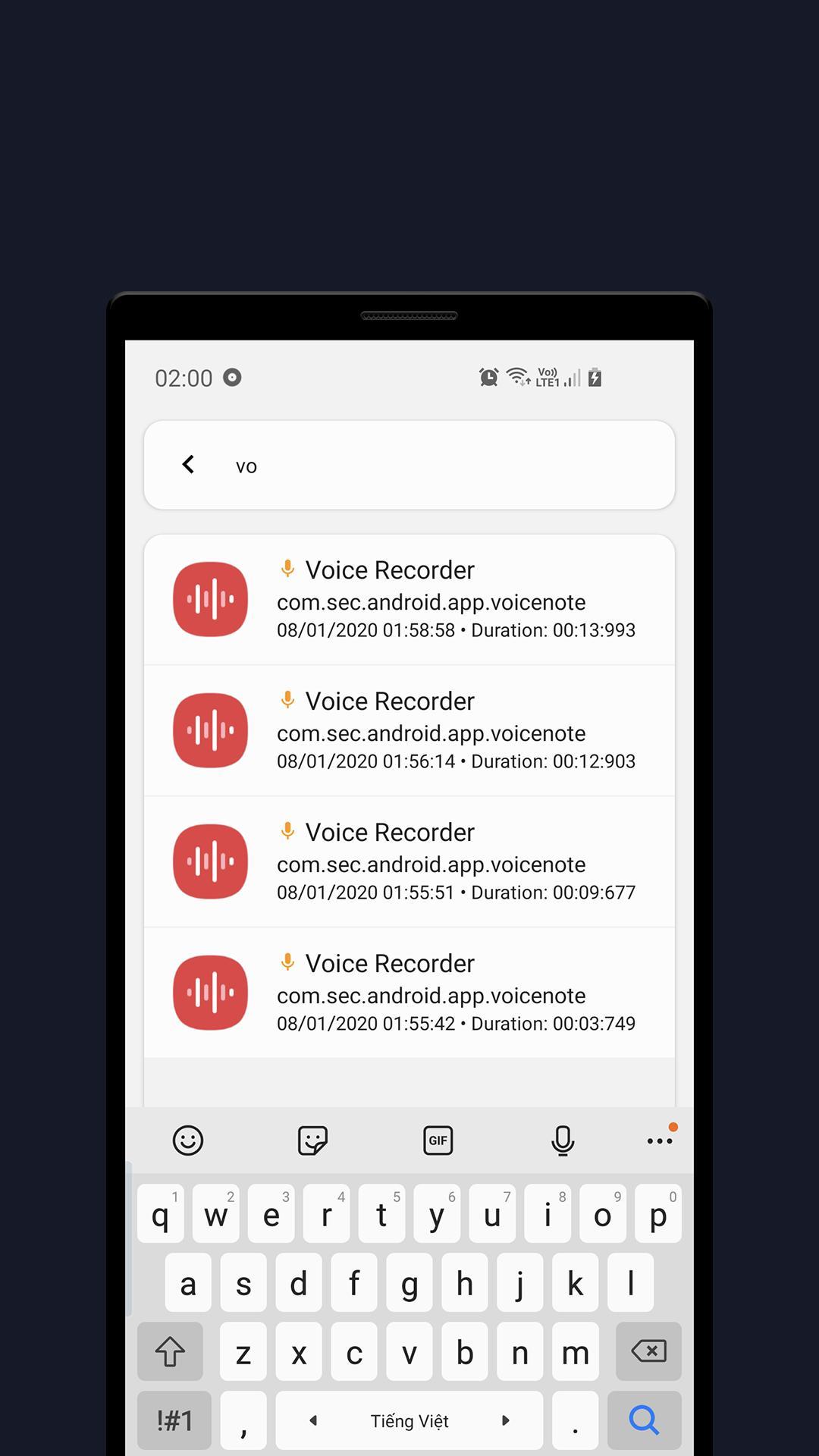
Wisom is a really simple tool that notify you with green and orange indicators when apps use Microphone or Camera.
To use Wisom, you need to grant USAGE_STATS permission by clicking the Start button at the app main page and grant the access (or go to Settings and search for Usage data access).
For the access dots indicator to work, you need to turn it on in the app setting (you have to allow Wisom to appear on top permission as well)
Features:
- Detect camera/microphone usage
- Show app access history
- Show camera or microphone recording indicator when apps use them
- And some other useful features.
Wisom is inspired by new iOS 14 and Android 12 privacy feature that shows an indicator whenever camera or microphone is accessed.
Wisom is in beta phase!
Wisom means Who is spying on me!
Note: On Android 6, Microphone usage can not be detected due to system limitation.
This application uses these icon packs:
1. Abstract Elements, made by Alfredo Hernandez from www.flaticon.com
2. Shapes, made by Pixel perfect from www.flaticon.com
3. Emotions, made by Vitaly Gorbachev from www.flaticon.com
Contact us:
Website: https://www.andatsoft.com
Facebook: https://www.facebook.com/andatsoft/
Twitter: https://twitter.com/andatsoft
Pinterest: https://www.pinterest.com/andatsoft/
پیش نظارہ
ٹیگز
اوزارمعلومات
ڈویلپر
Andatsoft
تازہ ترین ورژن
0.9.2
آخری تازہ کاری
2023-05-30
قسم
اوزار
پر دستیاب ہے۔
Google Play
مزید دکھائیں
پی سی پر گیم لوپ کے ساتھ Wisom - Cam & Mic Indicator کیسے کھیلا جائے۔
1. آفیشل ویب سائٹ سے گیم لوپ ڈاؤن لوڈ کریں، پھر گیم لوپ انسٹال کرنے کے لیے exe فائل چلائیں۔
2. گیم لوپ کھولیں اور "Wisom - Cam & Mic Indicator" تلاش کریں، تلاش کے نتائج میں Wisom - Cam & Mic Indicator تلاش کریں اور "انسٹال کریں" پر کلک کریں۔
3. گیم لوپ پر Wisom - Cam & Mic Indicator کھیلنے کا لطف اٹھائیں۔
Minimum requirements
OS
Windows 8.1 64-bit or Windows 10 64-bit
GPU
GTX 1050
CPU
i3-8300
Memory
8GB RAM
Storage
1GB available space
Recommended requirements
OS
Windows 8.1 64-bit or Windows 10 64-bit
GPU
GTX 1050
CPU
i3-9320
Memory
16GB RAM
Storage
1GB available space