
WiMAX Key Checker PC
joeykrim
گیم لوپ ایمولیٹر کے ساتھ PC پر WiMAX Key Checker ڈاؤن لوڈ کریں۔
پی سی پر WiMAX Key Checker
WiMAX Key Checker، جو ڈویلپر joeykrim سے آرہا ہے، ماضی میں اینڈرائیڈ سسٹم پر چل رہا ہے۔
اب، آپ پی سی پر WiMAX Key Checker آسانی سے GameLoop کے ساتھ چلا سکتے ہیں۔
اسے GameLoop لائبریری یا تلاش کے نتائج میں ڈاؤن لوڈ کریں۔ مزید غلط وقت پر بیٹری یا مایوس کن کالوں پر نظر نہیں ڈالی جائے گی۔
بس بڑی سکرین پر WiMAX Key Checker PC کا مفت میں لطف اٹھائیں!
WiMAX Key Checker تعارف
** WARNING: ONLY for the Sprint HTC Evo or Sprint HTC Shift with root access. WiMAX (4G) key check will NOT work on ANY other device or under ANY other conditions. **
** DISCLAIMER: The average user will not encounter these issues and will not need this application. **
Purpose: Troubleshoot WiMAX (4G) connection issues on the Sprint HTC EVO or Sprint HTC Shift due to potentially missing RSA Encryption Keys. Assist Sprint HTC EVO or Sprint HTC Shift enthusiasts by providing a simple method of WiMAX (4G) RSA Key presence verification.
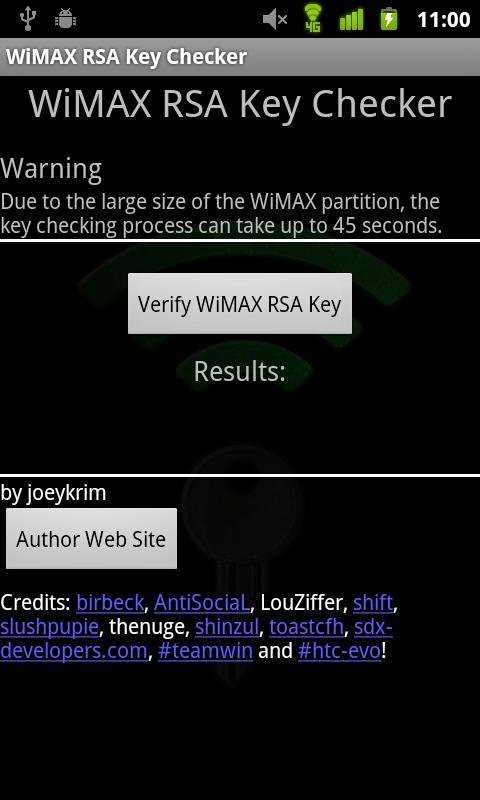
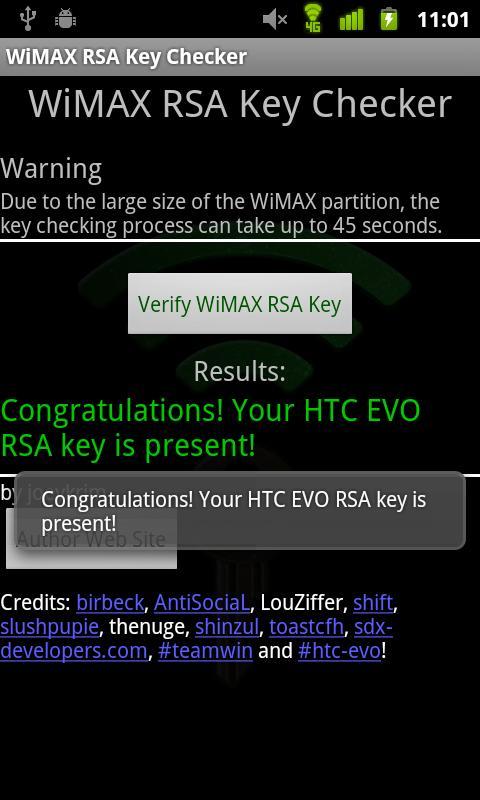
This application allows the user to easily find out whether or not their WiMAX RSA Key is present. The WiMAX RSA key is required in order for WiMAX to properly operate.
A very important step in troubleshooting WiMAX connection issues includes determining whether or not WiMAX RSA key is present.
Unfortunately, sometimes during the process of customizing and modifying the Sprint HTC EVO or Sprint HTC Shift the WiMAX RSA key is erased. If the key is lost, WiMAX will not work.
Please provide feedback based on the limited set of features currently present. This is my first application and I've done my best to make sure it provides the basic functionality. In future versions I hope to improve many aspects.
Please bear with me as I work to improve it! Feel free to email me with suggestions, comments and feedback!
Open source project: http://www.github.com/joeykrim/WimaxKeys
پیش نظارہ
ٹیگز
اوزارمعلومات
ڈویلپر
joeykrim
تازہ ترین ورژن
3.0
آخری تازہ کاری
2012-03-04
قسم
اوزار
پر دستیاب ہے۔
Google Play
مزید دکھائیں
پی سی پر گیم لوپ کے ساتھ WiMAX Key Checker کیسے کھیلا جائے۔
1. آفیشل ویب سائٹ سے گیم لوپ ڈاؤن لوڈ کریں، پھر گیم لوپ انسٹال کرنے کے لیے exe فائل چلائیں۔
2. گیم لوپ کھولیں اور "WiMAX Key Checker" تلاش کریں، تلاش کے نتائج میں WiMAX Key Checker تلاش کریں اور "انسٹال کریں" پر کلک کریں۔
3. گیم لوپ پر WiMAX Key Checker کھیلنے کا لطف اٹھائیں۔
Minimum requirements
OS
Windows 8.1 64-bit or Windows 10 64-bit
GPU
GTX 1050
CPU
i3-8300
Memory
8GB RAM
Storage
1GB available space
Recommended requirements
OS
Windows 8.1 64-bit or Windows 10 64-bit
GPU
GTX 1050
CPU
i3-9320
Memory
16GB RAM
Storage
1GB available space