WEGscan PC
WEG
گیم لوپ ایمولیٹر کے ساتھ PC پر WEGscan ڈاؤن لوڈ کریں۔
پی سی پر WEGscan
WEGscan، جو ڈویلپر WEG سے آرہا ہے، ماضی میں اینڈرائیڈ سسٹم پر چل رہا ہے۔
اب، آپ پی سی پر WEGscan آسانی سے GameLoop کے ساتھ چلا سکتے ہیں۔
اسے GameLoop لائبریری یا تلاش کے نتائج میں ڈاؤن لوڈ کریں۔ مزید غلط وقت پر بیٹری یا مایوس کن کالوں پر نظر نہیں ڈالی جائے گی۔
بس بڑی سکرین پر WEGscan PC کا مفت میں لطف اٹھائیں!
WEGscan تعارف
WEGscan is the sensor designed to monitor the health and performance of electric motors.
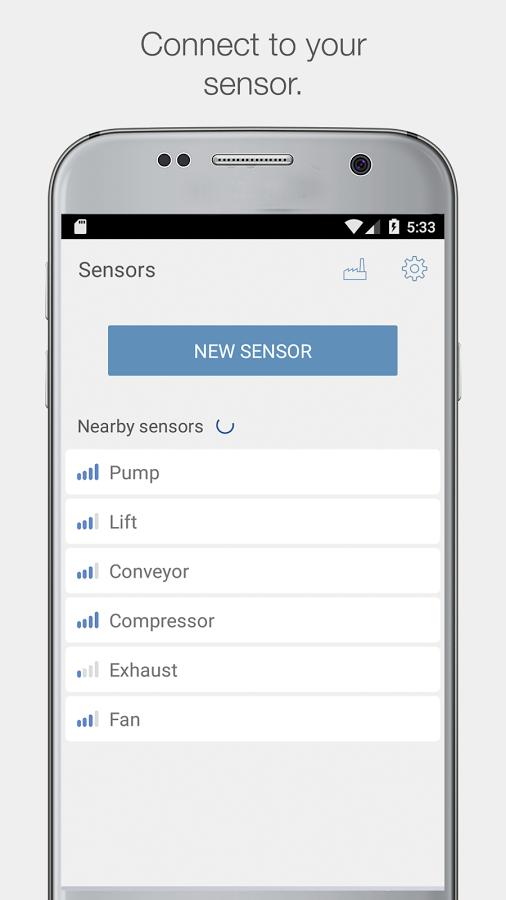
The WEGscan application allows you to connect to the sensor and get up-to-date information about the motor, configure new sensors and view the current status of your plant. The app was designed especially for Android devices.
By integrating with the WEG Motion Fleet Management all the information is updated and available to your team through the web, iOS and Android.
Sensor Configuration
• Activate your new sensor as soon as you remove it from its packaging
• Configure and teach your new sensor via guided startup
• Relate the serial number of your motor to the new sensor
• Create the advanced schedule of vibration measurements
Motor data
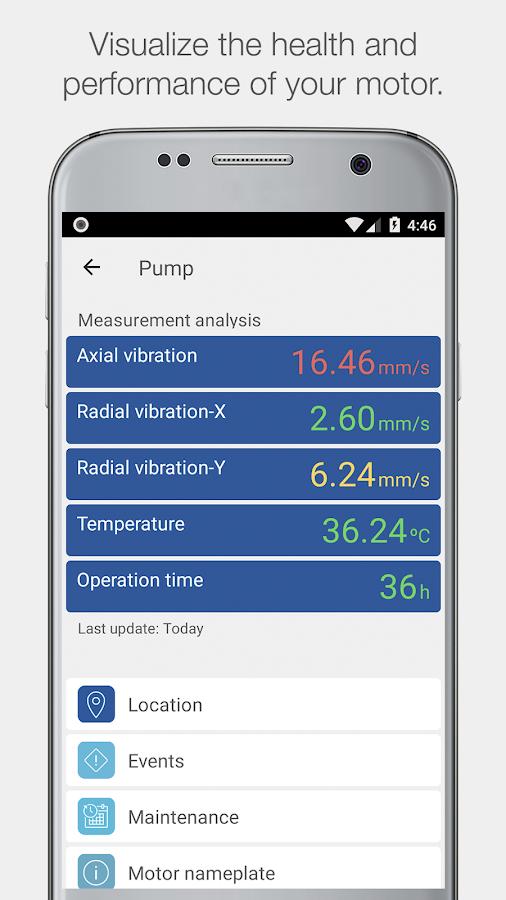
• Check the latest motor data and nameplate information
• Receive notifications about the health of your motor
Synchronization of sensor data
• Send updated measurements to the WEG Motion Fleet Management
• Perform the maintenance route and download information of all sensors in your plant
Management of manufacturing plants
• See the operating conditions of your motor
• View events identified by the WEG smart diagnostics algorithm
• Get to know the exact timing of the upcoming maintenance of your motor
Some features may require Internet access; additional fees and terms may apply.
پیش نظارہ
ٹیگز
اوزارمعلومات
ڈویلپر
WEG
تازہ ترین ورژن
6.6.15
آخری تازہ کاری
2025-10-10
قسم
اوزار
پر دستیاب ہے۔
Google Play
مزید دکھائیں
پی سی پر گیم لوپ کے ساتھ WEGscan کیسے کھیلا جائے۔
1. آفیشل ویب سائٹ سے گیم لوپ ڈاؤن لوڈ کریں، پھر گیم لوپ انسٹال کرنے کے لیے exe فائل چلائیں۔
2. گیم لوپ کھولیں اور "WEGscan" تلاش کریں، تلاش کے نتائج میں WEGscan تلاش کریں اور "انسٹال کریں" پر کلک کریں۔
3. گیم لوپ پر WEGscan کھیلنے کا لطف اٹھائیں۔
Minimum requirements
OS
Windows 8.1 64-bit or Windows 10 64-bit
GPU
GTX 1050
CPU
i3-8300
Memory
8GB RAM
Storage
1GB available space
Recommended requirements
OS
Windows 8.1 64-bit or Windows 10 64-bit
GPU
GTX 1050
CPU
i3-9320
Memory
16GB RAM
Storage
1GB available space