
Voice Message Saver PC
Muhammad Sadiq
گیم لوپ ایمولیٹر کے ساتھ PC پر Voice Message Saver ڈاؤن لوڈ کریں۔
پی سی پر Voice Message Saver
Voice Message Saver، جو ڈویلپر Muhammad Sadiq سے آرہا ہے، ماضی میں اینڈرائیڈ سسٹم پر چل رہا ہے۔
اب، آپ پی سی پر Voice Message Saver آسانی سے GameLoop کے ساتھ چلا سکتے ہیں۔
اسے GameLoop لائبریری یا تلاش کے نتائج میں ڈاؤن لوڈ کریں۔ مزید غلط وقت پر بیٹری یا مایوس کن کالوں پر نظر نہیں ڈالی جائے گی۔
بس بڑی سکرین پر Voice Message Saver PC کا مفت میں لطف اٹھائیں!
Voice Message Saver تعارف
Voice Message Saver - Save Your Important Voice Notes
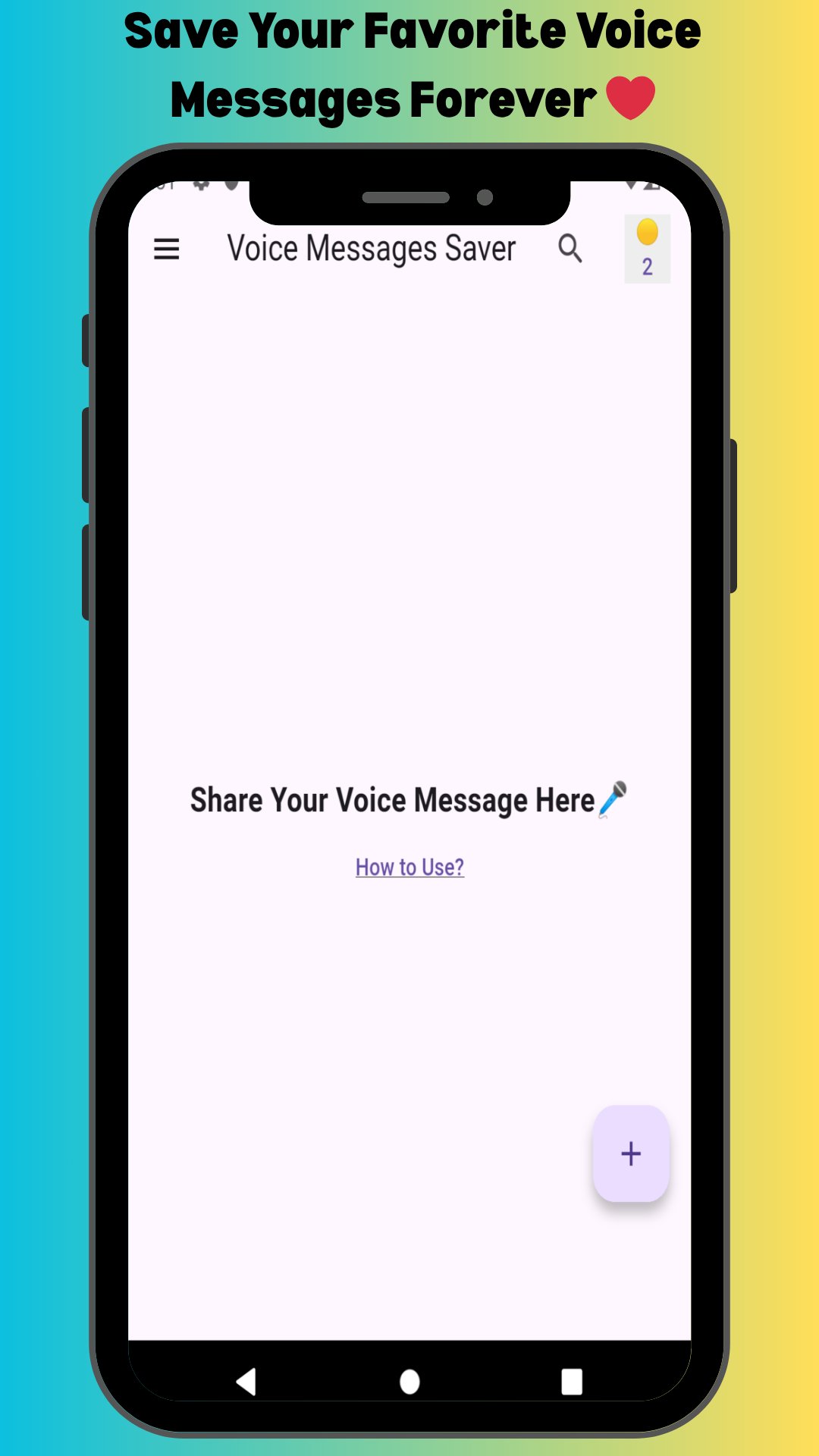
Save and preserve your precious voice messages and voice notes effortlessly! Voice Message Saver is a professional Android application designed to help you download, save, and manage voice messages from your favorite messaging apps. Never lose important voice notes again!
🎙️ Why Users Choose Voice Message Saver
Voice Message Saver solves a common problem: how to permanently save voice messages and voice notes before they disappear. Our app provides a simple, reliable solution for saving voice messages, downloading voice notes, and preserving important audio conversations.
✨ Key Features
- Save voice messages permanently with one tap
- Download voice notes quickly - no technical skills needed
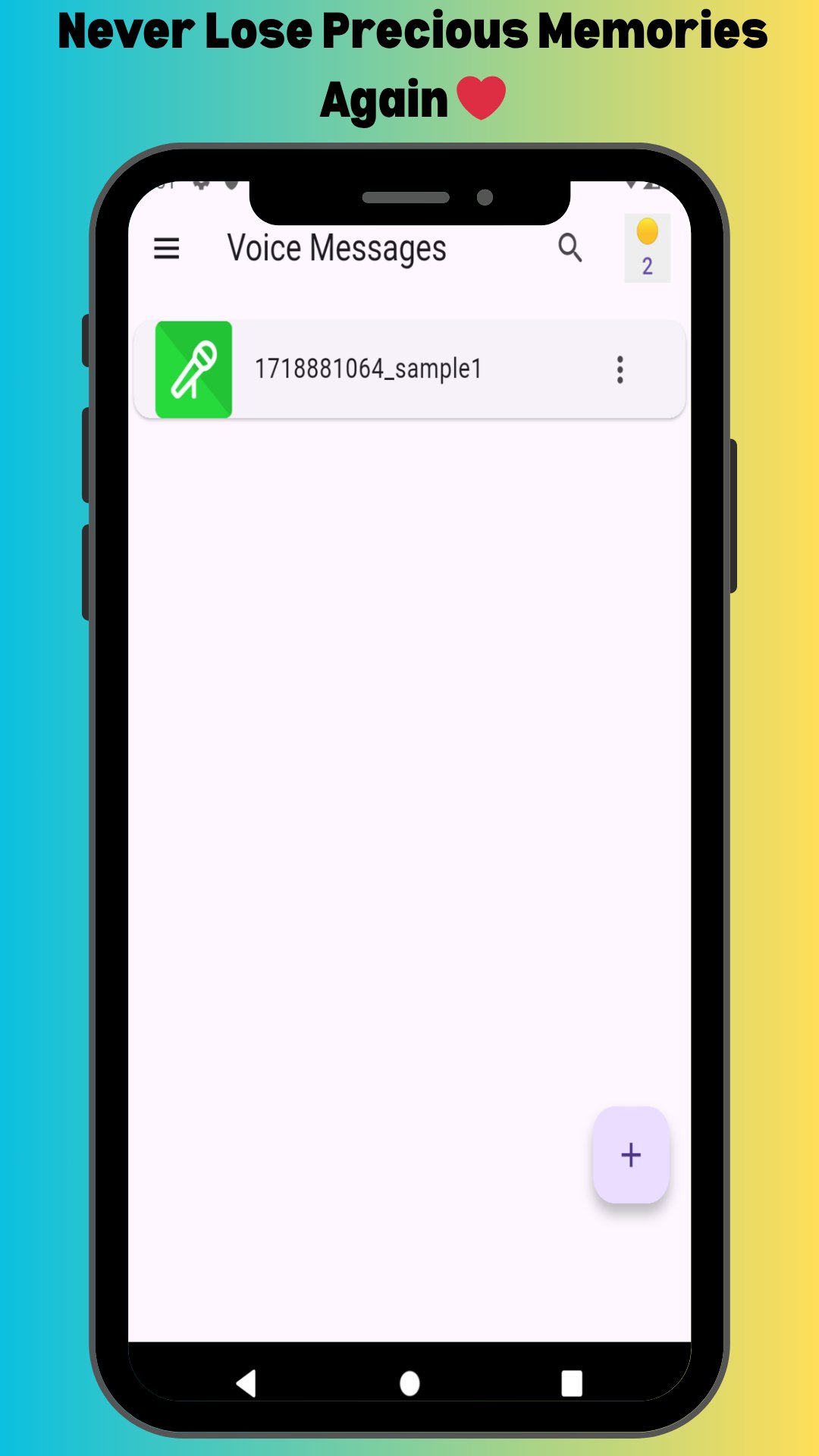
- Store all saved voice messages organized in one place
- Rename voice notes for easy organization
- Share saved voice messages to other apps or contacts
- Delete unwanted voice notes anytime
- Simple, beginner-friendly interface
- High-quality voice note preservation
- Completely free voice message saver
📱 How to Save Voice Messages
1. Open Voice Message Saver application
2. Tap the floating (+) button
3. Navigate to your messaging app chat
4. Select the voice message you want to save
5. Tap the Share icon
6. Choose "Voice Message Saver" from share menu
7. Confirm to save the voice message
8. Your voice note is permanently saved!
9. Access saved voice messages anytime
🎯 Perfect For
- Saving sentimental voice messages from loved ones
- Preserving important voice notes for work
- Keeping voice message collections organized
- Downloading voice notes before they expire
- Creating backup of precious voice conversations
- Managing voice message archives
💡 Voice Message Problems We Solve
✓ How to save voice messages permanently
✓ How to download voice notes before deletion
✓ How to preserve voice messages from chats
✓ How to keep voice notes forever
✓ Best voice message saver app
✓ Voice note download and backup
✓ Permanent voice message storage
Voice Message Saver provides the complete solution!
🔒 Privacy & Security
Your privacy is our priority. Voice Message Saver:
- Only accesses voice messages you explicitly share
- Stores voice notes securely on your device
- Doesn't upload voice messages to external servers
- Keeps saved voice messages completely private
🌟 Why Voice Message Saver is Different
Unlike other apps, Voice Message Saver focuses specifically on voice message preservation and voice note management. Our dedicated voice message saver provides:
RELIABILITY: Never fails to save voice messages
SIMPLICITY: Easiest voice note saving process
EFFICIENCY: Quick voice message downloads
ORGANIZATION: Smart voice message management
QUALITY: Preserves original audio quality
📊 Benefits
- SAVE MEMORIES: Keep precious voice messages forever
- BUSINESS USE: Preserve voice notes for reference
- LEGAL RECORDS: Maintain voice message documentation
- CONVENIENCE: Access saved voice messages anytime
- PEACE OF MIND: Never lose voice notes again
⚡ Fast & Reliable
Save voice messages in seconds! Voice Message Saver uses optimized technology for quick voice note downloads and reliable voice message preservation.
📧 Support
Need help with voice messages? Contact us:
Email: trickswithandro@gmail.com
⭐ Love Voice Message Saver? Rate us 5 stars! Share with friends who need a reliable voice note saver.
COMPATIBILITY: Voice Message Saver works with popular messaging applications through standard Android sharing functionality.
DISCLAIMER: Voice Message Saver is an independent application developed by Muhammad Sadiq. This tool is not affiliated with, endorsed by, or sponsored by any messaging service provider or social media platform. All product names and brands are property of their respective owners. Voice Message Saver is a third-party utility designed to help users save and manage voice messages through standard Android sharing features.
پیش نظارہ
ٹیگز
اوزارمعلومات
ڈویلپر
Muhammad Sadiq
تازہ ترین ورژن
1.3.4
آخری تازہ کاری
2025-10-21
قسم
اوزار
پر دستیاب ہے۔
Google Play
مزید دکھائیں
پی سی پر گیم لوپ کے ساتھ Voice Message Saver کیسے کھیلا جائے۔
1. آفیشل ویب سائٹ سے گیم لوپ ڈاؤن لوڈ کریں، پھر گیم لوپ انسٹال کرنے کے لیے exe فائل چلائیں۔
2. گیم لوپ کھولیں اور "Voice Message Saver" تلاش کریں، تلاش کے نتائج میں Voice Message Saver تلاش کریں اور "انسٹال کریں" پر کلک کریں۔
3. گیم لوپ پر Voice Message Saver کھیلنے کا لطف اٹھائیں۔
Minimum requirements
OS
Windows 8.1 64-bit or Windows 10 64-bit
GPU
GTX 1050
CPU
i3-8300
Memory
8GB RAM
Storage
1GB available space
Recommended requirements
OS
Windows 8.1 64-bit or Windows 10 64-bit
GPU
GTX 1050
CPU
i3-9320
Memory
16GB RAM
Storage
1GB available space