
ThingShow for ThingSpeak PC
devinterestdev
گیم لوپ ایمولیٹر کے ساتھ PC پر ThingShow for ThingSpeak ڈاؤن لوڈ کریں۔
پی سی پر ThingShow for ThingSpeak
ThingShow for ThingSpeak، جو ڈویلپر devinterestdev سے آرہا ہے، ماضی میں اینڈرائیڈ سسٹم پر چل رہا ہے۔
اب، آپ پی سی پر ThingShow for ThingSpeak آسانی سے GameLoop کے ساتھ چلا سکتے ہیں۔
اسے GameLoop لائبریری یا تلاش کے نتائج میں ڈاؤن لوڈ کریں۔ مزید غلط وقت پر بیٹری یا مایوس کن کالوں پر نظر نہیں ڈالی جائے گی۔
بس بڑی سکرین پر ThingShow for ThingSpeak PC کا مفت میں لطف اٹھائیں!
ThingShow for ThingSpeak تعارف
To visualize charts ThingShow uses two methods you can choose from - ThingSpeak™ chart web API or MPAndroidChart library. The first one is used by default. Unfortunately it does not support zooming and only one chart can be shown at once. MPAndroidChart library allows to build multiple charts on single screen and supports zooming.
The channel ID and the API key is needed to open private channel.
To visualize public ThingSpeak™ channel ThingShow automatically embeds widgets from ThingSpeak™ website. It can be chart, gauge or any other type of widget including MATLAB Visualizations that is shown on a public page of the channel.
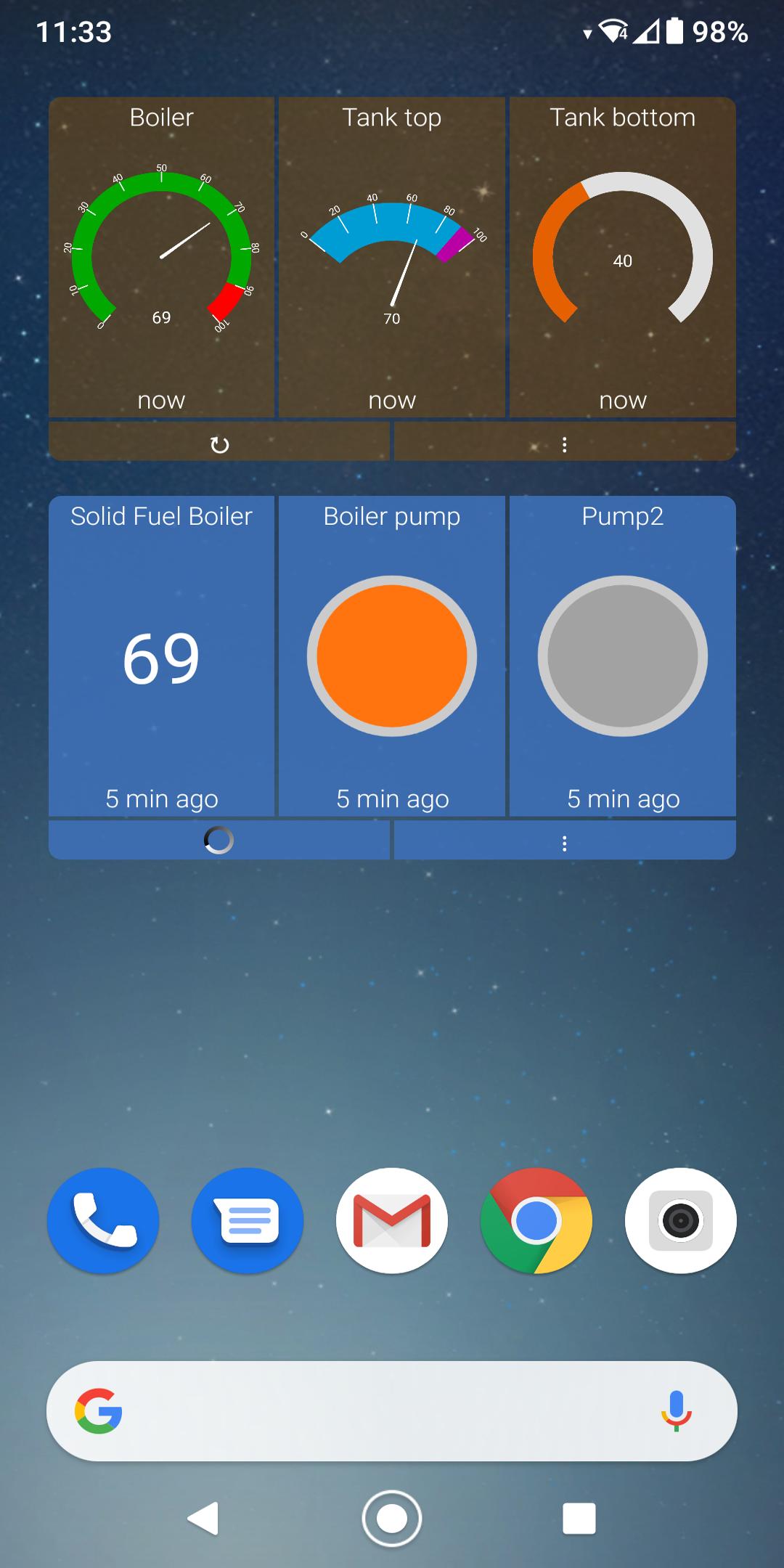
A virtual channel can be created to group different widgets from different channels on one screen. Just give it a name and choose widgets from channels that are already setup in ThingShow. It is also possible to change widgets order within a virtual channel. Local widgets such as Gauge, Lamp Indicator, Numeric Display, Compass, Map or Channel Status Updates can be created on virtual channel using public or private channel's data.
Unnecessary widgets can be hidden for any channel type.
Any chart can be opened on a separate screen in details. Its options can be changed and stored locally including charts that are opened from homescreen widgets. This will not affect data stored on ThingSpeak™ server.
Any widget can also be opened on a separate screen.
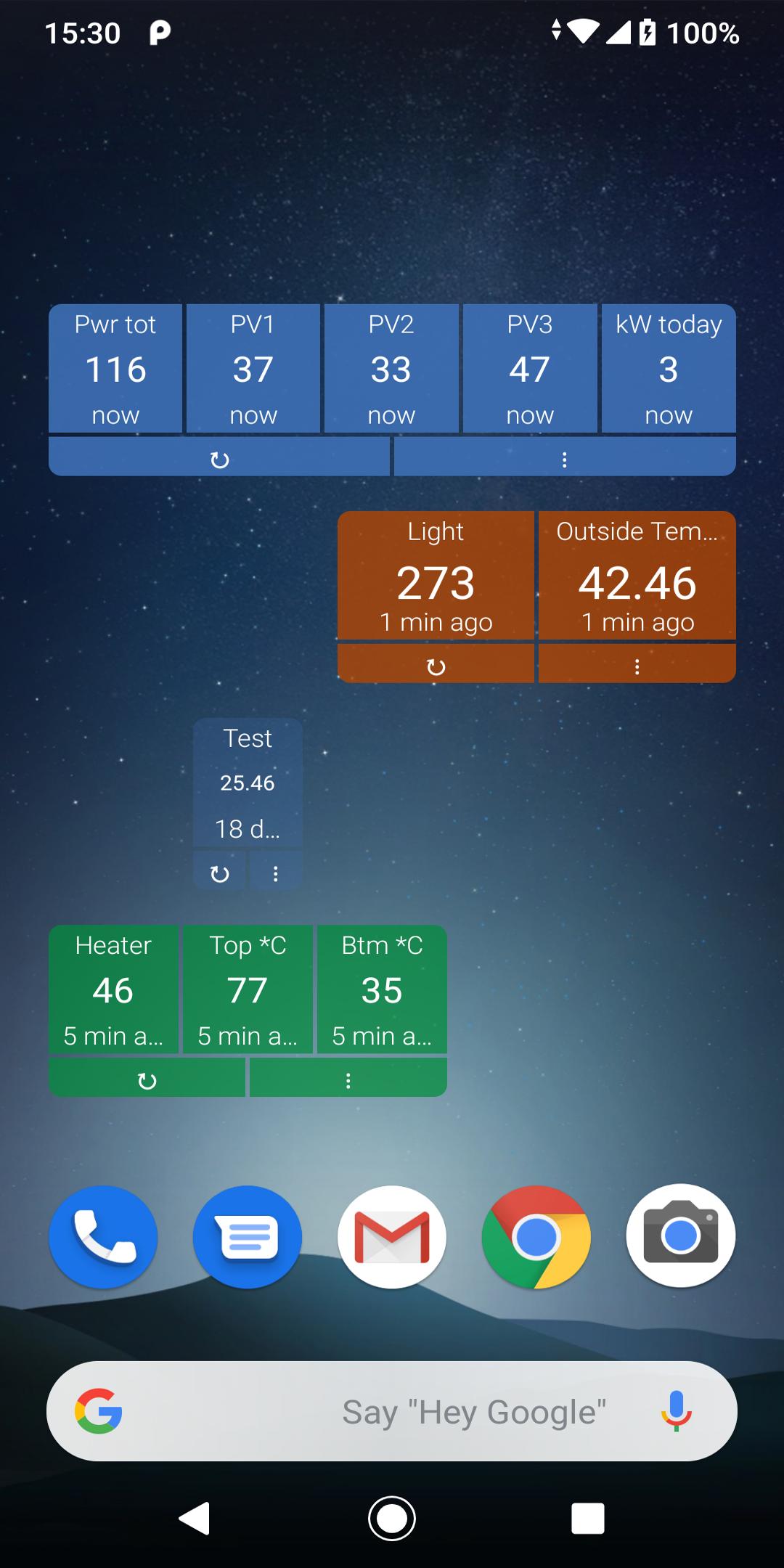
Homescreen widget is very useful part of ThingShow that helps to view channel fields data without launching an application. One homescreen widget can visualize up to 8 fields from different channels showing a gauge, lamp indicator, compass or numeric value. Each field can send notification when value threshold exceeded. To fit into homescreen widget space the field name can be changed locally.
By creating Local channel ThingShow can act as a http web server in the local network storing data on the current device. It is compatible with ThingSpeak™ REST API and can mirror data to ThingSpeak™ server as well. Import and export options also available. This is useful when there is no internet available or it is unstable. Also data can be remotely accessed from outside network by using free or paid VPN services like "Tailscale". You can use 1 full-featured local channel for free for a week. This channel must then be deleted and re-created to continue free use. The paid feature has unlimited local channels and no time limits. It all depends on the performance of the device. Keep in mind that the device will drain faster due to frequent network use.
ThingShow short video tutorial - https://youtu.be/ImpIjKEymto
پیش نظارہ
ٹیگز
اوزارمعلومات
ڈویلپر
devinterestdev
تازہ ترین ورژن
2.55
آخری تازہ کاری
2024-06-28
قسم
اوزار
پر دستیاب ہے۔
Google Play
مزید دکھائیں
پی سی پر گیم لوپ کے ساتھ ThingShow for ThingSpeak کیسے کھیلا جائے۔
1. آفیشل ویب سائٹ سے گیم لوپ ڈاؤن لوڈ کریں، پھر گیم لوپ انسٹال کرنے کے لیے exe فائل چلائیں۔
2. گیم لوپ کھولیں اور "ThingShow for ThingSpeak" تلاش کریں، تلاش کے نتائج میں ThingShow for ThingSpeak تلاش کریں اور "انسٹال کریں" پر کلک کریں۔
3. گیم لوپ پر ThingShow for ThingSpeak کھیلنے کا لطف اٹھائیں۔
Minimum requirements
OS
Windows 8.1 64-bit or Windows 10 64-bit
GPU
GTX 1050
CPU
i3-8300
Memory
8GB RAM
Storage
1GB available space
Recommended requirements
OS
Windows 8.1 64-bit or Windows 10 64-bit
GPU
GTX 1050
CPU
i3-9320
Memory
16GB RAM
Storage
1GB available space