Screen Cast -View Mobile on PC PC
Deskshare, Inc
گیم لوپ ایمولیٹر کے ساتھ PC پر Screen Cast -View Mobile on PC ڈاؤن لوڈ کریں۔
پی سی پر Screen Cast -View Mobile on PC
Screen Cast -View Mobile on PC، جو ڈویلپر Deskshare, Inc سے آرہا ہے، ماضی میں اینڈرائیڈ سسٹم پر چل رہا ہے۔
اب، آپ پی سی پر Screen Cast -View Mobile on PC آسانی سے GameLoop کے ساتھ چلا سکتے ہیں۔
اسے GameLoop لائبریری یا تلاش کے نتائج میں ڈاؤن لوڈ کریں۔ مزید غلط وقت پر بیٹری یا مایوس کن کالوں پر نظر نہیں ڈالی جائے گی۔
بس بڑی سکرین پر Screen Cast -View Mobile on PC PC کا مفت میں لطف اٹھائیں!
Screen Cast -View Mobile on PC تعارف
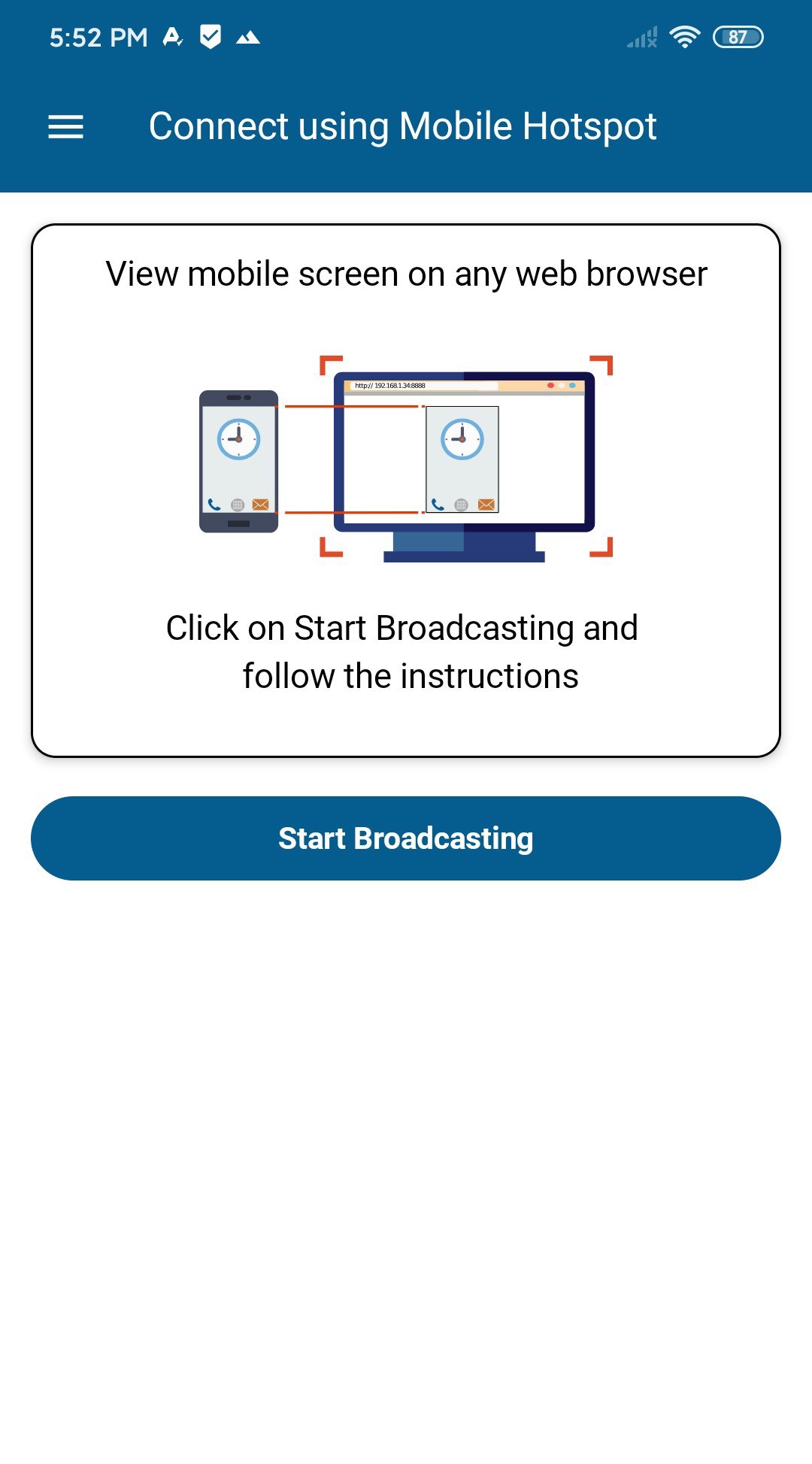
View your Android screen on any device with a web browser. No extra equipment. No complicated setup. Just share a link and start watching.
Perfect for watching videos on the big screen, sharing photos with family, business presentations, online teaching, and providing remote IT support.
Actually Free with No Limits
Unlike competitors with time limits or watermarks:
• Stream as long as needed—no time limits
• Share with entire classroom or family—no viewer restrictions
• No watermarks
• Wi-Fi and Mobile Hotspot modes included
Simple 30-Second Setup
Just tap "Start Broadcast" and share the link. Works on all major browsers—Chrome, Safari, Edge, Firefox, Samsung Internet, Brave.
Free Features
• Wi-Fi & Mobile Hotspot broadcasting
• Multiple simultaneous viewers
• One-tap link sharing
• Multi-language: German, French, Spanish, Portuguese, Italian
• Modern interface optimized for Android 15
Premium Features - $3.99/month or $29.99/year (Save 37%)
Remote Broadcasting: Share your screen across the internet. Present from home, teach remotely, or connect with family in different cities.
Remote Device Control & IT Support: Control Android devices from your browser with full touch support. Help family troubleshoot tech problems, fix friends' devices remotely, or provide IT support to employees. Guide users through settings and fix issues from anywhere.
Keyboard & Mouse Input: Type and navigate using your computer keyboard and mouse.
Note: Accessibility permission required only for remote control feature.
Password Protection: Secure broadcasts with custom passwords for private sessions.
Three Broadcasting Modes
Wi-Fi (Free): Broadcast on your local network. Perfect for home, office, or classroom. No internet required.
Mobile Hotspot (Free): Share via your phone's hotspot. Great for locations without Wi-Fi.
Remote Broadcast (Premium): Share across any network with encryption and password protection. Ideal for remote work and distance learning.
Perfect For
Remote IT Support: Help family troubleshoot devices, provide tech support to friends, or assist employees. See their screen and control it to solve problems without being there in person.
Entertainment: Stream movies, YouTube, and shows to any TV or computer. Perfect for family movie nights.
Teachers: Share lessons with 30+ students simultaneously. No app installation on student devices required.
Business: Present mobile app demos in meetings. Show workflows to clients or colleagues instantly.
Families: Share vacation photos with everyone at once. Each person watches on their own device.
Privacy & Security
• Local broadcasts stay within your network
• Remote broadcasts use encryption and passwords
• No audio capture—only screen mirrored
• Broadcasts never recorded
• Links expire when you end broadcast
Why Screen Cast?
• No app installation on viewing devices
• No viewer limits (free version)
• No watermarks
• Affordable premium ($3.99 vs $39.95)
• Simple setup
Download Free - Try Before Upgrading
Start with free features including multiple viewers on Wi-Fi and Hotspot. Upgrade to Premium ($3.99/month or $29.99/year) for remote broadcasting, IT support control, or password protection.
Compatible with Android 8.0+ | Optimized for Android 15
Last updated: September 2025
Support
Website: https://www.deskshare.com
Email: support@deskshare.com
Forum: http://www.deskshare.com/forums/ds_topics25_Screen-Cast.aspx
پیش نظارہ
ٹیگز
اوزارمعلومات
ڈویلپر
Deskshare, Inc
تازہ ترین ورژن
7.4
آخری تازہ کاری
2026-06-16
قسم
اوزار
پر دستیاب ہے۔
Google Play
مزید دکھائیں
پی سی پر گیم لوپ کے ساتھ Screen Cast -View Mobile on PC کیسے کھیلا جائے۔
1. آفیشل ویب سائٹ سے گیم لوپ ڈاؤن لوڈ کریں، پھر گیم لوپ انسٹال کرنے کے لیے exe فائل چلائیں۔
2. گیم لوپ کھولیں اور "Screen Cast -View Mobile on PC" تلاش کریں، تلاش کے نتائج میں Screen Cast -View Mobile on PC تلاش کریں اور "انسٹال کریں" پر کلک کریں۔
3. گیم لوپ پر Screen Cast -View Mobile on PC کھیلنے کا لطف اٹھائیں۔
Minimum requirements
OS
Windows 8.1 64-bit or Windows 10 64-bit
GPU
GTX 1050
CPU
i3-8300
Memory
8GB RAM
Storage
1GB available space
Recommended requirements
OS
Windows 8.1 64-bit or Windows 10 64-bit
GPU
GTX 1050
CPU
i3-9320
Memory
16GB RAM
Storage
1GB available space