Touch Screen Test Calibration PC
Ringtone Caller Master
گیم لوپ ایمولیٹر کے ساتھ PC پر Touch Screen Test Calibration ڈاؤن لوڈ کریں۔
پی سی پر Touch Screen Test Calibration
Touch Screen Test Calibration، جو ڈویلپر Ringtone Caller Master سے آرہا ہے، ماضی میں اینڈرائیڈ سسٹم پر چل رہا ہے۔
اب، آپ پی سی پر Touch Screen Test Calibration آسانی سے GameLoop کے ساتھ چلا سکتے ہیں۔
اسے GameLoop لائبریری یا تلاش کے نتائج میں ڈاؤن لوڈ کریں۔ مزید غلط وقت پر بیٹری یا مایوس کن کالوں پر نظر نہیں ڈالی جائے گی۔
بس بڑی سکرین پر Touch Screen Test Calibration PC کا مفت میں لطف اٹھائیں!
Touch Screen Test Calibration تعارف
A touch screen is one of the most fundamental, important, and usable components of a mobile phone or a tablet device. You can easily check and test if all of the touchable areas of your device are responding to your touch properly or not? You can also easily check if your mobile phone or tablet device supports multi-touch or not and if supports multi-touch then how many touchpoints does it support.
Is your touch screen having lag issues?
Does your screen stops responding to touch events randomly on few parts of the screen?
If yes then Touch Screen Calibration - Screen Test & Info app is made for you.
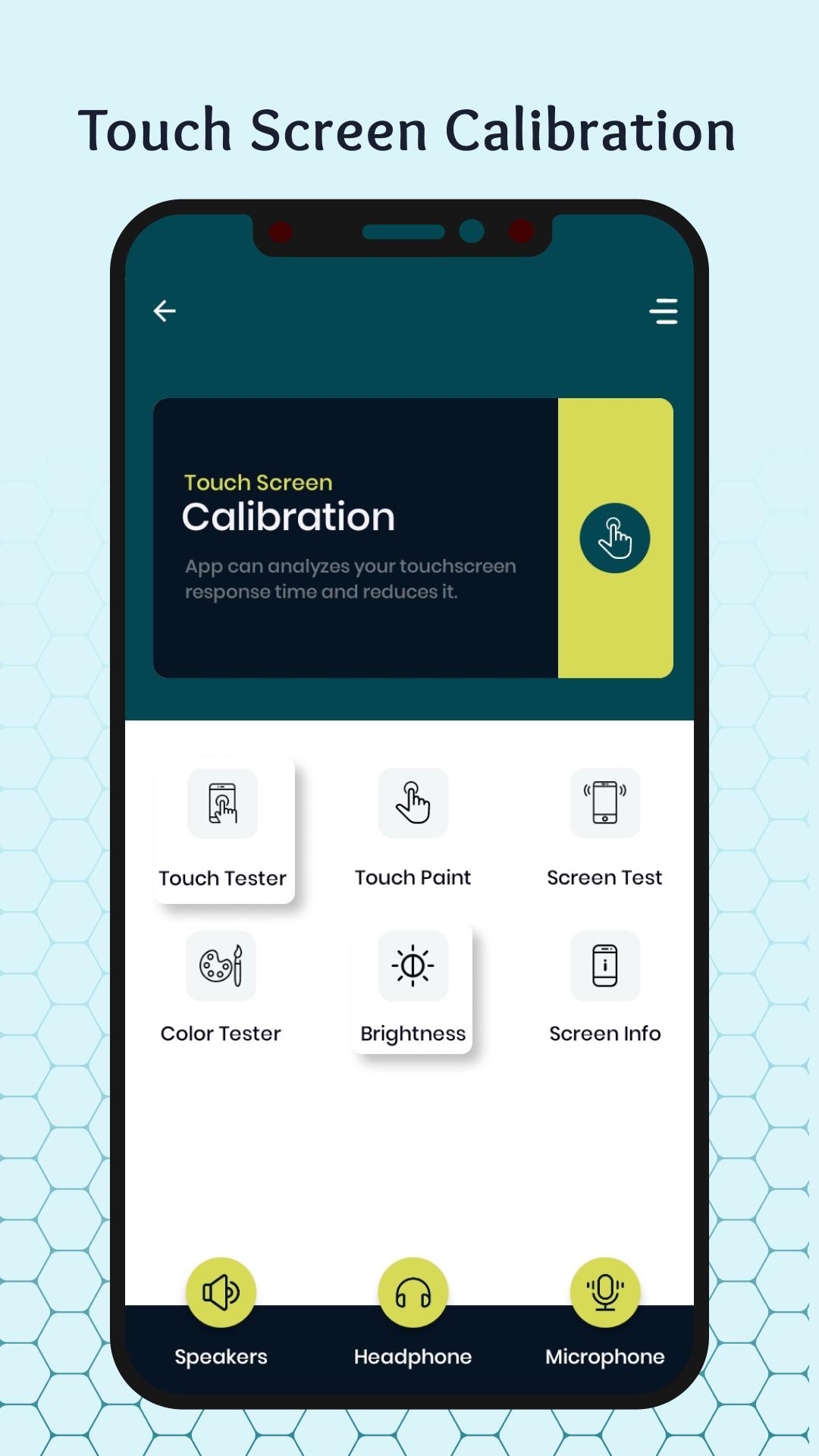
Touchscreen test and repair app analyzes the screen sensor and increases its sensitivity, as well as optimizes your device in every possible way to improve the experience of interacting with your touch screen. Touch Screen Calibration app analyzes your touchscreen response time and reduces it so that you can have a smoother experience with your touchscreen. But many a times, these dead pixels can be repaired and calibrated. Using this amazing tool you can find your touchscreen dead pixel. Very common for the pixels of your device's touchscreen to become unresponsive with excessive use.
We use our phones very actively, and because of this, problems with the screen can very quickly appear on the device. And problems with the screen and broken pixels definitely should not be a reason to buy a new device. But screen problems are definitely the reason why you download this touchscreen repair and calibration app.
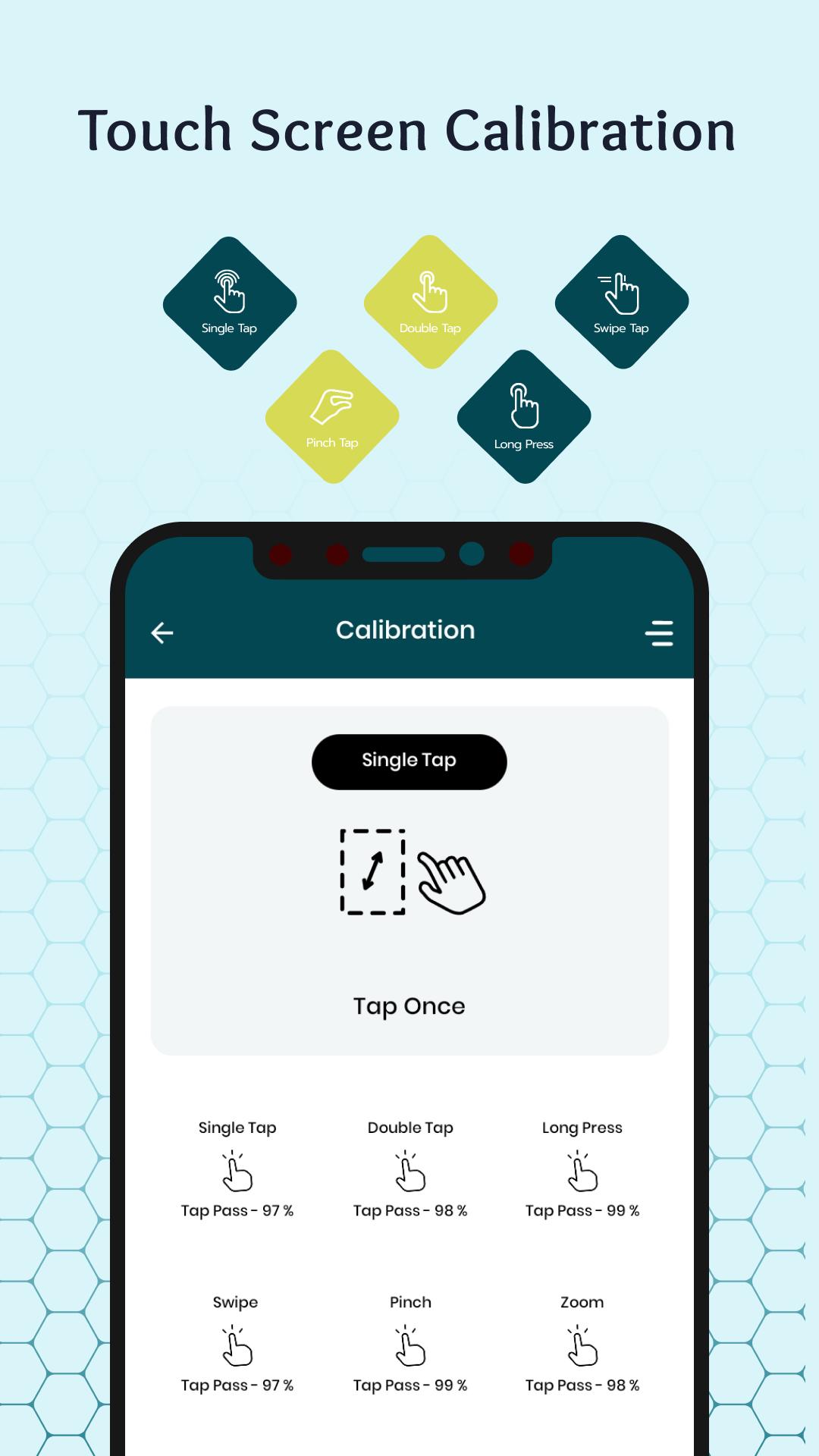
Common screen problems that can be solved by screen repair app is screen touch lags and screen stop responding. Calibrate each gesture separately .So you know exactly what is happening throughout the process. Transparent calibration process . Calibration values and accuracy of the calibration are shown at each step. The touchscreen of any device deteriorates with use. Such pixels are usually referred to as dead pixels. Touchscreen Repair is an amazing tool that helps to test your smart phone touchscreen by your self
As a result you experience touch lags and sometimes your touchscreen stops responding. Sometimes this problem is related to the touchscreen hardware and cannot be repaired through software. Touchscreen dead pixel repair app does exactly this. You can check and analyze the quality of your device’s display like its color purity or color rendering.
Calibrate and repair touch screen removes screen lag helps with dead pixels and improves the gaming experience in any game. After fixing, it improves the response of the keyboard and any applications that need a screen, Decreases touch screen response time, Simple and user friendly interface in screen repair software. Very light application - does not take up much space and will periodically help you to repair your screen
FEATURES :-
• Touch Screen Calibration With Accuracy Check
• Screen Info & Device info
• Touch Tester Detect upto 10 fingers test with X,y Coordinates
• Touch Paint upto 10 fingers test with X,y Coordinates
• Brightness Test (Maximum & Mimimum)
• Screen Test Draw using Single Finger
• Color Tester Random Color Change
• Single Tap, Double Tap, Long Press, Swipe Left or Right, Pinch Zoom In, Pinch Zoom Out
Thank you...
پیش نظارہ
ٹیگز
اوزارمعلومات
ڈویلپر
Ringtone Caller Master
تازہ ترین ورژن
5.1
آخری تازہ کاری
2023-12-03
قسم
اوزار
پر دستیاب ہے۔
Google Play
مزید دکھائیں
پی سی پر گیم لوپ کے ساتھ Touch Screen Test Calibration کیسے کھیلا جائے۔
1. آفیشل ویب سائٹ سے گیم لوپ ڈاؤن لوڈ کریں، پھر گیم لوپ انسٹال کرنے کے لیے exe فائل چلائیں۔
2. گیم لوپ کھولیں اور "Touch Screen Test Calibration" تلاش کریں، تلاش کے نتائج میں Touch Screen Test Calibration تلاش کریں اور "انسٹال کریں" پر کلک کریں۔
3. گیم لوپ پر Touch Screen Test Calibration کھیلنے کا لطف اٹھائیں۔
Minimum requirements
OS
Windows 8.1 64-bit or Windows 10 64-bit
GPU
GTX 1050
CPU
i3-8300
Memory
8GB RAM
Storage
1GB available space
Recommended requirements
OS
Windows 8.1 64-bit or Windows 10 64-bit
GPU
GTX 1050
CPU
i3-9320
Memory
16GB RAM
Storage
1GB available space