Roku Remote Control: TV Remote PC
Ngan Tran
گیم لوپ ایمولیٹر کے ساتھ PC پر Roku Remote Control: TV Remote ڈاؤن لوڈ کریں۔
پی سی پر Roku Remote Control: TV Remote
Roku Remote Control: TV Remote، جو ڈویلپر Ngan Tran سے آرہا ہے، ماضی میں اینڈرائیڈ سسٹم پر چل رہا ہے۔
اب، آپ پی سی پر Roku Remote Control: TV Remote آسانی سے GameLoop کے ساتھ چلا سکتے ہیں۔
اسے GameLoop لائبریری یا تلاش کے نتائج میں ڈاؤن لوڈ کریں۔ مزید غلط وقت پر بیٹری یا مایوس کن کالوں پر نظر نہیں ڈالی جائے گی۔
بس بڑی سکرین پر Roku Remote Control: TV Remote PC کا مفت میں لطف اٹھائیں!
Roku Remote Control: TV Remote تعارف
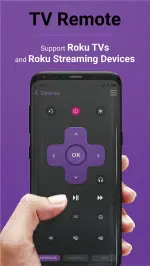
TV Remote brings the best experience with your Roku TV. We support many different products, including:
TCL, Onn, Hisense, Insignia TV
Streaming Players: Express, Streaming Stick, Stream Bar
The Roku Channel includes the top watched TV Channels: Peacock, Amazon Video, Crackle, Netflix, Disney Plus, Youtube, HBO, Hulu,... The app will automatically search for nearby devices within your WiFi network to make the connection process as simple as possible. If you own multiple devices, you can easily switch between them.
App main features:
・Auto detect Roku TVs and Streaming Players over WiFi: safe & simple
・All functions from physic TV remote control and extra
・Mirror and streamer for Smart TV with built-in screen mirroring.
・Load current installed streaming channels
・Quick launch any installed streaming channel
・Intuitive keyboard for faster typing experience
Privacy Policy: https://tranthuyquynhngan.com/privacy-policy/
پیش نظارہ
ٹیگز
اوزارمعلومات
ڈویلپر
Ngan Tran
تازہ ترین ورژن
1.0.9
آخری تازہ کاری
2023-08-24
قسم
اوزار
پر دستیاب ہے۔
Google Play
مزید دکھائیں
پی سی پر گیم لوپ کے ساتھ Roku Remote Control: TV Remote کیسے کھیلا جائے۔
1. آفیشل ویب سائٹ سے گیم لوپ ڈاؤن لوڈ کریں، پھر گیم لوپ انسٹال کرنے کے لیے exe فائل چلائیں۔
2. گیم لوپ کھولیں اور "Roku Remote Control: TV Remote" تلاش کریں، تلاش کے نتائج میں Roku Remote Control: TV Remote تلاش کریں اور "انسٹال کریں" پر کلک کریں۔
3. گیم لوپ پر Roku Remote Control: TV Remote کھیلنے کا لطف اٹھائیں۔
Minimum requirements
OS
Windows 8.1 64-bit or Windows 10 64-bit
GPU
GTX 1050
CPU
i3-8300
Memory
8GB RAM
Storage
1GB available space
Recommended requirements
OS
Windows 8.1 64-bit or Windows 10 64-bit
GPU
GTX 1050
CPU
i3-9320
Memory
16GB RAM
Storage
1GB available space