
PDF2IMG: PDF Converter & Tools PC
Techno information
گیم لوپ ایمولیٹر کے ساتھ PC پر PDF2IMG: PDF Converter & Tools ڈاؤن لوڈ کریں۔
پی سی پر PDF2IMG: PDF Converter & Tools
PDF2IMG: PDF Converter & Tools، جو ڈویلپر Techno information سے آرہا ہے، ماضی میں اینڈرائیڈ سسٹم پر چل رہا ہے۔
اب، آپ پی سی پر PDF2IMG: PDF Converter & Tools آسانی سے GameLoop کے ساتھ چلا سکتے ہیں۔
اسے GameLoop لائبریری یا تلاش کے نتائج میں ڈاؤن لوڈ کریں۔ مزید غلط وقت پر بیٹری یا مایوس کن کالوں پر نظر نہیں ڈالی جائے گی۔
بس بڑی سکرین پر PDF2IMG: PDF Converter & Tools PC کا مفت میں لطف اٹھائیں!
PDF2IMG: PDF Converter & Tools تعارف
📘 PDF2IMG: PDF Converter & Tools – Smart All-in-One PDF Editor & File Converter
Simplify your document management with PDF2IMG, the ultimate PDF Converter & Tools app built for productivity.
Convert, create, edit, and manage your PDF files and images faster than ever — all securely offline, without needing an internet connection.
Whether you’re a student, professional, business owner, or freelancer, PDF2IMG offers everything you need to convert, scan, merge, sign, and protect your files in one powerful app.
🌟 🚀 All-in-One PDF Conversion & Editing Suite
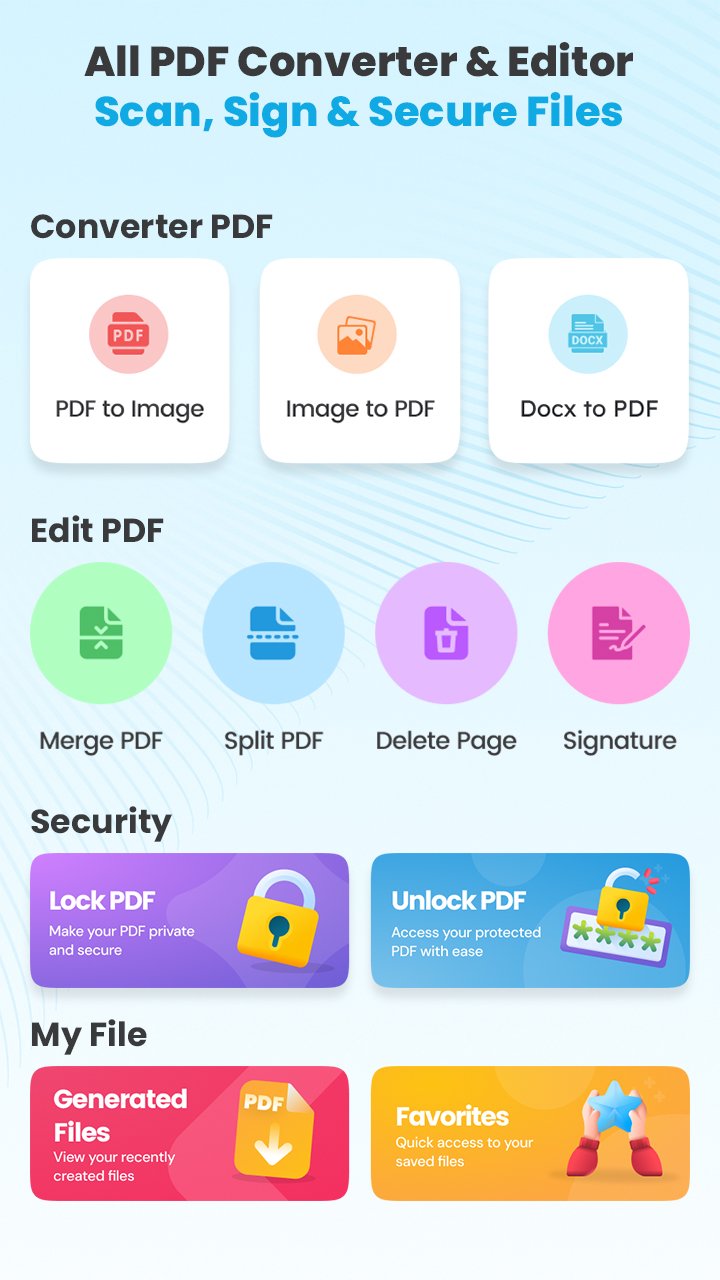
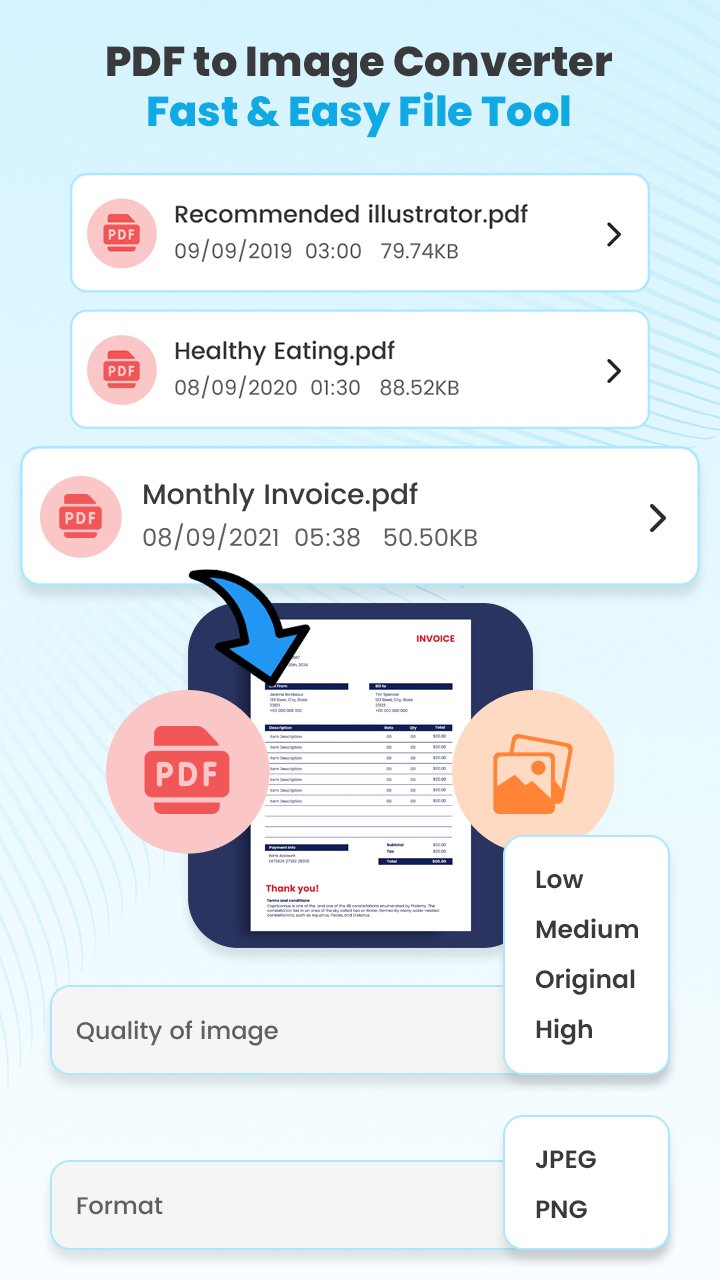
🔹 1. PDF to Image Conversion
Easily convert PDF pages into high-resolution JPG, PNG, or BMP images. Choose single pages or full documents — perfect for sharing visuals or uploading to websites.
🔹 2. Image to PDF Maker
Turn your photos, scans, or screenshots into clear, professional PDFs. Combine multiple images, reorder them, and create one compact PDF file in seconds.
🔹 3. Doc to PDF Converter
Quickly convert Word, text, or other document formats into PDFs while maintaining the original layout, fonts, and design.
🔹 4. Scan to PDF (Camera Document Scanner)
Use your phone’s camera as a portable scanner! Capture receipts, notes, business cards, certificates, and ID proofs with perfect clarity.
Auto-detect edges, apply filters, and instantly convert scans into high-quality PDFs.
🔹 5. Control PDF Size & Quality
Optimize file sizes without losing quality. Choose between High, Medium, or Compact compression — ideal for email or cloud uploads.
🔹 6. Apply Image Filters
Enhance your scanned images with auto-brightness, contrast, and color filters before saving as a PDF.
🔹 7. Fill Forms & Add Text
Write on your PDFs effortlessly. Add text boxes, annotations, highlights, or fill out digital forms directly from your device.
🔹 8. E-Sign Documents
Sign your documents digitally using your touchscreen. Perfect for signing contracts, invoices, or consent forms — no printing needed!
🔹 9. Merge, Split & Reorder PDFs
Combine multiple PDFs into one clean file, split large documents, or rearrange pages with an easy drag-and-drop interface.
🔹 10. Delete Unwanted Pages
Remove unnecessary pages from large PDFs and keep only what matters most.
🔹 11. Password-Protect Your Files
Add strong passwords to sensitive documents for complete privacy. Keep your confidential files safe on your device.
🔹 12. PDF Lock & Unlock
Unlock your own password-protected PDFs for easy access, editing, or merging whenever needed.
🔹 13. Favorites & Quick Access
Mark your frequently used files and tools as favorites for instant access — no time wasted searching.
🔹 14. Flexible Viewing Options
Enjoy a smooth reading experience with zoom, rotate, grid, and single-page views. Switch to dark mode for comfortable night reading.
💼 Why Millions Choose PDF2IMG:
✅ All-in-One PDF Utility – Every PDF and image conversion tool you’ll ever need.
⚡ Lightning-Fast Performance – Convert, compress, and edit files in seconds.
🔐 Offline & Secure – No internet needed; your data never leaves your device.
🎨 Smart Design – Clean, modern, and intuitive interface for all ages.
🧠 Accurate Conversions – No distortion, no quality loss, no watermarks.
🪶 Lightweight & Battery Friendly – Works smoothly even on low-end devices.
📤 Easy File Sharing – Send or share your PDFs instantly via WhatsApp, Gmail, or Drive.
💡 Perfect For:
Students creating PDF notes, assignments, or combining scanned pages.
Office professionals merging reports, signing documents, or converting DOCs.
Small business owners scanning bills, invoices, and receipts.
🔥 Why PDF2IMG Stands Out
Unlike basic converter apps, PDF2IMG delivers a complete PDF ecosystem with seamless performance, powerful features, and a privacy-first approach.
📥 Download PDF2IMG: PDF Converter & Tools
Experience the next generation of document management and PDF editing — faster, safer, and smarter.
پیش نظارہ
ٹیگز
اوزارمعلومات
ڈویلپر
Techno information
تازہ ترین ورژن
1.16
آخری تازہ کاری
2025-10-27
قسم
اوزار
پر دستیاب ہے۔
Google Play
مزید دکھائیں
پی سی پر گیم لوپ کے ساتھ PDF2IMG: PDF Converter & Tools کیسے کھیلا جائے۔
1. آفیشل ویب سائٹ سے گیم لوپ ڈاؤن لوڈ کریں، پھر گیم لوپ انسٹال کرنے کے لیے exe فائل چلائیں۔
2. گیم لوپ کھولیں اور "PDF2IMG: PDF Converter & Tools" تلاش کریں، تلاش کے نتائج میں PDF2IMG: PDF Converter & Tools تلاش کریں اور "انسٹال کریں" پر کلک کریں۔
3. گیم لوپ پر PDF2IMG: PDF Converter & Tools کھیلنے کا لطف اٹھائیں۔
Minimum requirements
OS
Windows 8.1 64-bit or Windows 10 64-bit
GPU
GTX 1050
CPU
i3-8300
Memory
8GB RAM
Storage
1GB available space
Recommended requirements
OS
Windows 8.1 64-bit or Windows 10 64-bit
GPU
GTX 1050
CPU
i3-9320
Memory
16GB RAM
Storage
1GB available space