
Optigrün Smart Flow Control PC
Optigrün international AG
گیم لوپ ایمولیٹر کے ساتھ PC پر Optigrün Smart Flow Control ڈاؤن لوڈ کریں۔
پی سی پر Optigrün Smart Flow Control
Optigrün Smart Flow Control، جو ڈویلپر Optigrün international AG سے آرہا ہے، ماضی میں اینڈرائیڈ سسٹم پر چل رہا ہے۔
اب، آپ پی سی پر Optigrün Smart Flow Control آسانی سے GameLoop کے ساتھ چلا سکتے ہیں۔
اسے GameLoop لائبریری یا تلاش کے نتائج میں ڈاؤن لوڈ کریں۔ مزید غلط وقت پر بیٹری یا مایوس کن کالوں پر نظر نہیں ڈالی جائے گی۔
بس بڑی سکرین پر Optigrün Smart Flow Control PC کا مفت میں لطف اٹھائیں!
Optigrün Smart Flow Control تعارف
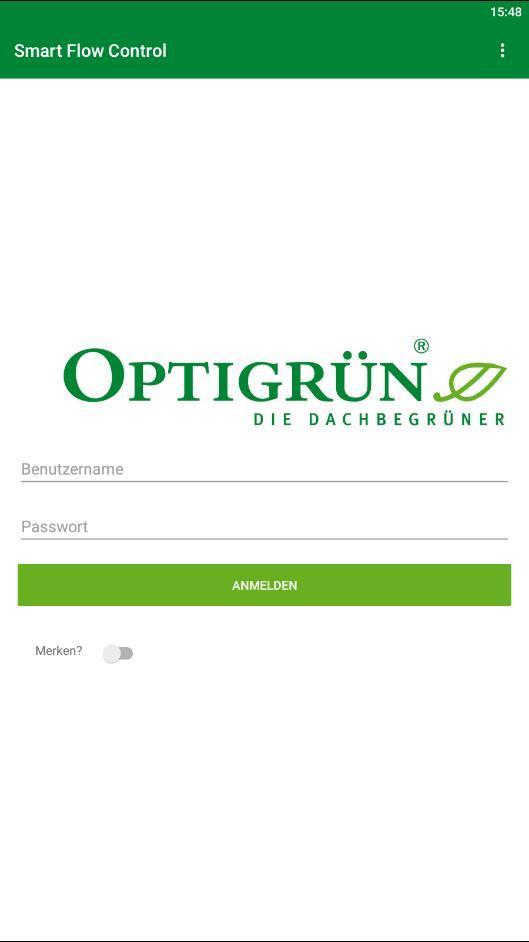
The app enables the monitoring of built-in Smart Flow Control throttles and is relevant for residents, building owners and companies on whose property a Smart Flow Control system has been installed. Optigreen international AG provides a username and password for access to the Smart Flow Control app. The people responsible for a building with built-in Smart Flow Control are also given access to enable them to control Smart Flow Control. This means that, if necessary, an emergency opening can be triggered via the app.
The Optigrün Smart Flow Control app provides an insight into intelligent stormwater management: If a Smart Flow Control throttle is built into a retention roof, it regulates the storage or discharge of stormwater depending on the weather forecast. Retained stormwater is available to the vegetation and thus to evaporation, which restores the natural water cycle, cools the urban environment and counteracts flooding by relieving pressure on drains.
For each Smart Flow Control, the app displays the current temperature in the shaft, the water level in the retention chamber in % and in mm, and impending rainfall events.
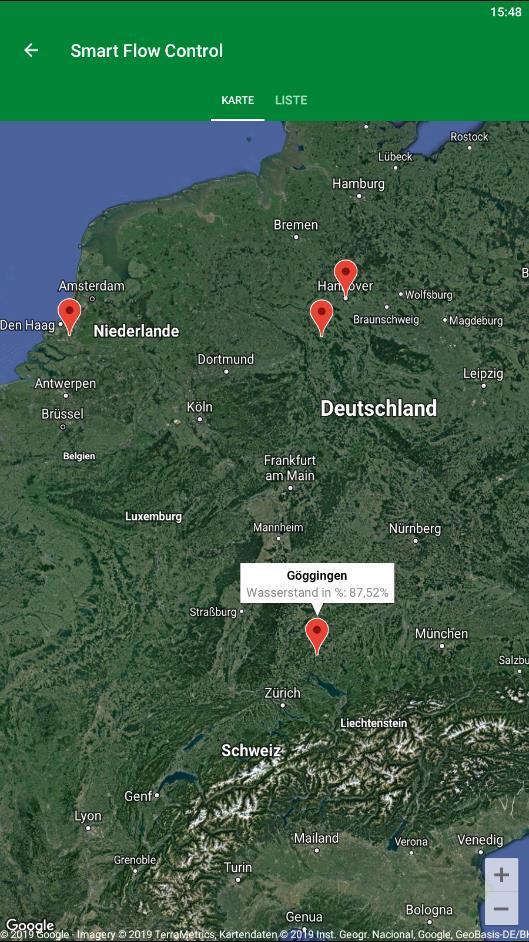
After logging in, a map appears showing the location of the Smart Flow Control throttle.
A second option allows for a list view, which also contains a summary of the most important information (property name, water level and location).
If you now click on one of the listed Smart Flow Controls, a diagram appears with the water level in mm and the expected precipitation. The current temperature in the Smart Flow Control shaft is also displayed along with the water level in mm.
پیش نظارہ
ٹیگز
اوزارمعلومات
ڈویلپر
Optigrün international AG
تازہ ترین ورژن
1.2.3
آخری تازہ کاری
2019-08-01
قسم
اوزار
پر دستیاب ہے۔
Google Play
مزید دکھائیں
پی سی پر گیم لوپ کے ساتھ Optigrün Smart Flow Control کیسے کھیلا جائے۔
1. آفیشل ویب سائٹ سے گیم لوپ ڈاؤن لوڈ کریں، پھر گیم لوپ انسٹال کرنے کے لیے exe فائل چلائیں۔
2. گیم لوپ کھولیں اور "Optigrün Smart Flow Control" تلاش کریں، تلاش کے نتائج میں Optigrün Smart Flow Control تلاش کریں اور "انسٹال کریں" پر کلک کریں۔
3. گیم لوپ پر Optigrün Smart Flow Control کھیلنے کا لطف اٹھائیں۔
Minimum requirements
OS
Windows 8.1 64-bit or Windows 10 64-bit
GPU
GTX 1050
CPU
i3-8300
Memory
8GB RAM
Storage
1GB available space
Recommended requirements
OS
Windows 8.1 64-bit or Windows 10 64-bit
GPU
GTX 1050
CPU
i3-9320
Memory
16GB RAM
Storage
1GB available space