
Notification Organizer PC
East-Hino
گیم لوپ ایمولیٹر کے ساتھ PC پر Notification Organizer ڈاؤن لوڈ کریں۔
پی سی پر Notification Organizer
Notification Organizer، جو ڈویلپر East-Hino سے آرہا ہے، ماضی میں اینڈرائیڈ سسٹم پر چل رہا ہے۔
اب، آپ پی سی پر Notification Organizer آسانی سے GameLoop کے ساتھ چلا سکتے ہیں۔
اسے GameLoop لائبریری یا تلاش کے نتائج میں ڈاؤن لوڈ کریں۔ مزید غلط وقت پر بیٹری یا مایوس کن کالوں پر نظر نہیں ڈالی جائے گی۔
بس بڑی سکرین پر Notification Organizer PC کا مفت میں لطف اٹھائیں!
Notification Organizer تعارف
Clean Up Your Notification Panel — Automatically!
Do you use Facebook, Twitter, Instagram, LINE, or other social apps frequently?
Then you've probably noticed how quickly your notification panel becomes cluttered.
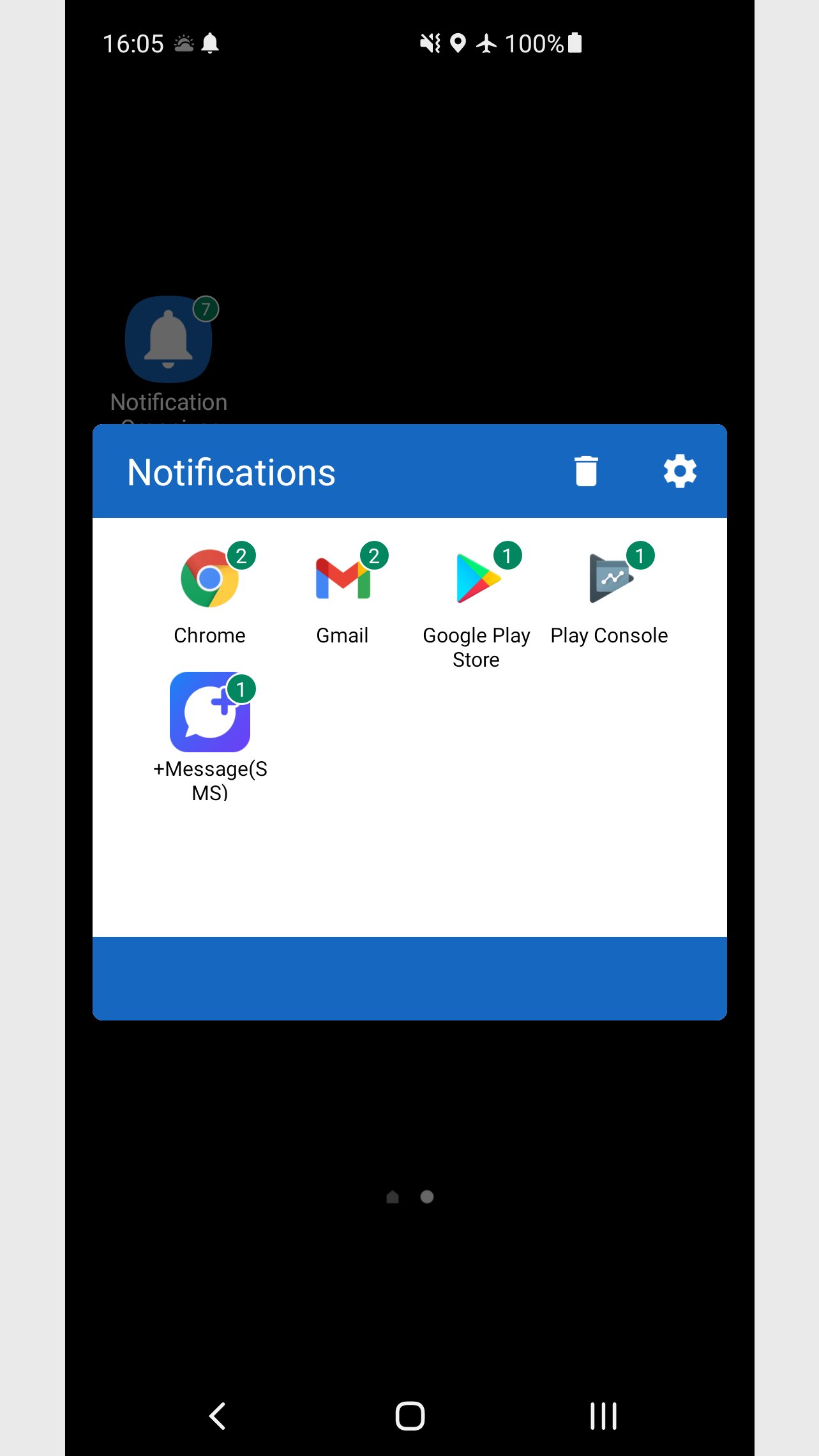
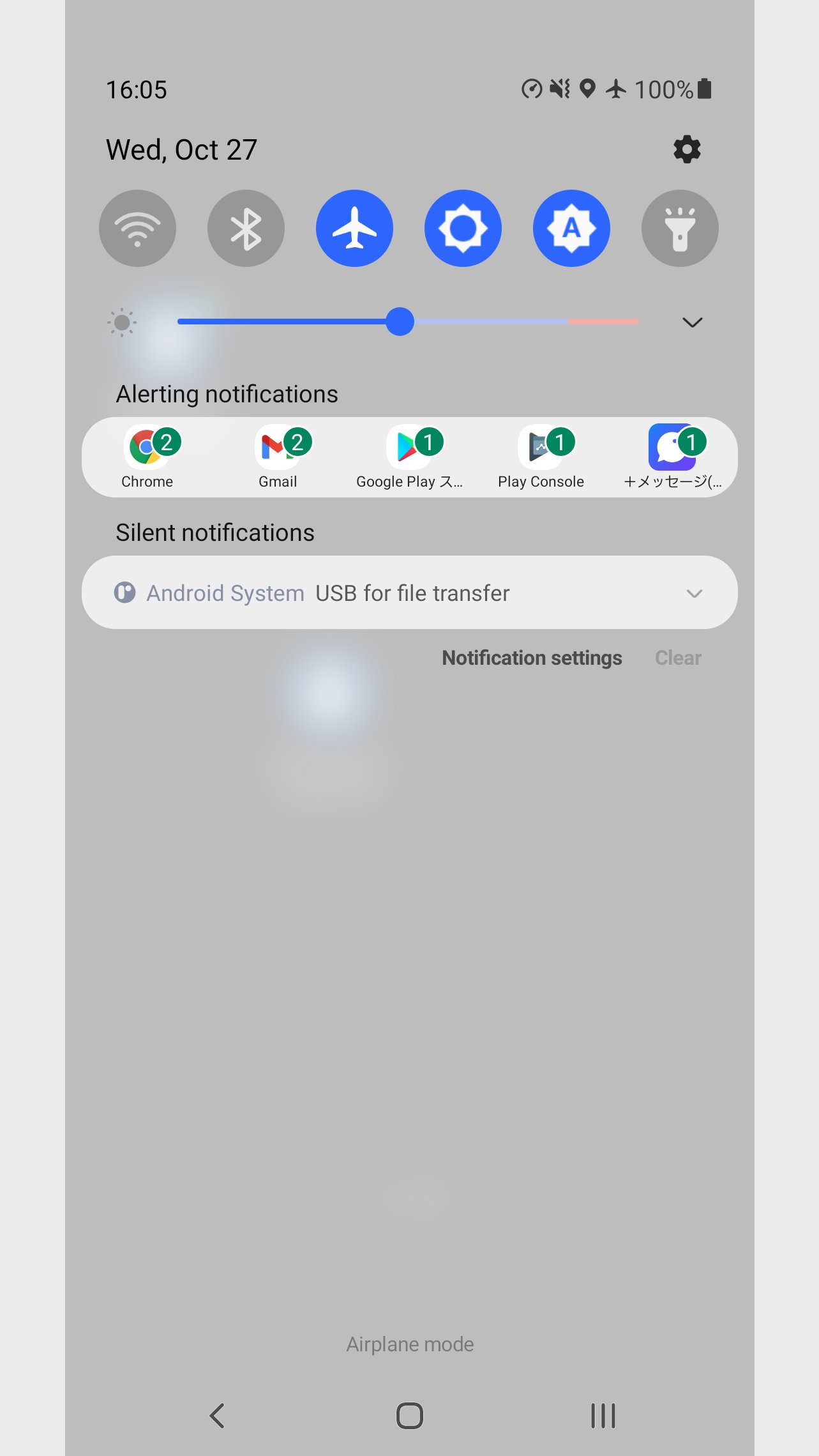
This app solves that problem by organizing notifications by app, making your alerts easy to read and manage.
◆ Key Features
Automatically groups notifications by app
Displays up to 5 app notifications neatly in the status bar
Shows app icons and unread counts at a glance
Keeps track of total unread count (shown on the app icon or widget)
View all notifications from all apps inside the app if they exceed the display limit
For the best experience, add a shortcut or widget to your home screen.
Note: Some launchers may not support unread badge counts.
◆ Perfect for
Heavy users of social apps like Facebook, Twitter, LINE, Instagram, etc.
People who often miss important alerts due to notification overload
Anyone who wants a clean, organized notification experience
◆ Make Your Notifications Work for You
Stop drowning in a sea of alerts.
Try this app and turn notification chaos into clear, actionable updates — all grouped by app, just the way it should be.
◆ Permissions
This app uses the following permissions for its core functionality.
No personal data is collected or sent externally.
・Send notifications
Required to show grouped notifications in the status bar
・Access notifications
Allows the app to read, group, and clear notifications
・Retrieve app list
Used to identify which apps sent the notifications
◆ Disclaimer
If your launcher does not support badge counts on app icons, please use the provided widget instead.
The developer takes no responsibility for any damage or loss caused by the use of this app.
Please use it at your own discretion.
پیش نظارہ
ٹیگز
اوزارمعلومات
ڈویلپر
East-Hino
تازہ ترین ورژن
9.1
آخری تازہ کاری
2025-11-27
قسم
اوزار
پر دستیاب ہے۔
Google Play
مزید دکھائیں
پی سی پر گیم لوپ کے ساتھ Notification Organizer کیسے کھیلا جائے۔
1. آفیشل ویب سائٹ سے گیم لوپ ڈاؤن لوڈ کریں، پھر گیم لوپ انسٹال کرنے کے لیے exe فائل چلائیں۔
2. گیم لوپ کھولیں اور "Notification Organizer" تلاش کریں، تلاش کے نتائج میں Notification Organizer تلاش کریں اور "انسٹال کریں" پر کلک کریں۔
3. گیم لوپ پر Notification Organizer کھیلنے کا لطف اٹھائیں۔
Minimum requirements
OS
Windows 8.1 64-bit or Windows 10 64-bit
GPU
GTX 1050
CPU
i3-8300
Memory
8GB RAM
Storage
1GB available space
Recommended requirements
OS
Windows 8.1 64-bit or Windows 10 64-bit
GPU
GTX 1050
CPU
i3-9320
Memory
16GB RAM
Storage
1GB available space