NFC Tag Reader & QR Scanner PC
GoNext
گیم لوپ ایمولیٹر کے ساتھ PC پر NFC Tag Reader & QR Scanner ڈاؤن لوڈ کریں۔
پی سی پر NFC Tag Reader & QR Scanner
NFC Tag Reader & QR Scanner، جو ڈویلپر GoNext سے آرہا ہے، ماضی میں اینڈرائیڈ سسٹم پر چل رہا ہے۔
اب، آپ پی سی پر NFC Tag Reader & QR Scanner آسانی سے GameLoop کے ساتھ چلا سکتے ہیں۔
اسے GameLoop لائبریری یا تلاش کے نتائج میں ڈاؤن لوڈ کریں۔ مزید غلط وقت پر بیٹری یا مایوس کن کالوں پر نظر نہیں ڈالی جائے گی۔
بس بڑی سکرین پر NFC Tag Reader & QR Scanner PC کا مفت میں لطف اٹھائیں!
NFC Tag Reader & QR Scanner تعارف
Unlock the full potential of NFC technology with the NFC Tag Reader app. Whether you want to read NFC tags, write information to them, or copy data between tags, this app is all you need. Perfect for personal use, businesses, and tech enthusiasts!
Key Features:
NFC :
Supports Popular NFC Tags: Compatible with most NFC tags, stickers, and cards.
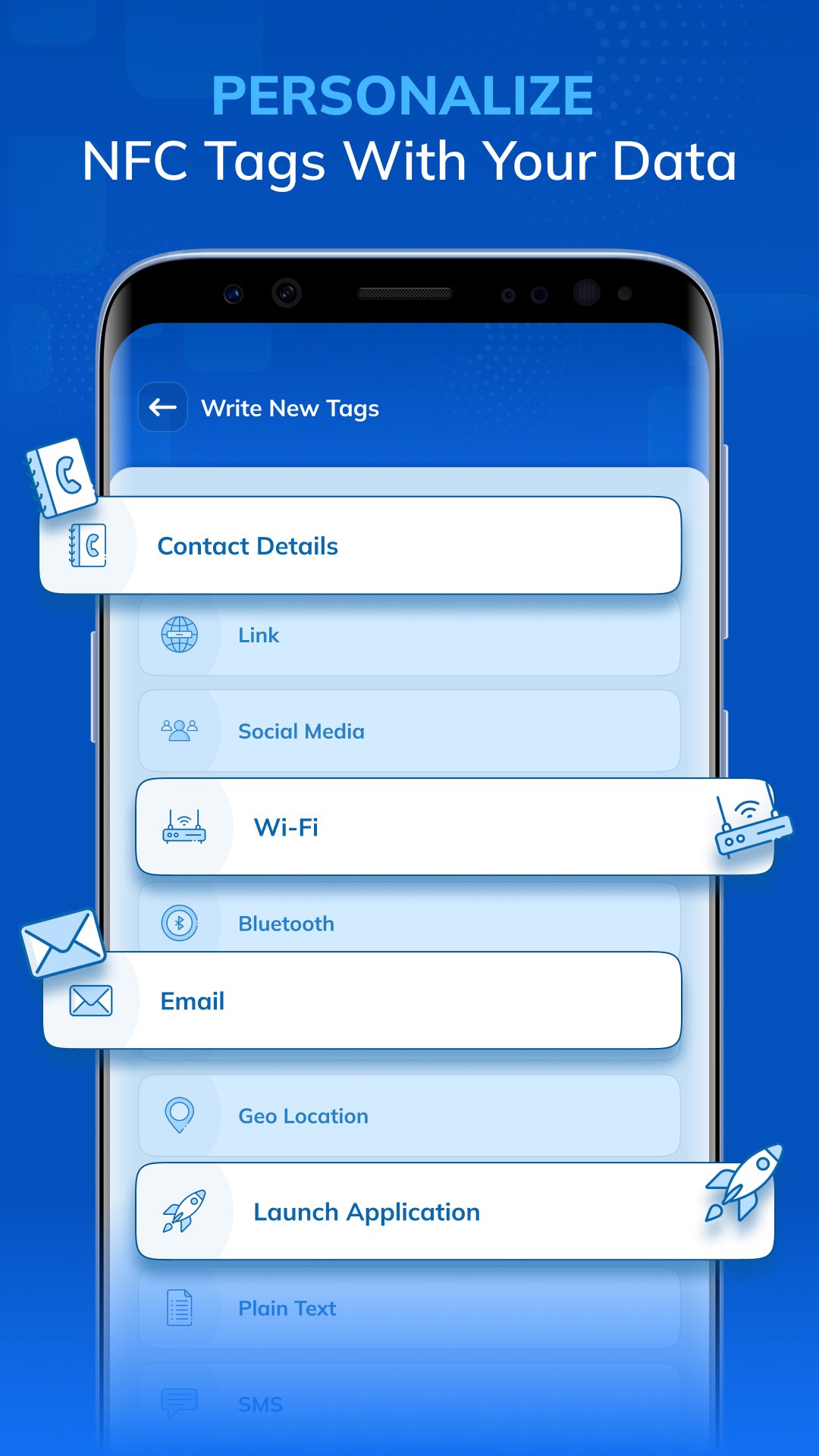
Read & Write Various Data Types: Easily read and write a variety of data, including:
● Contact details
● Web links (URLs)
● Social media links
● Wi-Fi credentials
● Bluetooth data
● Email addresses
● Geolocation (GPS coordinates)
● Application launch links
● Plain text
● SMS messages
Erase & Rewrite Tags: You can erase the existing data on your NFC tag and write new data with ease.
Copy Data Between Tags: Quickly copy data from one NFC tag to another without any hassle.
Store Data: Save NFC tag data in your app’s database for later use.
QR :
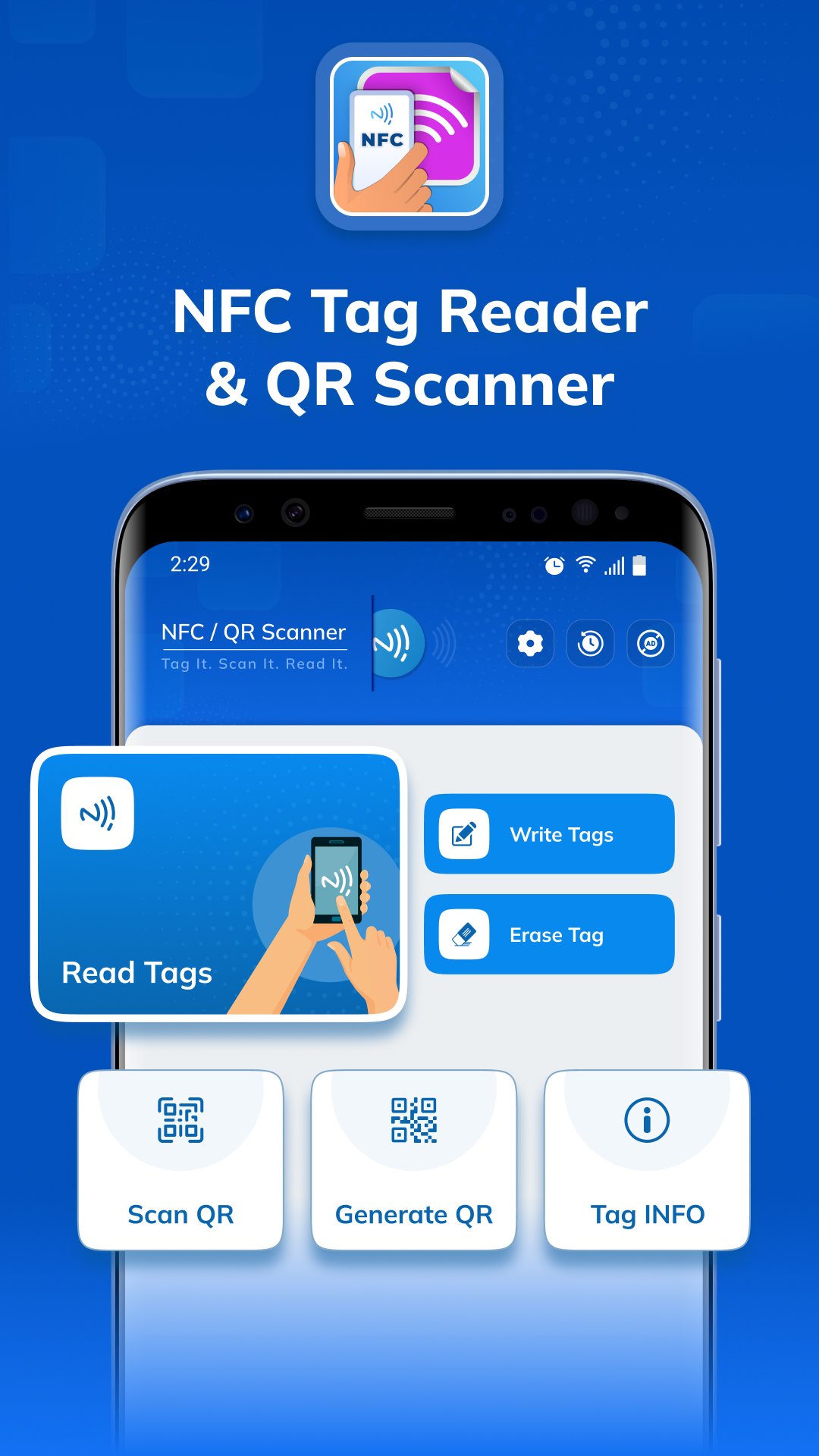
📷 Scan QR: Instantly scan any QR code using your camera or select one from your gallery. View the full details of the QR code, copy the data, share it, or even write it directly into an NFC tag.
✏️ Generate QR: Create your own QR codes for multiple uses—text, websites, SMS, Wi-Fi, location, contact, email, and more. The app offers flexible editing tools and templates so you can customize your QR code. Change colors, apply dot or eye styles, add a logo, and adjust background designs to make it unique.
📂 My QR: All your created QR codes are safely saved in one place. Quickly access your history, check details, and share them anytime.
How to Use:
Simply hold your NFC tag (card, sticker, etc.) against the back of your phone, and the app will instantly read its contents. You can also write new data or copy data to another tag with just a few taps!
Why Use this app?
● Copy data from one NFC tag to another effortlessly, saving time and effort.
● Store important NFC data in the app for quick access and future use.
● Erase old data on NFC tags and write new information easily and securely.
● Quickly get info, location-based content on NFC tags.
● 📷 Scan QR codes instantly from camera or gallery and use the data for sharing or writing into NFC tags.
● ✏️ Generate customized QR codes for text, websites, Wi-Fi, contacts, email, and more.
● 📂 Keep all your created QR codes organized in one place for fast access and sharing.
Permissions Required:
Location Permission: Required for accessing Wi-Fi and Bluetooth information.
Read Contacts Permission: Required to retrieve contact details from your device when user wants to read or write contacts from Tag.
پیش نظارہ
ٹیگز
اوزارمعلومات
ڈویلپر
GoNext
تازہ ترین ورژن
2.0.5
آخری تازہ کاری
2026-09-14
قسم
اوزار
پر دستیاب ہے۔
Google Play
مزید دکھائیں
پی سی پر گیم لوپ کے ساتھ NFC Tag Reader & QR Scanner کیسے کھیلا جائے۔
1. آفیشل ویب سائٹ سے گیم لوپ ڈاؤن لوڈ کریں، پھر گیم لوپ انسٹال کرنے کے لیے exe فائل چلائیں۔
2. گیم لوپ کھولیں اور "NFC Tag Reader & QR Scanner" تلاش کریں، تلاش کے نتائج میں NFC Tag Reader & QR Scanner تلاش کریں اور "انسٹال کریں" پر کلک کریں۔
3. گیم لوپ پر NFC Tag Reader & QR Scanner کھیلنے کا لطف اٹھائیں۔
Minimum requirements
OS
Windows 8.1 64-bit or Windows 10 64-bit
GPU
GTX 1050
CPU
i3-8300
Memory
8GB RAM
Storage
1GB available space
Recommended requirements
OS
Windows 8.1 64-bit or Windows 10 64-bit
GPU
GTX 1050
CPU
i3-9320
Memory
16GB RAM
Storage
1GB available space