
WiFi Analyzer PC
garakutatoys
گیم لوپ ایمولیٹر کے ساتھ PC پر WiFi Analyzer ڈاؤن لوڈ کریں۔
پی سی پر WiFi Analyzer
WiFi Analyzer، جو ڈویلپر garakutatoys سے آرہا ہے، ماضی میں اینڈرائیڈ سسٹم پر چل رہا ہے۔
اب، آپ پی سی پر WiFi Analyzer آسانی سے GameLoop کے ساتھ چلا سکتے ہیں۔
اسے GameLoop لائبریری یا تلاش کے نتائج میں ڈاؤن لوڈ کریں۔ مزید غلط وقت پر بیٹری یا مایوس کن کالوں پر نظر نہیں ڈالی جائے گی۔
بس بڑی سکرین پر WiFi Analyzer PC کا مفت میں لطف اٹھائیں!
WiFi Analyzer تعارف
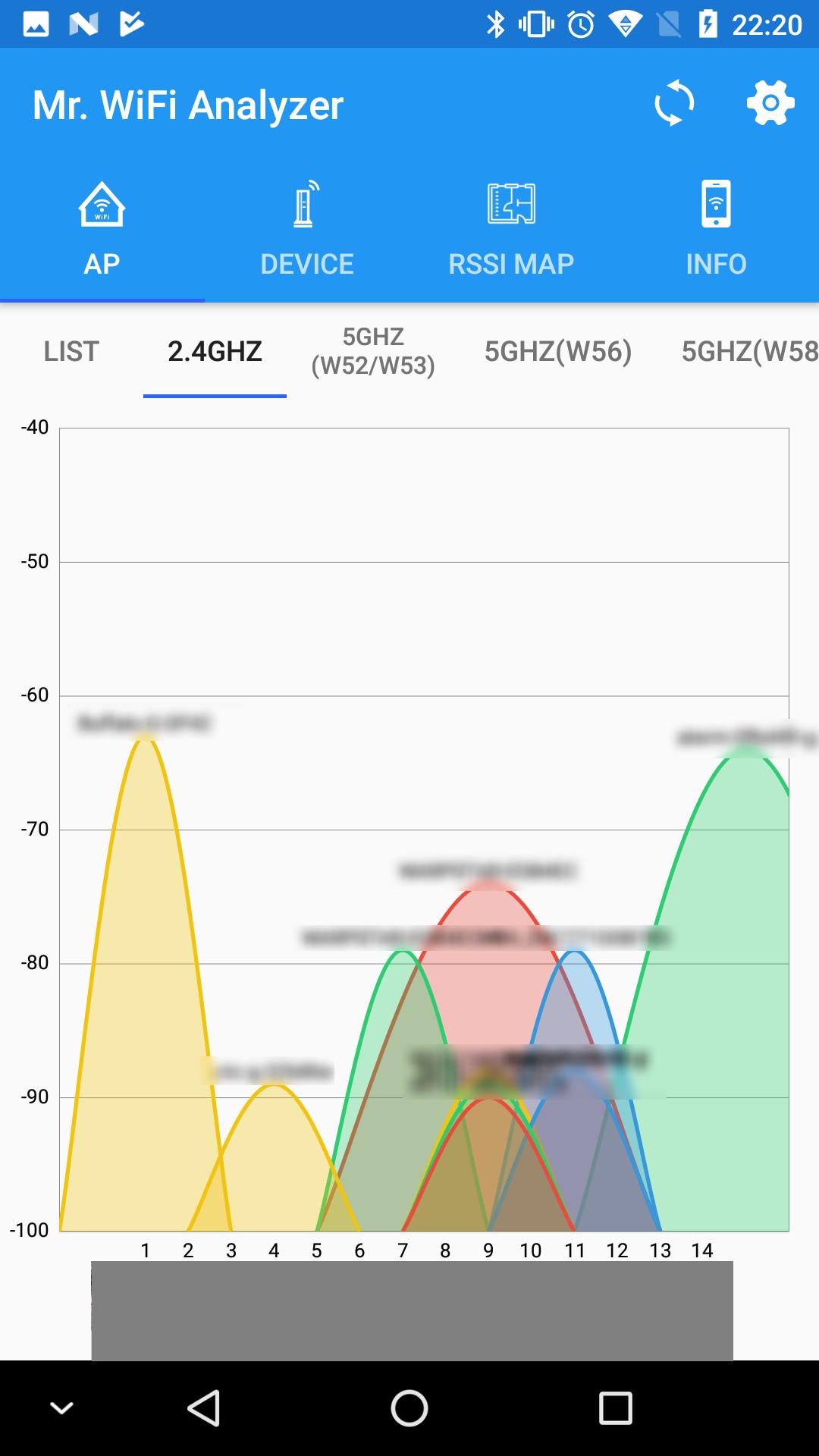
This app measures the radio wave status of Wi-Fi, graphs it, and displays it as a signal strength map. You can search for devices on the Wi-Fi network you are currently connected to and visualize your Wi-Fi network.
Helps realize a more comfortable Wi-Fi environment by displaying Wi-Fi signal status graphs, signal strength maps, displaying a list of devices on the Wi-Fi network, and "visualizing" Wi-Fi information on smartphones. I will
With this app you can:
Show AP list:
View a list of access points (APs) near your Wi-Fi network. You can use this list to make sure you are connected to the strongest signal.
Create a radio map:
Wi-Fi signal strength can be displayed on a map by measuring the signal strength for each location. You can use this to find out where your Wi-Fi is strongest.
Display a list of devices:
Display a list of devices on the same LAN. You can use this list to see all the devices connected to your Wi-Fi network and identify them.
Use when you do not know the IP address of a device on the network.
Show Wi-Fi information:
Displays the IP address of the device connected to Wi-Fi, the SSID/BSSID of the connection destination, signal strength, link rate, etc. You can use it to check the network connection details of your device.
This app is a valuable tool for home users and network administrators.
If you want to know the signal strength of your Wi-Fi network and optimize your connection, this app is for you.
پیش نظارہ

ٹیگز
اوزارمعلومات
ڈویلپر
garakutatoys
تازہ ترین ورژن
1.7.0
آخری تازہ کاری
2023-10-19
قسم
اوزار
پر دستیاب ہے۔
Google Play
مزید دکھائیں
پی سی پر گیم لوپ کے ساتھ WiFi Analyzer کیسے کھیلا جائے۔
1. آفیشل ویب سائٹ سے گیم لوپ ڈاؤن لوڈ کریں، پھر گیم لوپ انسٹال کرنے کے لیے exe فائل چلائیں۔
2. گیم لوپ کھولیں اور "WiFi Analyzer" تلاش کریں، تلاش کے نتائج میں WiFi Analyzer تلاش کریں اور "انسٹال کریں" پر کلک کریں۔
3. گیم لوپ پر WiFi Analyzer کھیلنے کا لطف اٹھائیں۔
Minimum requirements
OS
Windows 8.1 64-bit or Windows 10 64-bit
GPU
GTX 1050
CPU
i3-8300
Memory
8GB RAM
Storage
1GB available space
Recommended requirements
OS
Windows 8.1 64-bit or Windows 10 64-bit
GPU
GTX 1050
CPU
i3-9320
Memory
16GB RAM
Storage
1GB available space