
Maps Recorder PC
Ivan qSchulz
گیم لوپ ایمولیٹر کے ساتھ PC پر Maps Recorder ڈاؤن لوڈ کریں۔
پی سی پر Maps Recorder
Maps Recorder، جو ڈویلپر Ivan qSchulz سے آرہا ہے، ماضی میں اینڈرائیڈ سسٹم پر چل رہا ہے۔
اب، آپ پی سی پر Maps Recorder آسانی سے GameLoop کے ساتھ چلا سکتے ہیں۔
اسے GameLoop لائبریری یا تلاش کے نتائج میں ڈاؤن لوڈ کریں۔ مزید غلط وقت پر بیٹری یا مایوس کن کالوں پر نظر نہیں ڈالی جائے گی۔
بس بڑی سکرین پر Maps Recorder PC کا مفت میں لطف اٹھائیں!
Maps Recorder تعارف
With this app, you will not get lost in a strange city.
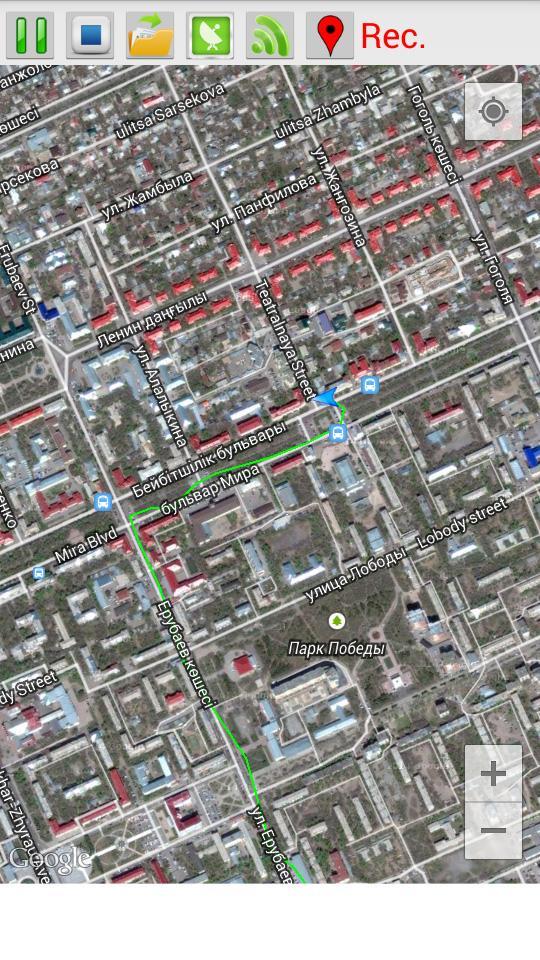
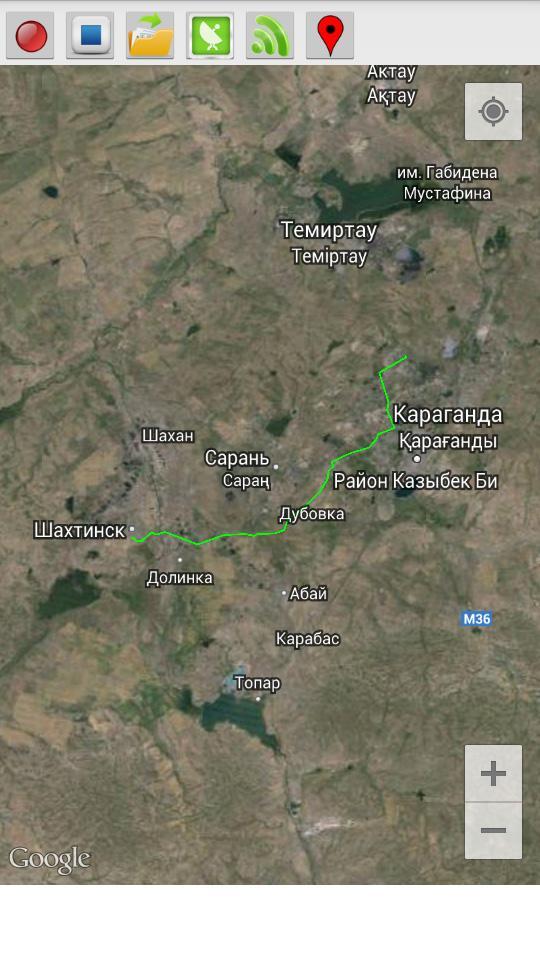
This program records your route traffic and imposes it on the satellite map.
- The route is recorded even when the internet is disabled.
- The route continues to be recorded when the phone is locked.
- To start recording, press the Rec (1) and enter the name of the route.
- To stop the recording, press Stop (2).
- In order to open a previously saved routes, click Open (3) and select the desired route from the list.
- Button GPS (4) opens a menu to enable / disable the GPS on your phone. If you do not have a GPS receiver, you can use the definition of the location of the mobile networks and access points Wi-Fi (the accuracy is lower).
- Button Wi-Fi (5) turns on / off Wi-Fi.
- Button Marker (6) sets the marker on the map.
پیش نظارہ
معلومات
ڈویلپر
Ivan qSchulz
تازہ ترین ورژن
1.0
آخری تازہ کاری
2014-09-02
قسم
اوزار
پر دستیاب ہے۔
Google Play
مزید دکھائیں
پی سی پر گیم لوپ کے ساتھ Maps Recorder کیسے کھیلا جائے۔
1. آفیشل ویب سائٹ سے گیم لوپ ڈاؤن لوڈ کریں، پھر گیم لوپ انسٹال کرنے کے لیے exe فائل چلائیں۔
2. گیم لوپ کھولیں اور "Maps Recorder" تلاش کریں، تلاش کے نتائج میں Maps Recorder تلاش کریں اور "انسٹال کریں" پر کلک کریں۔
3. گیم لوپ پر Maps Recorder کھیلنے کا لطف اٹھائیں۔
Minimum requirements
OS
Windows 8.1 64-bit or Windows 10 64-bit
GPU
GTX 1050
CPU
i3-8300
Memory
8GB RAM
Storage
1GB available space
Recommended requirements
OS
Windows 8.1 64-bit or Windows 10 64-bit
GPU
GTX 1050
CPU
i3-9320
Memory
16GB RAM
Storage
1GB available space