Long screenshot: Longshot PC
Lucent Creation
گیم لوپ ایمولیٹر کے ساتھ PC پر Long screenshot: Longshot ڈاؤن لوڈ کریں۔
پی سی پر Long screenshot: Longshot
Long screenshot: Longshot، جو ڈویلپر Lucent Creation سے آرہا ہے، ماضی میں اینڈرائیڈ سسٹم پر چل رہا ہے۔
اب، آپ پی سی پر Long screenshot: Longshot آسانی سے GameLoop کے ساتھ چلا سکتے ہیں۔
اسے GameLoop لائبریری یا تلاش کے نتائج میں ڈاؤن لوڈ کریں۔ مزید غلط وقت پر بیٹری یا مایوس کن کالوں پر نظر نہیں ڈالی جائے گی۔
بس بڑی سکرین پر Long screenshot: Longshot PC کا مفت میں لطف اٹھائیں!
Long screenshot: Longshot تعارف
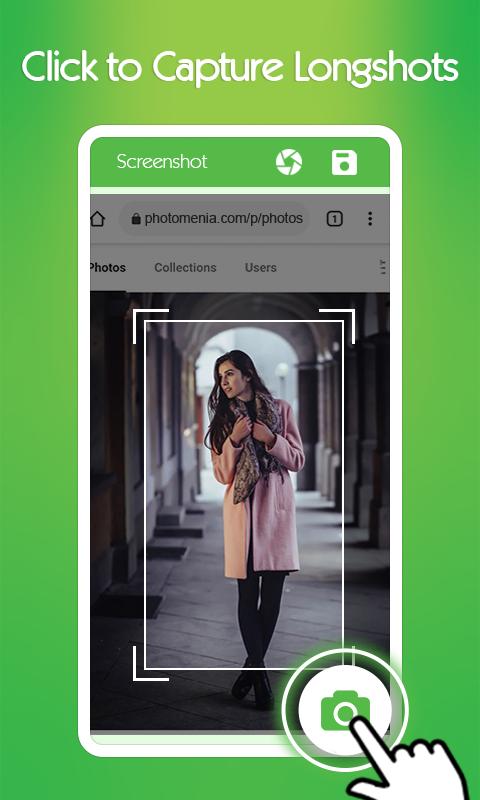
Long screenshot app with full longshot capture feature is used to take long screenshots.
Longscreen App has the best feature collection e.g. it can capture long web page and stitch multiple screenshots. By stitching screenshot means to merge multiple screenshots in one screenshot.
Long screenshots are needed everywhere to cover lots of information in just one image.
Another Unique function in long screenshot app is screenshot stitching in which you can choose multiple screenshots and combine them together in one screenshot.
Long Screen App comes with webpage screenshot feature in which you can capture webpage screen.
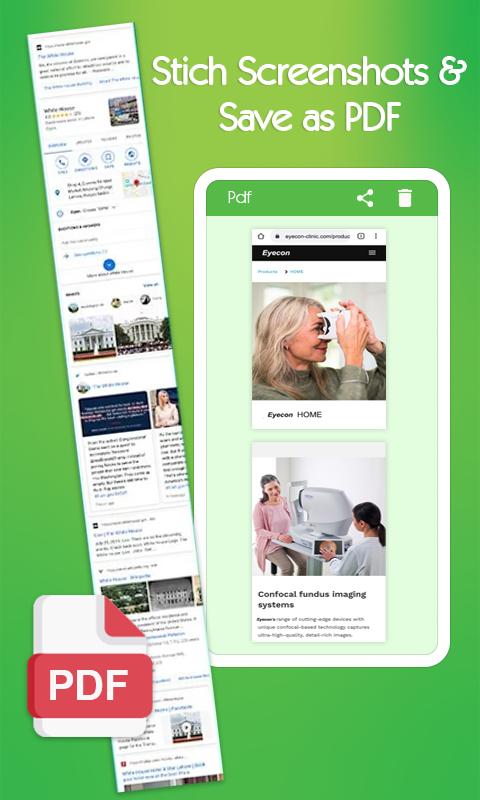
Screenshot Stitching is a very practical feature to join screenshots in a single screenshot and share it with anyone. Photo Stitching tool is used to stitch multiple photos into a long screenshot.
Longshot App has following unique functionalities:
✔️Long Screenshot: LongScreen App is used to capture Long Screenshots of screens.
✔️Screenshot Stitching: Stitch multiple Screenshots in one long Screenshot with stitch screenshot tool.
✔️High Quality Screenshot: Long Screen App can capture high quality screenshots.
✔️Webpage Screenshot: Web capture feature in longshot app is used to take the screenshot of whole webpage.
✔️Floating Control: Easily take screenshots with one click using the floating button in longshot app.
✔️Edit Screenshot: Easily Capture Screenshot and Edit with Cropping and Adjustment tools.
✔️Save to PDF and JPG: Capture Screenshot and Save it in PDF or JPG format with Longshot App.
✔️Fast and Easy to Use: Long Screen App has a user friendly and fast interface for the ease of users.
✔️Free Long Screenshots: Long Webpage Screenshot App is free to use without any cost.
Download Long Screenshot app with screenshot stitching feature and share your precious reviews to make this app better for our respected users.
Thankyou!
پیش نظارہ
ٹیگز
اوزارمعلومات
ڈویلپر
Lucent Creation
تازہ ترین ورژن
1.0
آخری تازہ کاری
2022-12-01
قسم
اوزار
پر دستیاب ہے۔
Google Play
مزید دکھائیں
پی سی پر گیم لوپ کے ساتھ Long screenshot: Longshot کیسے کھیلا جائے۔
1. آفیشل ویب سائٹ سے گیم لوپ ڈاؤن لوڈ کریں، پھر گیم لوپ انسٹال کرنے کے لیے exe فائل چلائیں۔
2. گیم لوپ کھولیں اور "Long screenshot: Longshot" تلاش کریں، تلاش کے نتائج میں Long screenshot: Longshot تلاش کریں اور "انسٹال کریں" پر کلک کریں۔
3. گیم لوپ پر Long screenshot: Longshot کھیلنے کا لطف اٹھائیں۔
Minimum requirements
OS
Windows 8.1 64-bit or Windows 10 64-bit
GPU
GTX 1050
CPU
i3-8300
Memory
8GB RAM
Storage
1GB available space
Recommended requirements
OS
Windows 8.1 64-bit or Windows 10 64-bit
GPU
GTX 1050
CPU
i3-9320
Memory
16GB RAM
Storage
1GB available space