![LED Control [ROOT]](https://static.gameloop.com/img/c029c9ff79eb57ac314dce31f151113e.png?imageMogr2/thumbnail/172.8x172.8/format/webp)
LED Control [ROOT] PC
KDB
گیم لوپ ایمولیٹر کے ساتھ PC پر LED Control [ROOT] ڈاؤن لوڈ کریں۔
پی سی پر LED Control [ROOT]
LED Control [ROOT]، جو ڈویلپر KDB سے آرہا ہے، ماضی میں اینڈرائیڈ سسٹم پر چل رہا ہے۔
اب، آپ پی سی پر LED Control [ROOT] آسانی سے GameLoop کے ساتھ چلا سکتے ہیں۔
اسے GameLoop لائبریری یا تلاش کے نتائج میں ڈاؤن لوڈ کریں۔ مزید غلط وقت پر بیٹری یا مایوس کن کالوں پر نظر نہیں ڈالی جائے گی۔
بس بڑی سکرین پر LED Control [ROOT] PC کا مفت میں لطف اٹھائیں!
LED Control [ROOT] تعارف
Turn your phone's LED into a charging indicator!
*Does NOT support Samsung/LG/Asus/others phones. Only for Motorola devices.*
Didn't know that your Nexus 6/Moto X has an LED? You'll be hooked!
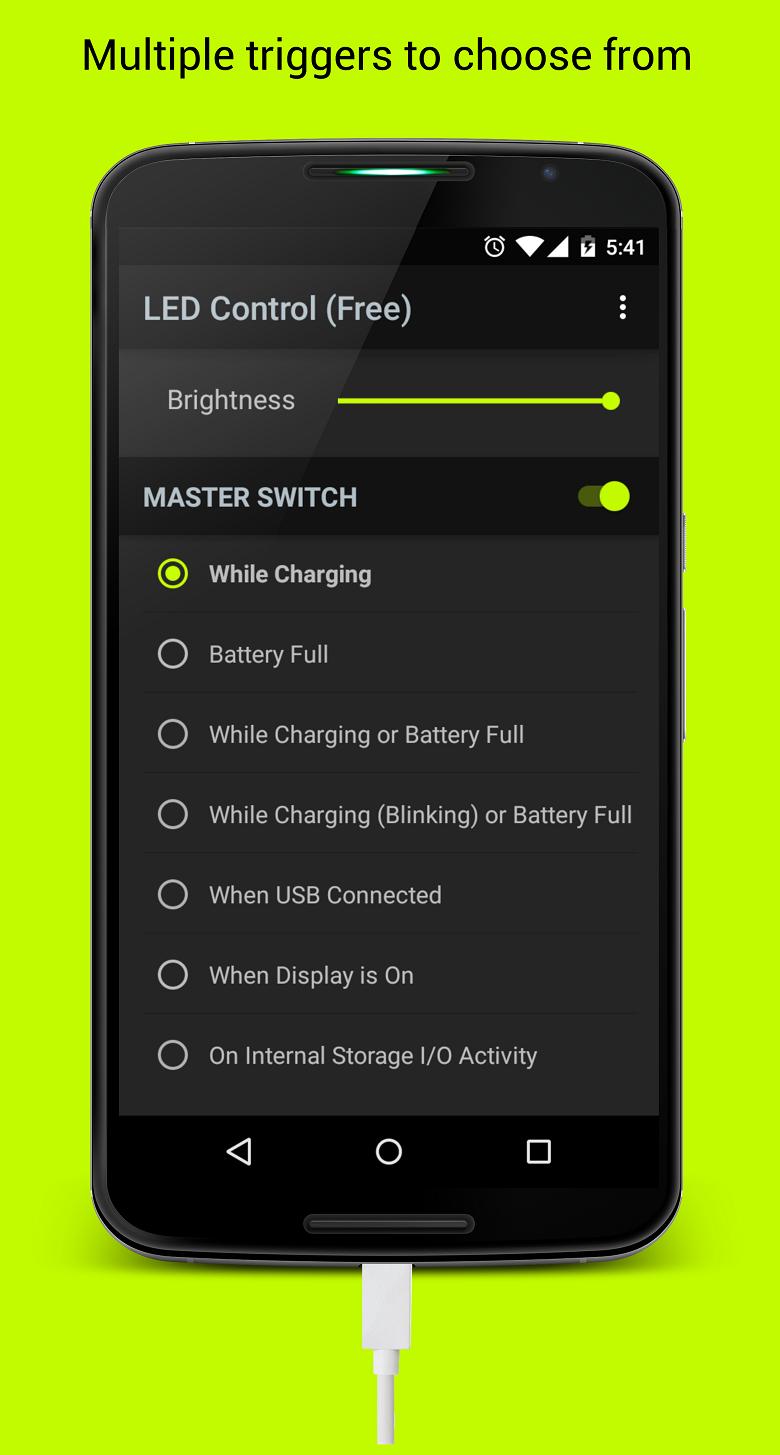
Use this app to select kernel specific "charging triggers" for the device's LED which will make it light up when plugged in depending on the specific charging triggers.
*** REQUIRES ROOT ACCESS ***
• SUPPORTED DEVICES:
· Motorola Google Nexus™ 6
· Motorola Moto™ X (2013)
· Motorola Moto™ G (2013)
· Motorola Moto™ E
· Motorola Droid™ MAXX/Ultra
• UNSUPPORTED DEVICES:
· Motorola Moto™ X2/G2
· Non - Motorola devices
This app MIGHT work on your MOTOROLA device even if it is not listed here, although it is not recommended to be installed on devices other than those in the Supported Devices list, because those are the devices on which it has been tested.
Please understand that if it doesn't work on your device I cannot magically make it work (eg. Moto X 2nd Gen.) and refrain from leaving poor ratings. Thank you.
• FEATURES:
· Clean, simple, Material Design inspired UI
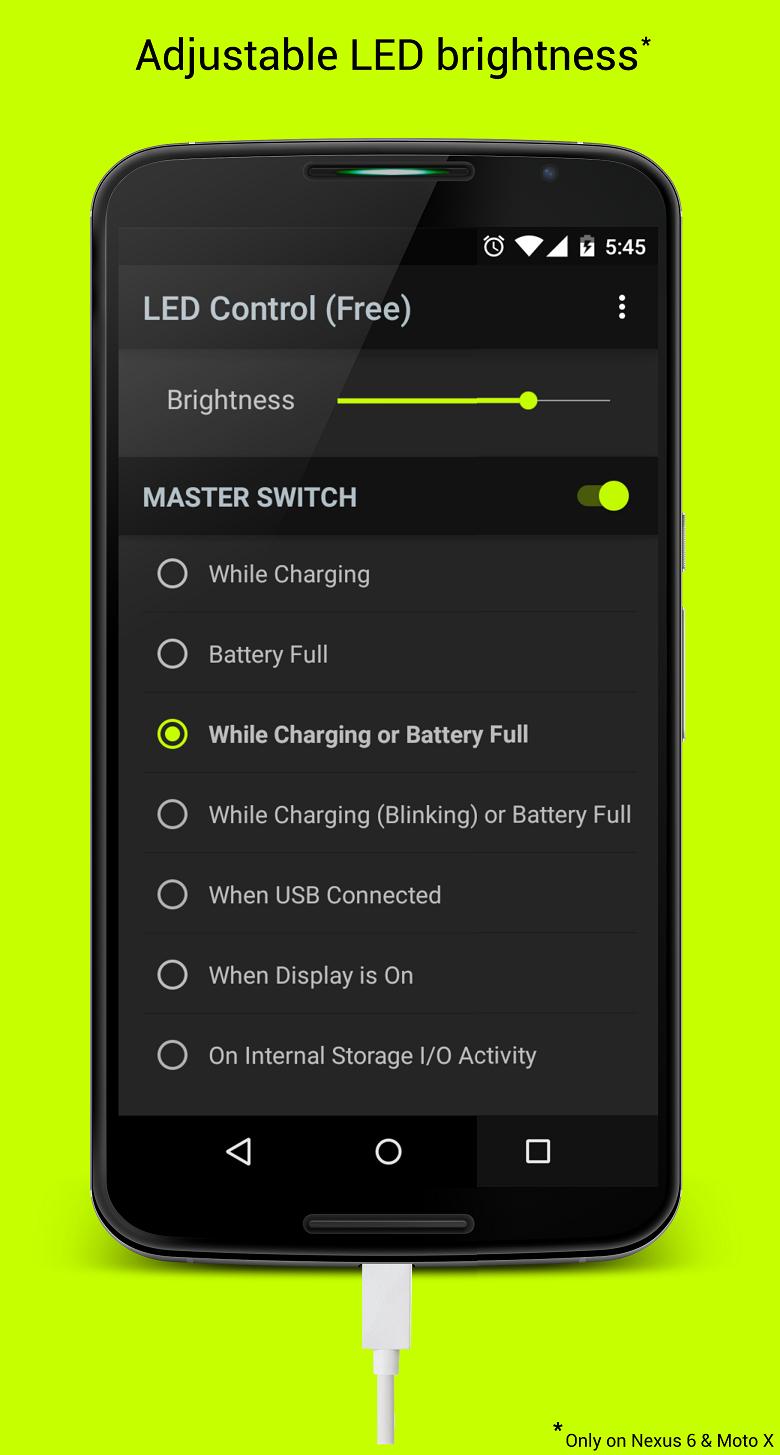
· Brightness Slider: Control your 'charging' LED's brightness while charging, if your device supports it. Currently works only on Moto X and Nexus 6.
· Set On Boot: Automatically sets the last chosen trigger on a reboot, since the values are reset each time the kernel restarts. Available in Pro version only.
· LED Color: Choose between 3 LED colors if your device supports it (Nexus 6, Droid Ultra, Moto X). Available in Pro version only.
NOTE: This feature is still in development and the implementation is not perfect, so you may encounter bugs. If so, kindly report them to LEDControlFeedback@gmail.com instead of leaving bad ratings. Thank you!
• AVAILABLE TRIGGERS: (Varies by device)
· While Charging
· While Charging through Adapter
· Battery Full
· While Charging or Battery Full
· While Charging (Blnking) or Battery Full
· While connected to USB
· When Bluetooth is enabled
· When Display is on
· On Internal Storage I/O Activity
· On External Storage I/O Activity
· When flashlight (rear LED) is on
· When camera flash (rear LED) is on
· Always on
*** THIS APP REQUIRES ROOT ACCESS TO WORK ***
*** If you haven't heard of root access your device is probably not rooted ***
Support: http://forum.xda-developers.com/android/apps-games/4-3-led-control-motorola-devices-t3036823
This app is open source! Grab it here : https://github.com/KDB223/LEDControl
• DISCLAIMER:
This app has the potential of blocking your notification LED if you use a Moto G/ Moto E (a separate LED blinks just beside the dedicated charging LED but you might not notice it).
Please be aware that I (KDB), nor Google Inc. nor anyone but you yourself are responsible for the consequences of you missing an important notification due to this app.
Send your feedback about this app to LEDControlFeedback@gmail.com
· "Nexus" is a registered trademark of Google Inc.
· "Moto" is a registered trademark of Motorola Mobility LLC
· "Droid" is a registered trademark of Lucasfilm Ltd. and a registered brand name of Verizon Wireless
پیش نظارہ
ٹیگز
اوزارمعلومات
ڈویلپر
KDB
تازہ ترین ورژن
1.3.5
آخری تازہ کاری
2016-02-04
قسم
اوزار
پر دستیاب ہے۔
Google Play
مزید دکھائیں
پی سی پر گیم لوپ کے ساتھ LED Control [ROOT] کیسے کھیلا جائے۔
1. آفیشل ویب سائٹ سے گیم لوپ ڈاؤن لوڈ کریں، پھر گیم لوپ انسٹال کرنے کے لیے exe فائل چلائیں۔
2. گیم لوپ کھولیں اور "LED Control [ROOT]" تلاش کریں، تلاش کے نتائج میں LED Control [ROOT] تلاش کریں اور "انسٹال کریں" پر کلک کریں۔
3. گیم لوپ پر LED Control [ROOT] کھیلنے کا لطف اٹھائیں۔
Minimum requirements
OS
Windows 8.1 64-bit or Windows 10 64-bit
GPU
GTX 1050
CPU
i3-8300
Memory
8GB RAM
Storage
1GB available space
Recommended requirements
OS
Windows 8.1 64-bit or Windows 10 64-bit
GPU
GTX 1050
CPU
i3-9320
Memory
16GB RAM
Storage
1GB available space