Image to PDF Converter App PC
EAGLE APPS
گیم لوپ ایمولیٹر کے ساتھ PC پر Image to PDF Converter App ڈاؤن لوڈ کریں۔
پی سی پر Image to PDF Converter App
Image to PDF Converter App، جو ڈویلپر EAGLE APPS سے آرہا ہے، ماضی میں اینڈرائیڈ سسٹم پر چل رہا ہے۔
اب، آپ پی سی پر Image to PDF Converter App آسانی سے GameLoop کے ساتھ چلا سکتے ہیں۔
اسے GameLoop لائبریری یا تلاش کے نتائج میں ڈاؤن لوڈ کریں۔ مزید غلط وقت پر بیٹری یا مایوس کن کالوں پر نظر نہیں ڈالی جائے گی۔
بس بڑی سکرین پر Image to PDF Converter App PC کا مفت میں لطف اٹھائیں!
Image to PDF Converter App تعارف
Do you want to convert images to PDF? Well, we have made it very easy.
Image to PDF converter app is a simple tool to convert any photo to PDF. Get your Image to PDF converter app now.
Convert Any Image to PDF:
Image to PDF converter app not only converts JPG to PDF but other image formats as well. You can also convert PNG, JPEG, TIF etc.
Key Features of JPG to PDF converter – PDF Maker:
- Convert any image file to PDF.
- Convert camera photos to PDF
- Split and merge PDF files.
- Scan PDF files and convert to PDF.
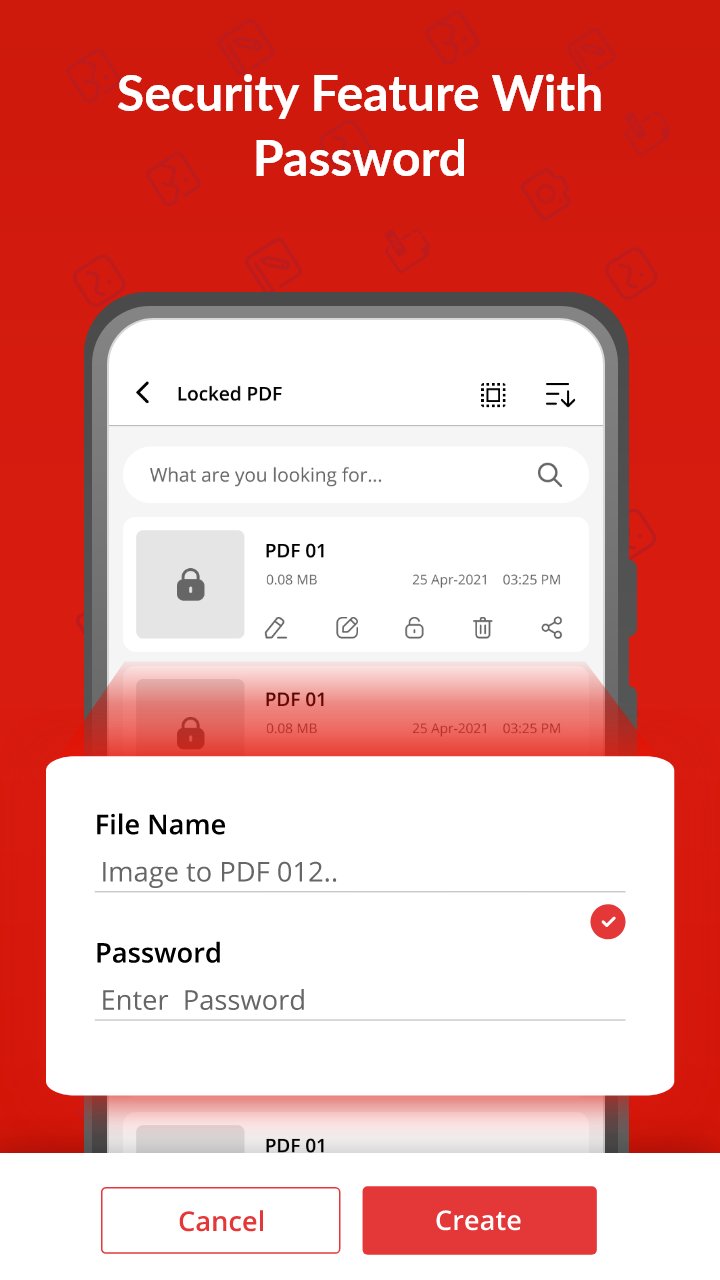
- Password protection enabled.
- Make PDF files, rename and share.
- Light weight and user friendly.
- Night mode for battery saving.
- Easy sorting to manage files.
- Select multiple files and merge into one file.
- Select image from gallery or take new photo from camera.
Convert Camera Photo to PDF – PDF Scanner:
Now with Image to PDF converter app you take photos from camera directly and convert to PDF. Converting to PDF has never been so simple. Just a few clicks and photo to PDF converter will convert your files.
Split and Merge Feature – PDF Maker:
Image to PDF converter app brings you a new powerful feature that allows you to merge different PDF files into one. Also, if there is a big PDF file with multiple pages, you can split it into different files. You can also take out your favorite pages from that file.
Password Protection – Photo to PDF converter:
We care about your safety. With high end protection system, now you can protect your important files with password. So that no one can access your secret files.
Easy Sorting – JPG to PDF converter:
With Photo to PDF converter, you can sort your PDF files as per your convenience. Sort according to Name, Date, Size etc. Now don’t miss any of your PDF files with auto sorting.
Lightweight and Simple – PDF Maker:
We are proud to present to you the most lightweight JPG to PDF converter – PDF scanner in app store. With a size of just 4 mb it’s the best image to PDF converter app.
Work Offline – Photo to PDF converter:
If you want to work with PDF files and you don’t have an internet connection, then this JPG to PDF converter is for you. Image to PDF converter works offline.
Search Bar for ease of access:
Finding your desired files from your phone is so easy with Photo to PDF converter. Just type the name of file in search bar and convert to PDF. That’s it. Give it a try.
PDF Scanner – Photo to PDF Converter:
This app also acts as a PDF scanner. Open camera scans any document or image and convert to PDF file.
Free PDF Maker:
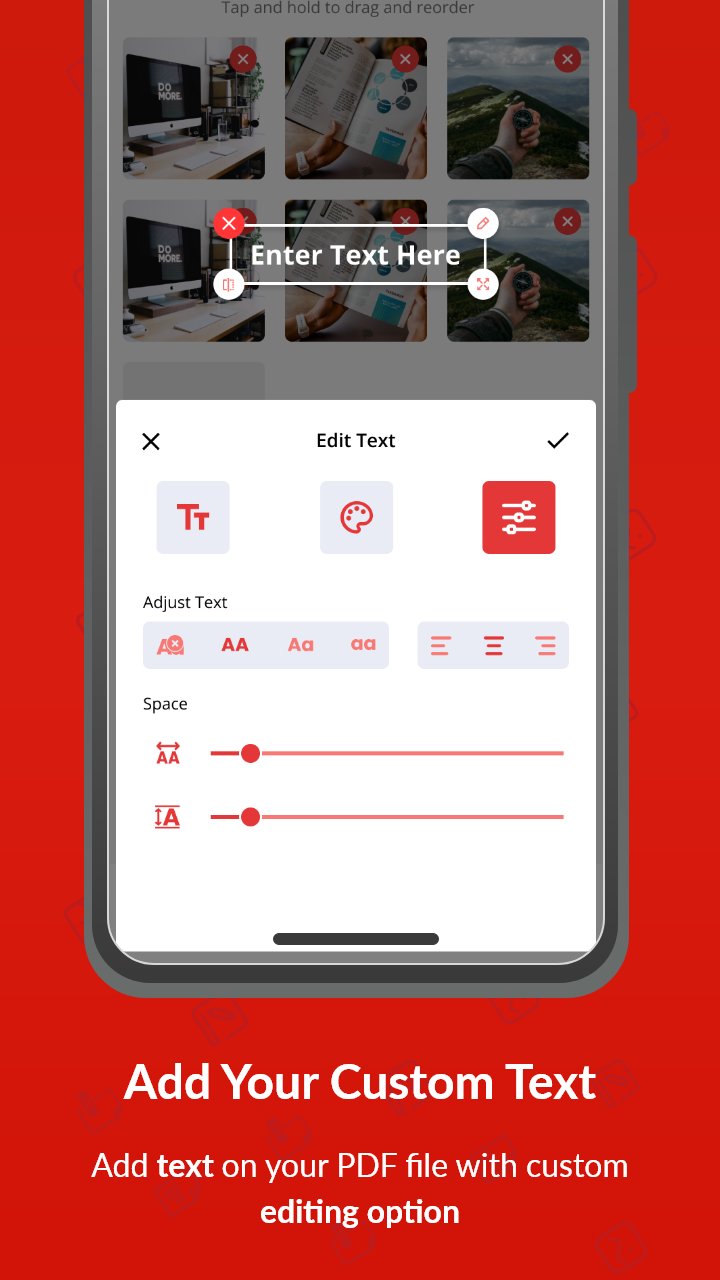
Download the best PDF maker app now and start converting Photos to PDF. Simple and user-friendly interface makes it easy for anyone to use. The interface is so intuitive that anyone can convert their images to PDF.
پیش نظارہ
ٹیگز
اوزارمعلومات
ڈویلپر
EAGLE APPS
تازہ ترین ورژن
1.3.0
آخری تازہ کاری
2025-10-21
قسم
اوزار
پر دستیاب ہے۔
Google Play
مزید دکھائیں
پی سی پر گیم لوپ کے ساتھ Image to PDF Converter App کیسے کھیلا جائے۔
1. آفیشل ویب سائٹ سے گیم لوپ ڈاؤن لوڈ کریں، پھر گیم لوپ انسٹال کرنے کے لیے exe فائل چلائیں۔
2. گیم لوپ کھولیں اور "Image to PDF Converter App" تلاش کریں، تلاش کے نتائج میں Image to PDF Converter App تلاش کریں اور "انسٹال کریں" پر کلک کریں۔
3. گیم لوپ پر Image to PDF Converter App کھیلنے کا لطف اٹھائیں۔
Minimum requirements
OS
Windows 8.1 64-bit or Windows 10 64-bit
GPU
GTX 1050
CPU
i3-8300
Memory
8GB RAM
Storage
1GB available space
Recommended requirements
OS
Windows 8.1 64-bit or Windows 10 64-bit
GPU
GTX 1050
CPU
i3-9320
Memory
16GB RAM
Storage
1GB available space