
ImageChat: Create and Chat PC
Chooch
گیم لوپ ایمولیٹر کے ساتھ PC پر ImageChat: Create and Chat ڈاؤن لوڈ کریں۔
پی سی پر ImageChat: Create and Chat
ImageChat: Create and Chat، جو ڈویلپر Chooch سے آرہا ہے، ماضی میں اینڈرائیڈ سسٹم پر چل رہا ہے۔
اب، آپ پی سی پر ImageChat: Create and Chat آسانی سے GameLoop کے ساتھ چلا سکتے ہیں۔
اسے GameLoop لائبریری یا تلاش کے نتائج میں ڈاؤن لوڈ کریں۔ مزید غلط وقت پر بیٹری یا مایوس کن کالوں پر نظر نہیں ڈالی جائے گی۔
بس بڑی سکرین پر ImageChat: Create and Chat PC کا مفت میں لطف اٹھائیں!
ImageChat: Create and Chat تعارف
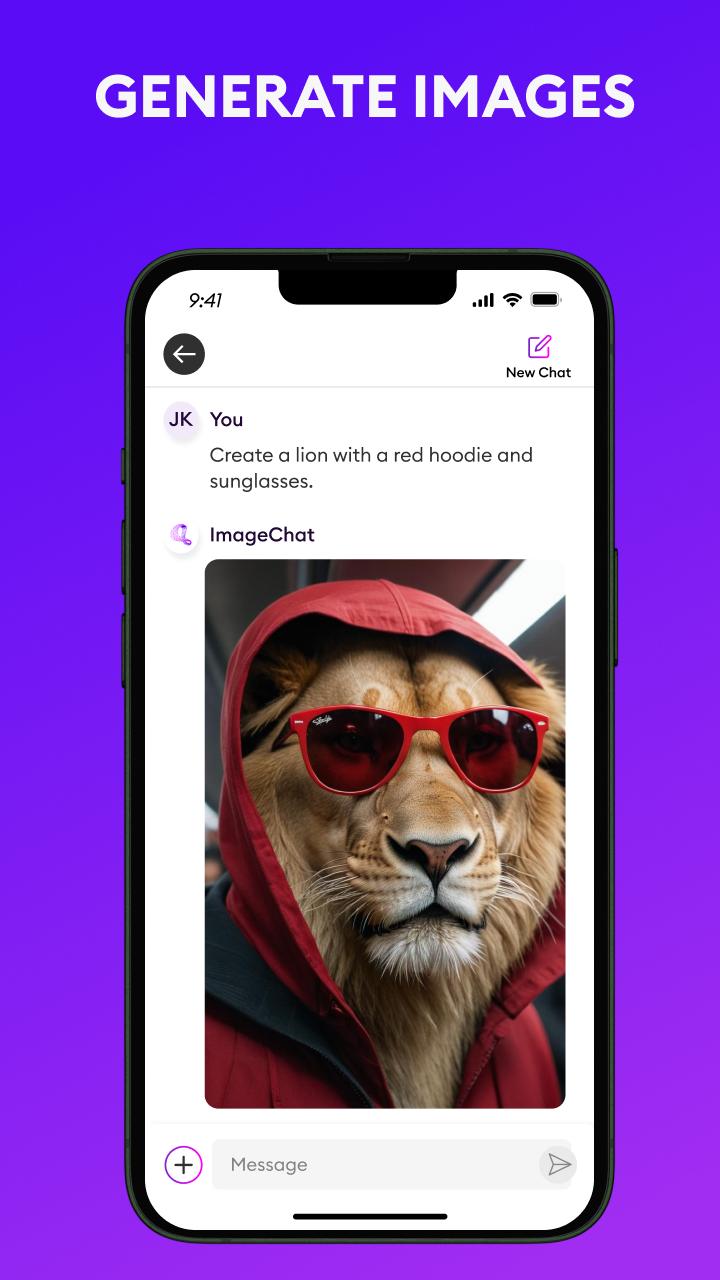
ImageChat brings the power of Generative Vision AI to your fingertips. This innovative technology is revolutionizing the way we interact with images and documents. It combines the power of computer vision and large language models to enable you to interact with your image and documents in an entirely new way.
ImageChat delivers in chat image generation like never seen before. You can prompt ImageChat to create images in the style you want, ask it to restore or recreate the same image in a unique style, and it does not stop there. ImageChat delivers image to text capability. ImageChat can create text descriptions of your images, write social posts, metadata, and more. The utility of ImageChat extends beyond just images. ImageChat can interact with documents. Ask ImageChat to summarize them, create bullets of the key points, search for certain topics within the content, and more. The possibilities are only limited by your imagination.
Not only is ImageChat available as a mobile application, but it is accessible through an API and available to download to host in your own environment. You can integrate ImageChat’s powerful features into your own workflows for building Generative Multimodal Vision AI applications. Visit chooch.com to create a free account. It’s easy to get started.
پیش نظارہ

ٹیگز
اوزارمعلومات
ڈویلپر
Chooch
تازہ ترین ورژن
1.54
آخری تازہ کاری
2024-05-01
قسم
اوزار
پر دستیاب ہے۔
Google Play
مزید دکھائیں
پی سی پر گیم لوپ کے ساتھ ImageChat: Create and Chat کیسے کھیلا جائے۔
1. آفیشل ویب سائٹ سے گیم لوپ ڈاؤن لوڈ کریں، پھر گیم لوپ انسٹال کرنے کے لیے exe فائل چلائیں۔
2. گیم لوپ کھولیں اور "ImageChat: Create and Chat" تلاش کریں، تلاش کے نتائج میں ImageChat: Create and Chat تلاش کریں اور "انسٹال کریں" پر کلک کریں۔
3. گیم لوپ پر ImageChat: Create and Chat کھیلنے کا لطف اٹھائیں۔
Minimum requirements
OS
Windows 8.1 64-bit or Windows 10 64-bit
GPU
GTX 1050
CPU
i3-8300
Memory
8GB RAM
Storage
1GB available space
Recommended requirements
OS
Windows 8.1 64-bit or Windows 10 64-bit
GPU
GTX 1050
CPU
i3-9320
Memory
16GB RAM
Storage
1GB available space