GnssLogger App PC
Developed with Google
گیم لوپ ایمولیٹر کے ساتھ PC پر GnssLogger App ڈاؤن لوڈ کریں۔
پی سی پر GnssLogger App
GnssLogger App، جو ڈویلپر Developed with Google سے آرہا ہے، ماضی میں اینڈرائیڈ سسٹم پر چل رہا ہے۔
اب، آپ پی سی پر GnssLogger App آسانی سے GameLoop کے ساتھ چلا سکتے ہیں۔
اسے GameLoop لائبریری یا تلاش کے نتائج میں ڈاؤن لوڈ کریں۔ مزید غلط وقت پر بیٹری یا مایوس کن کالوں پر نظر نہیں ڈالی جائے گی۔
بس بڑی سکرین پر GnssLogger App PC کا مفت میں لطف اٹھائیں!
GnssLogger App تعارف
GnssLogger by Google enables in-depth analysis and logging of all types of location and sensor data such as GPS (Global Positioning System), network location and other sensor data. GnssLogger is available for phones and watches. It comes with the following features for phones:
HOME TAB:
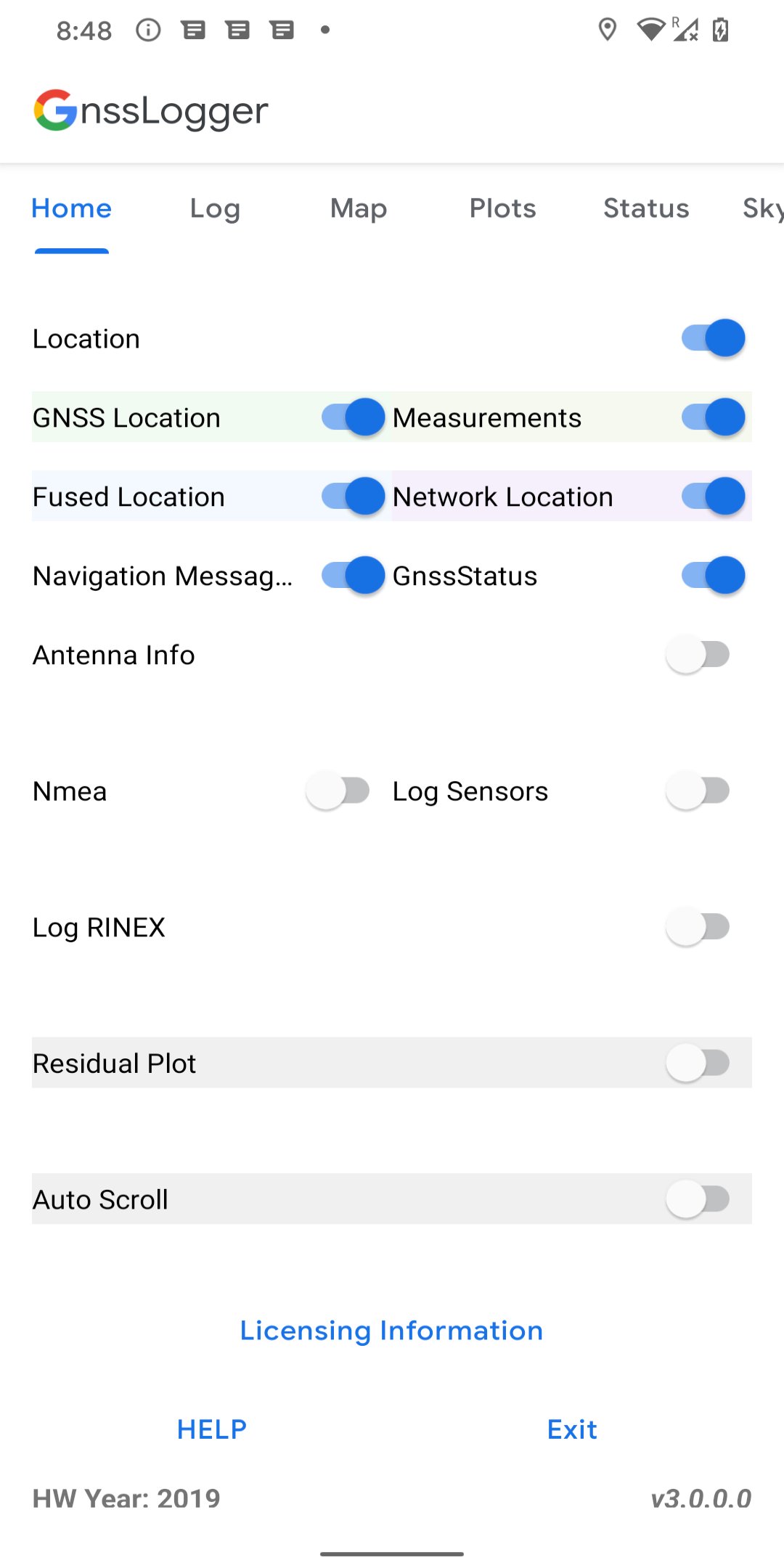
● Control various data logging such as raw GNSS measurements, GnssStatus, NMEA, navigation messages, sensor data and RINEX logs.
LOG TAB:
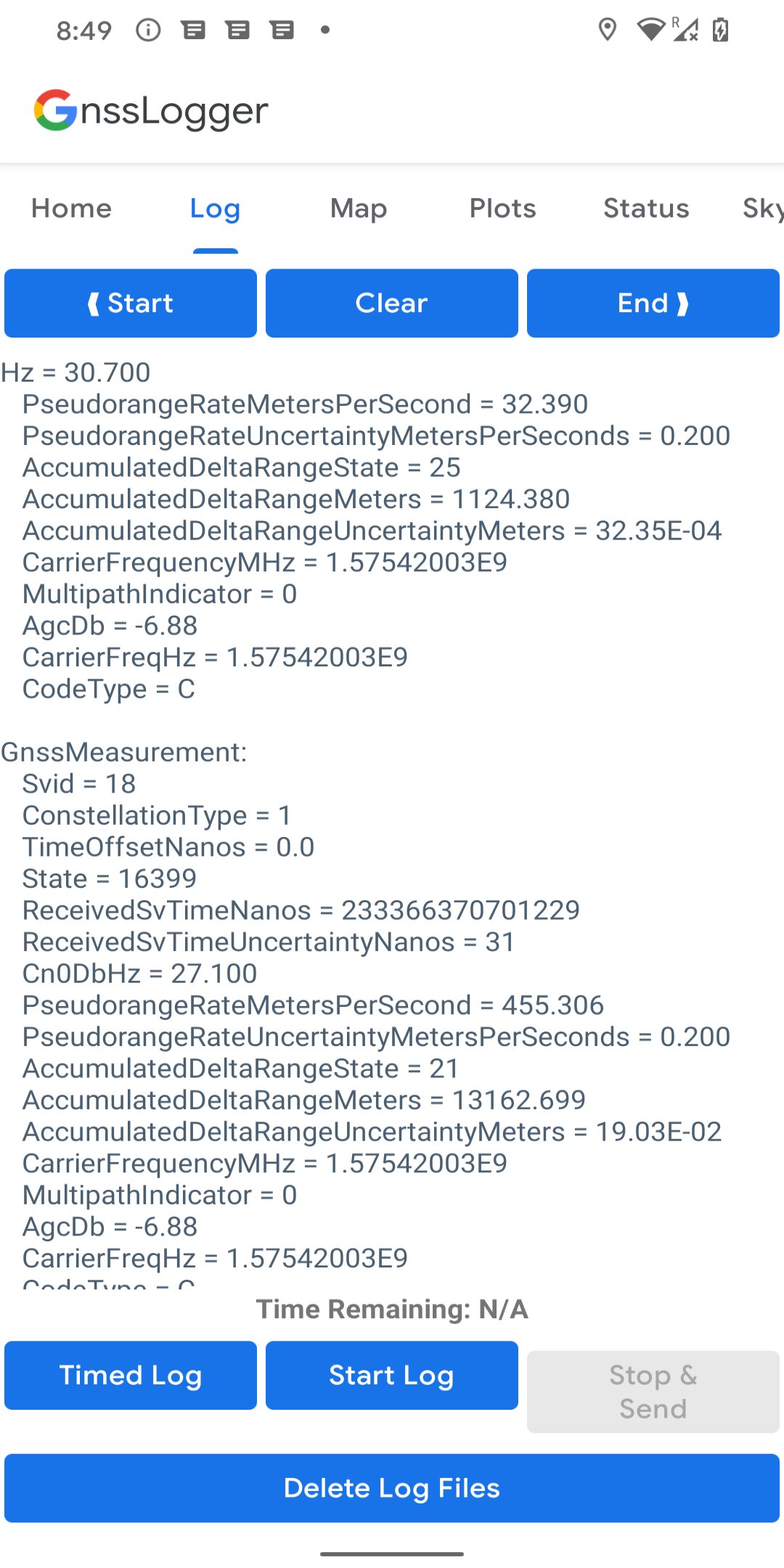
● View all location and raw measurement data.
● Control offline logging using 'Start Log', 'Stop & Send' and 'Timed Log'.
● Enable specific items to be logged using corresponding switches in Home Tab.
● Delete existing log files from disk.
MAP TAB:
● Visualize on GoogleMap, the location provided by GPS chipset, Network Location Provider (NLP), Fused Location Provider (FLP), and computed Weighted Least Square (WLS) position.
● Toggle between different map views and location types.
PLOTS TAB:
● Visualize CN0 (Signal Strength), PR (pseudorange) Residual and PRR (pseudorange rate) Residual vs time.
STATUS TAB:
● View detailed information of all visible GNSS (Global Navigation Satellite System) satellites such as GPS, Beidou (BDS), QZSS, GAL (Galileo), GLO (GLONASS) and IRNSS.
SKYPLOT TAB:
● Visualize the data of all visible GNSS satellites using a skyplot.
● View the average CN0 of all the satellites in view and the ones used in fix.
AGNSS TAB:
● Experiment with Assisted-GNSS functionalities.
WLS Analysis TAB:
● View the Weighted Least Square position, velocity and their uncertainties computed based on raw GNSS measurements.
● Compare the WLS results to the GNSS chipset reported values.
It comes with the following features for watches running Wear OS 3.0 and higher:
● View real-time GNSS chipset status information.
● Log various GNSS and sensor data to CSV and RINEX files.
پیش نظارہ
ٹیگز
اوزارمعلومات
ڈویلپر
Developed with Google
تازہ ترین ورژن
v3.1.1.1
آخری تازہ کاری
2025-09-09
قسم
اوزار
پر دستیاب ہے۔
Google Play
مزید دکھائیں
پی سی پر گیم لوپ کے ساتھ GnssLogger App کیسے کھیلا جائے۔
1. آفیشل ویب سائٹ سے گیم لوپ ڈاؤن لوڈ کریں، پھر گیم لوپ انسٹال کرنے کے لیے exe فائل چلائیں۔
2. گیم لوپ کھولیں اور "GnssLogger App" تلاش کریں، تلاش کے نتائج میں GnssLogger App تلاش کریں اور "انسٹال کریں" پر کلک کریں۔
3. گیم لوپ پر GnssLogger App کھیلنے کا لطف اٹھائیں۔
Minimum requirements
OS
Windows 8.1 64-bit or Windows 10 64-bit
GPU
GTX 1050
CPU
i3-8300
Memory
8GB RAM
Storage
1GB available space
Recommended requirements
OS
Windows 8.1 64-bit or Windows 10 64-bit
GPU
GTX 1050
CPU
i3-9320
Memory
16GB RAM
Storage
1GB available space