
GMI 3D Software PC
nextstar-detectors
گیم لوپ ایمولیٹر کے ساتھ PC پر GMI 3D Software ڈاؤن لوڈ کریں۔
پی سی پر GMI 3D Software
GMI 3D Software، جو ڈویلپر nextstar-detectors سے آرہا ہے، ماضی میں اینڈرائیڈ سسٹم پر چل رہا ہے۔
اب، آپ پی سی پر GMI 3D Software آسانی سے GameLoop کے ساتھ چلا سکتے ہیں۔
اسے GameLoop لائبریری یا تلاش کے نتائج میں ڈاؤن لوڈ کریں۔ مزید غلط وقت پر بیٹری یا مایوس کن کالوں پر نظر نہیں ڈالی جائے گی۔
بس بڑی سکرین پر GMI 3D Software PC کا مفت میں لطف اٹھائیں!
GMI 3D Software تعارف
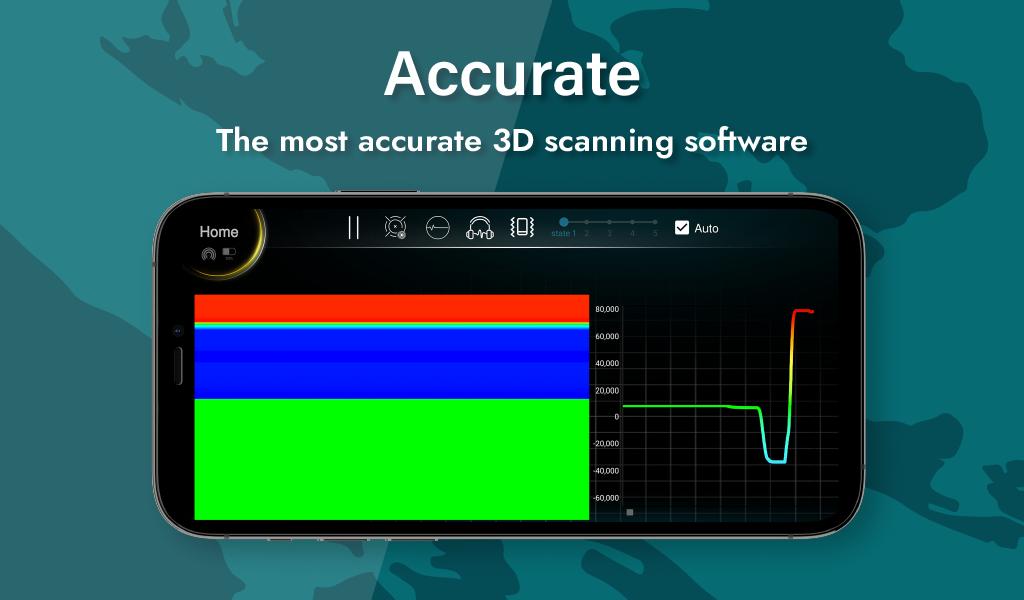
GMI 3D software is one of the most accurate and complete magnetic scanning software in the world. The software's numerous capabilities for data analysis and features such as 3D display, accurate depth estimation, the ability to store and share data helps the user to experience accurate and enjoyable scan.
Smart, accurate, and complete: GMI 3D software is one of the most complete and powerful tools for 3D ground scans. The ability to analyze data with the help of artificial intelligence along with displaying the exact location of the anomaly in three dimensions and providing a variety of graphs are other features of this software.
Secure: High security of GMI 3D software is one of our most important missions in NEXT STAR company. All your information, including scan information, is stored encrypted in GMI 3D software.
Fast: GMI 3D software provides a fast and very enjoyable user experience. Despite the complex analysis of 3D scans, all the complex calculations and the presentation of various diagrams are done in the shortest time and the final results are available to you in the most convenient way possible.
Easy access: By entering the serial number of NEXT STAR devices, you can enter your software with any android device and access all your files.
Private: All your information is stored on your Android device and no one else will have access to the information. You can edit all your data at any time and no one will have access to your deleted data.
Free: Using all GMI 3D software features is completely free and you can use all software features by entering the serial number for each device, depending on the device model.
Up-to-date and efficient: GMI 3D software is being updated using the latest methods in the fields of software and geophysics, and new features are being added every day.
پیش نظارہ
ٹیگز
اوزارمعلومات
ڈویلپر
nextstar-detectors
تازہ ترین ورژن
1.3.1
آخری تازہ کاری
2022-01-27
قسم
اوزار
پر دستیاب ہے۔
Google Play
مزید دکھائیں
پی سی پر گیم لوپ کے ساتھ GMI 3D Software کیسے کھیلا جائے۔
1. آفیشل ویب سائٹ سے گیم لوپ ڈاؤن لوڈ کریں، پھر گیم لوپ انسٹال کرنے کے لیے exe فائل چلائیں۔
2. گیم لوپ کھولیں اور "GMI 3D Software" تلاش کریں، تلاش کے نتائج میں GMI 3D Software تلاش کریں اور "انسٹال کریں" پر کلک کریں۔
3. گیم لوپ پر GMI 3D Software کھیلنے کا لطف اٹھائیں۔
Minimum requirements
OS
Windows 8.1 64-bit or Windows 10 64-bit
GPU
GTX 1050
CPU
i3-8300
Memory
8GB RAM
Storage
1GB available space
Recommended requirements
OS
Windows 8.1 64-bit or Windows 10 64-bit
GPU
GTX 1050
CPU
i3-9320
Memory
16GB RAM
Storage
1GB available space