
GFX Tool with Smooth Launcher PC
FiraTech
گیم لوپ ایمولیٹر کے ساتھ PC پر GFX Tool with Smooth Launcher ڈاؤن لوڈ کریں۔
پی سی پر GFX Tool with Smooth Launcher
GFX Tool with Smooth Launcher، جو ڈویلپر FiraTech سے آرہا ہے، ماضی میں اینڈرائیڈ سسٹم پر چل رہا ہے۔
اب، آپ پی سی پر GFX Tool with Smooth Launcher آسانی سے GameLoop کے ساتھ چلا سکتے ہیں۔
اسے GameLoop لائبریری یا تلاش کے نتائج میں ڈاؤن لوڈ کریں۔ مزید غلط وقت پر بیٹری یا مایوس کن کالوں پر نظر نہیں ڈالی جائے گی۔
بس بڑی سکرین پر GFX Tool with Smooth Launcher PC کا مفت میں لطف اٹھائیں!
GFX Tool with Smooth Launcher تعارف
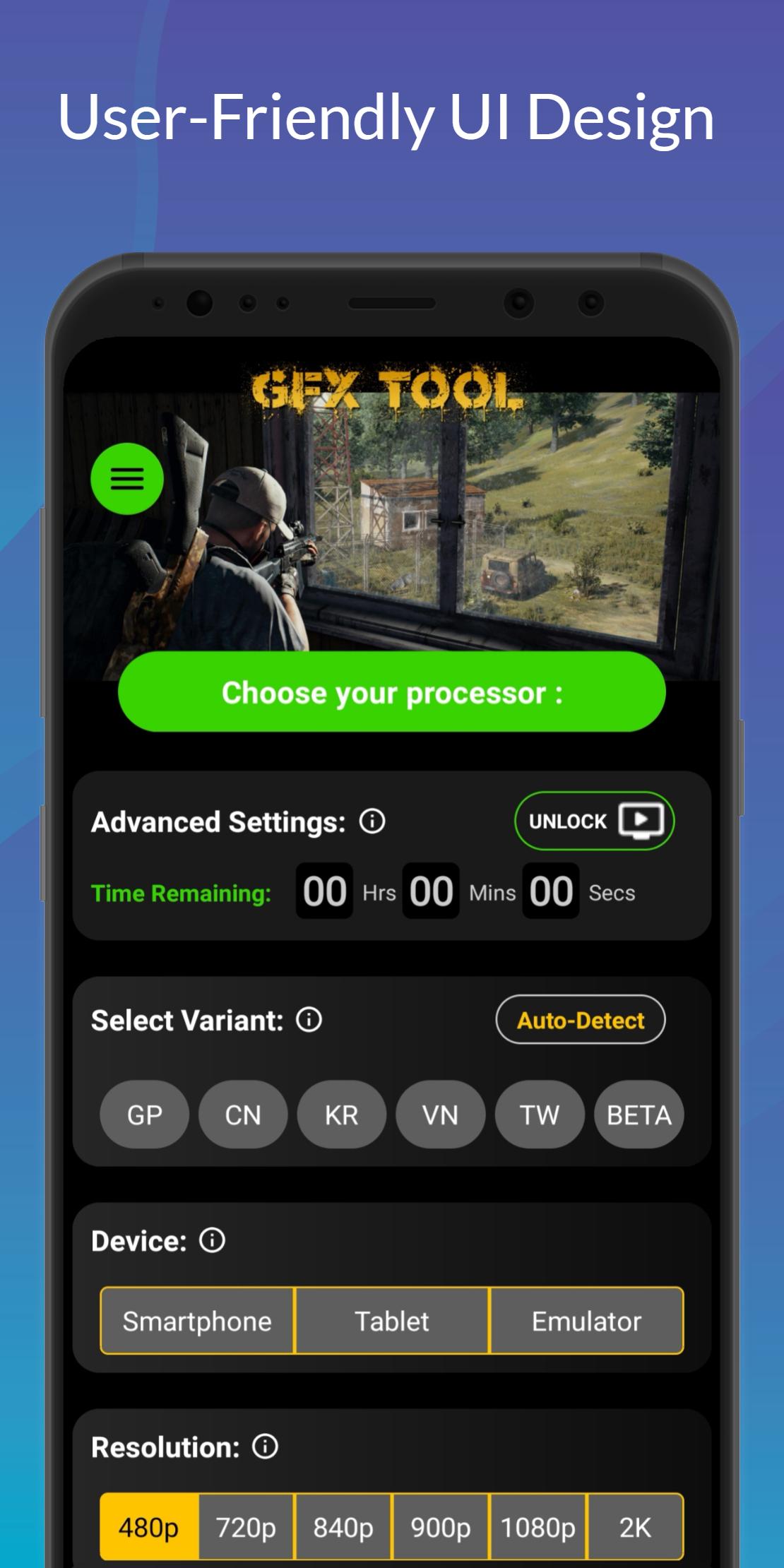
GFX Tool with Smooth Launcher is a free utility Game Graphics changer with a Lag-Free Launcher and Optimizer tool for popular Android mobile battleground games through which you can customize the game graphics up to any level for getting beautiful high-end picture quality and smooth gameplay by reducing lag.
If you don't know which settings to apply or are confused with the whole variety of settings, don't worry! Our GFX Tool is having a unique processor selection tool, that will help and assist you to apply the most commonly used and best settings by simply selecting your processor. That's it! With our GFX Tool, everything will be much smoother.
* Our GFX Tool is integrated with a unique feature for getting the best lag-free graphics configurations for your device with the use of a server.
* Just select your processor and get the best lag-free graphics options which are optimized and commonly used for your processor.
* Integrated Google server backend will update the settings within seconds.
* Customization of game graphics settings using our GFX Tool has made it easy with a simplified user interface.
* GFX Tool is capable of changing the game graphics to any level by manual customization with advanced options.
App Features:
- Unique Processor Selection Tool
- Truly unlock extreme FPS levels
- Support 30fps, 60fps, 90fps, 120fps
- Unlock HDR for low-end potato devices
- Up to 2K (2,048 x 1,080 pixels) resolution for tablets
- Up to 1080p (1920x1080 pixels) resolution for Smartphones
- Easy to load settings with just processor selection
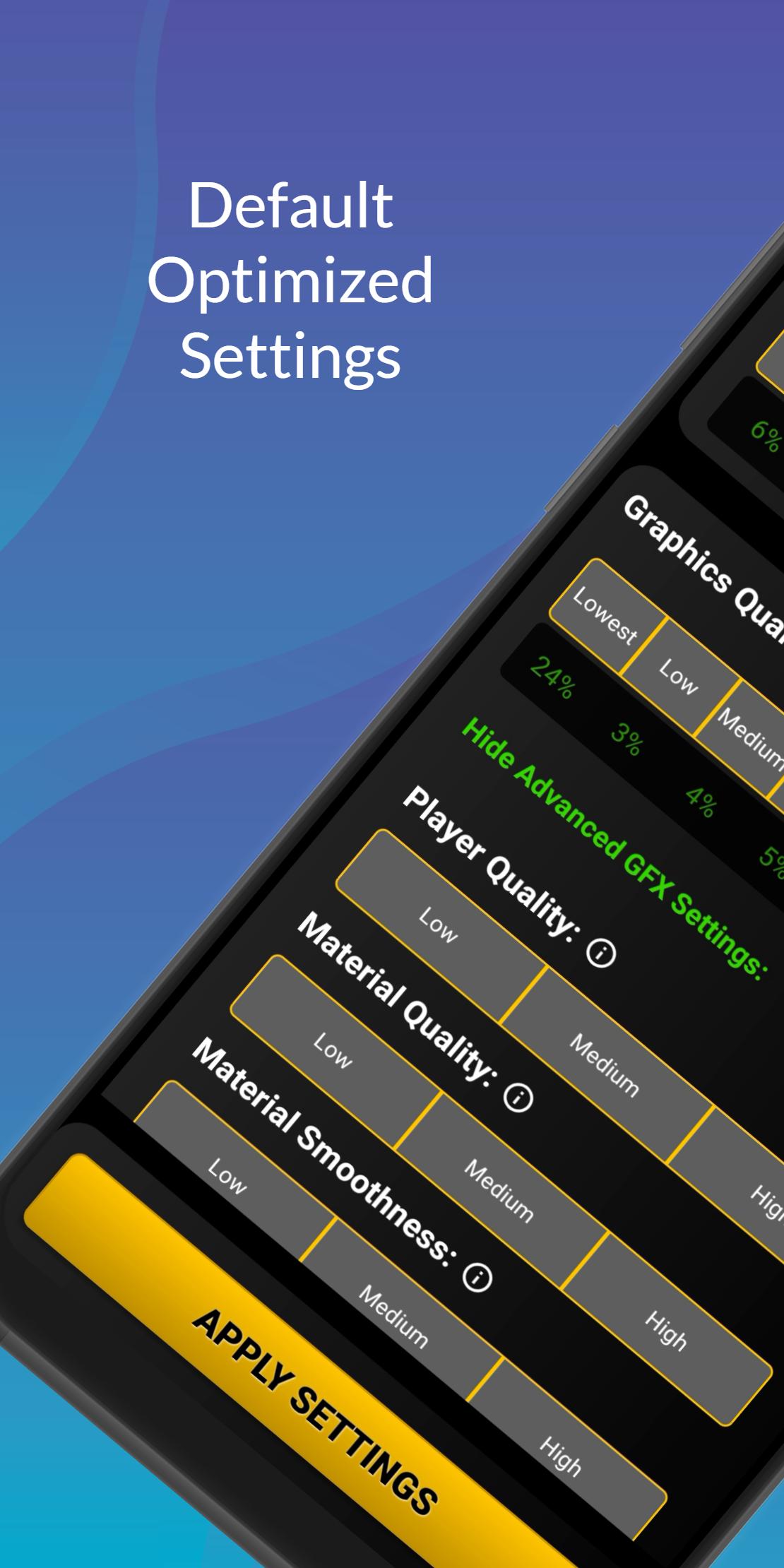
- Highly customizable settings by unlocking advanced options
- Lag-free & fail-safe graphics settings application
- Automatically saves and loads last applied settings and processor
- 3D Sound Fix for unsupported devices
and much more!
How to use the Tool:
- Close the game (if the game is running) and Launch the application
- Select your processor (optional)
- Select the Game variant (Now support Auto-detect function)
- Settings are automatically selected for the processor (or chosen manually)
- Hit the Apply button
- Launch the game
DISCLAIMER: Before using this application, make sure you have read and accepted our Privacy Policy. This is an UNOFFICIAL application for specific games. This application is not associated in any way with other brands and developers.
If you feel that we have violated your intellectual property rights or any other agreement, please contact us by e-mail at pubgtoolgfx@gmail.com, and we will immediately take the necessary measures.
پیش نظارہ
ٹیگز
اوزارمعلومات
ڈویلپر
FiraTech
تازہ ترین ورژن
1.7.10
آخری تازہ کاری
2023-06-18
قسم
اوزار
پر دستیاب ہے۔
Google Play
مزید دکھائیں
پی سی پر گیم لوپ کے ساتھ GFX Tool with Smooth Launcher کیسے کھیلا جائے۔
1. آفیشل ویب سائٹ سے گیم لوپ ڈاؤن لوڈ کریں، پھر گیم لوپ انسٹال کرنے کے لیے exe فائل چلائیں۔
2. گیم لوپ کھولیں اور "GFX Tool with Smooth Launcher" تلاش کریں، تلاش کے نتائج میں GFX Tool with Smooth Launcher تلاش کریں اور "انسٹال کریں" پر کلک کریں۔
3. گیم لوپ پر GFX Tool with Smooth Launcher کھیلنے کا لطف اٹھائیں۔
Minimum requirements
OS
Windows 8.1 64-bit or Windows 10 64-bit
GPU
GTX 1050
CPU
i3-8300
Memory
8GB RAM
Storage
1GB available space
Recommended requirements
OS
Windows 8.1 64-bit or Windows 10 64-bit
GPU
GTX 1050
CPU
i3-9320
Memory
16GB RAM
Storage
1GB available space