Gaming Mode with GFX Tool PC
HRY Games Inc.
گیم لوپ ایمولیٹر کے ساتھ PC پر Gaming Mode with GFX Tool ڈاؤن لوڈ کریں۔
پی سی پر Gaming Mode with GFX Tool
Gaming Mode with GFX Tool، جو ڈویلپر HRY Games Inc. سے آرہا ہے، ماضی میں اینڈرائیڈ سسٹم پر چل رہا ہے۔
اب، آپ پی سی پر Gaming Mode with GFX Tool آسانی سے GameLoop کے ساتھ چلا سکتے ہیں۔
اسے GameLoop لائبریری یا تلاش کے نتائج میں ڈاؤن لوڈ کریں۔ مزید غلط وقت پر بیٹری یا مایوس کن کالوں پر نظر نہیں ڈالی جائے گی۔
بس بڑی سکرین پر Gaming Mode with GFX Tool PC کا مفت میں لطف اٹھائیں!
Gaming Mode with GFX Tool تعارف
Best Rated Gaming Mode
Gaming Mode App is developed in consideration of disturbance because of notifications and unwanted calls.
Here we are with a great app that let you play games without any disturbance.
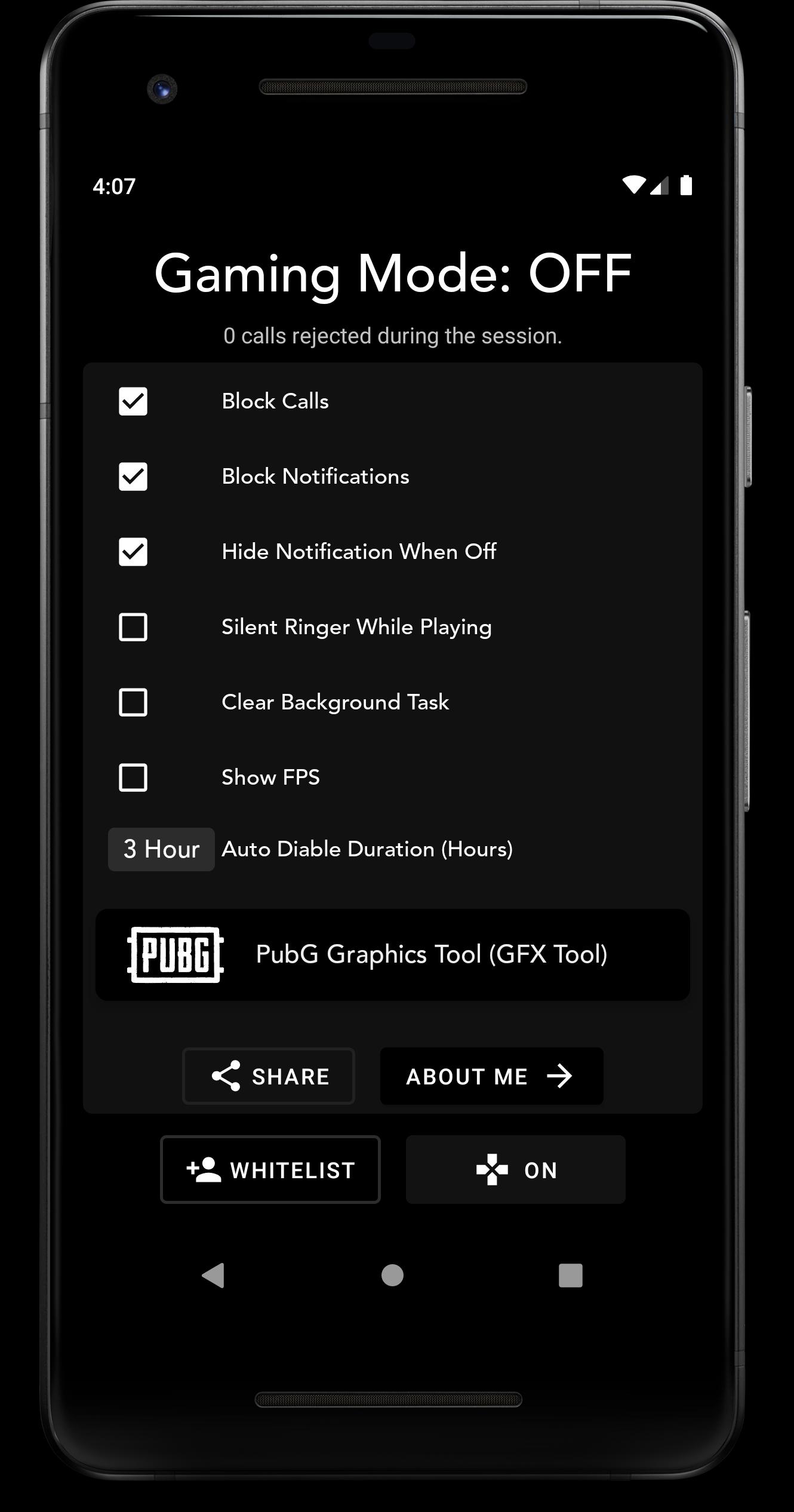
Gaming Mode automatically rejects calls and blocks notifications when we are playing games. Just turn On the gaming mode before playing and see the magic.
Gaming Mode comes with auto disable option by which Gaming Mode automatically disables after certain amount of time.
Why Use Gaming Mode
- Only Gaming Mode with a lot of features inbuilt.
- 100% Secure, We do not use or get any of your information.
- It's totally offline.
Features:
- Unlock High Graphics of PubG Mobile with inbuilt GFX Tool (Please use at your own risk)
- Basic & Advanced GFX Settings for Ease
- Disturbance Free Games.
- Auto Disable Mode.
- Change Auto Disable Time.
- FPS Overlay when playing Games.
- Rejects Calls Automatically while Gaming Mode is Enabled.
- Blocks All Notifications while Gaming Mode.
- Whitelist Contacts to make your important calls not to be rejected.
- Instant On, Off from Gaming Mode Notification Panel
- More Features Coming Soon
Make Your Gaming Life Disturbance Free
Note: PubG has now changed there terms and conditions which do not allow to change graphics settings by third party apps. So I will suggest to use PubG GFX on your own risk.
I am trying to find out which will avoid PubG Ban for using PubG GFX, for now, Please use GFX Tool at your own risk.
پیش نظارہ
ٹیگز
اوزارمعلومات
ڈویلپر
HRY Games Inc.
تازہ ترین ورژن
2.4.0
آخری تازہ کاری
2021-05-20
قسم
اوزار
پر دستیاب ہے۔
Google Play
مزید دکھائیں
پی سی پر گیم لوپ کے ساتھ Gaming Mode with GFX Tool کیسے کھیلا جائے۔
1. آفیشل ویب سائٹ سے گیم لوپ ڈاؤن لوڈ کریں، پھر گیم لوپ انسٹال کرنے کے لیے exe فائل چلائیں۔
2. گیم لوپ کھولیں اور "Gaming Mode with GFX Tool" تلاش کریں، تلاش کے نتائج میں Gaming Mode with GFX Tool تلاش کریں اور "انسٹال کریں" پر کلک کریں۔
3. گیم لوپ پر Gaming Mode with GFX Tool کھیلنے کا لطف اٹھائیں۔
Minimum requirements
OS
Windows 8.1 64-bit or Windows 10 64-bit
GPU
GTX 1050
CPU
i3-8300
Memory
8GB RAM
Storage
1GB available space
Recommended requirements
OS
Windows 8.1 64-bit or Windows 10 64-bit
GPU
GTX 1050
CPU
i3-9320
Memory
16GB RAM
Storage
1GB available space