
Gallery & Photo editor PC
Anas Mugally
گیم لوپ ایمولیٹر کے ساتھ PC پر Gallery & Photo editor ڈاؤن لوڈ کریں۔
پی سی پر Gallery & Photo editor
Gallery & Photo editor، جو ڈویلپر Anas Mugally سے آرہا ہے، ماضی میں اینڈرائیڈ سسٹم پر چل رہا ہے۔
اب، آپ پی سی پر Gallery & Photo editor آسانی سے GameLoop کے ساتھ چلا سکتے ہیں۔
اسے GameLoop لائبریری یا تلاش کے نتائج میں ڈاؤن لوڈ کریں۔ مزید غلط وقت پر بیٹری یا مایوس کن کالوں پر نظر نہیں ڈالی جائے گی۔
بس بڑی سکرین پر Gallery & Photo editor PC کا مفت میں لطف اٹھائیں!
Gallery & Photo editor تعارف
Experience a faster, smarter way to manage your memories.
Gallery is a lightweight, modern photo and video manager designed to provide a seamless browsing experience. Whether you are looking to organize thousands of photos, edit your favorite shots, or secure your private media, this app provides all the tools you need in one elegant, Material 3 interface.
SMART ORGANIZATION & EASY ACCESS
Stop scrolling endlessly. Our intuitive layout helps you find what you need in seconds.
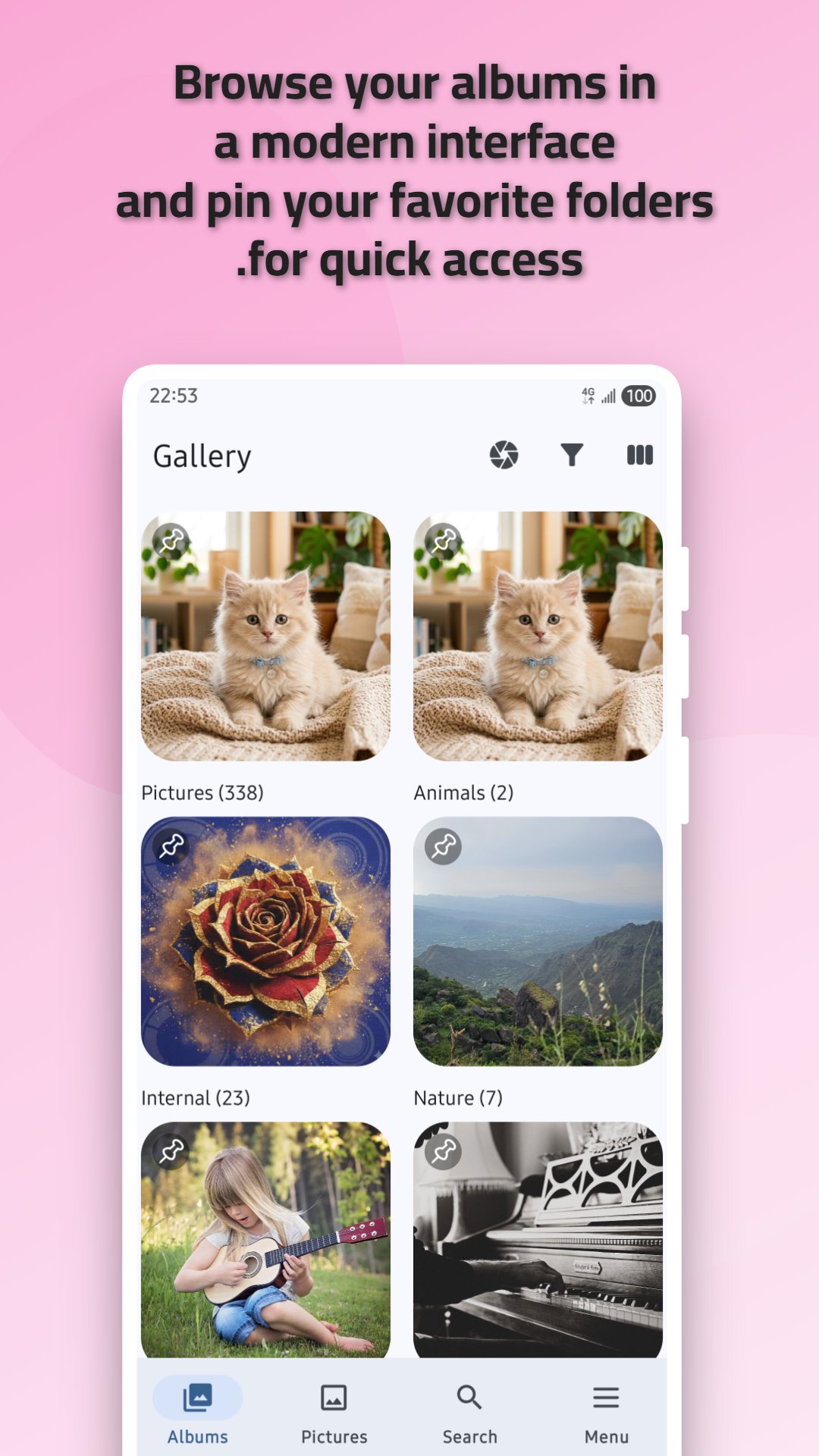
Pin Folders: Keep your most important albums at the top for instant access.
Advanced Filtering: Sort your media by type, including Images, Videos, GIFs, RAW images, and SVGs.
Smart Search: Quickly locate specific folders and files with a responsive search tool.
Favorites: Mark your best moments with a star to view them in a dedicated "Favorites" collection.
PRIVATE VAULT & MEDIA SECURITY
Your privacy is our priority. Keep your personal photos and sensitive videos hidden from prying eyes.
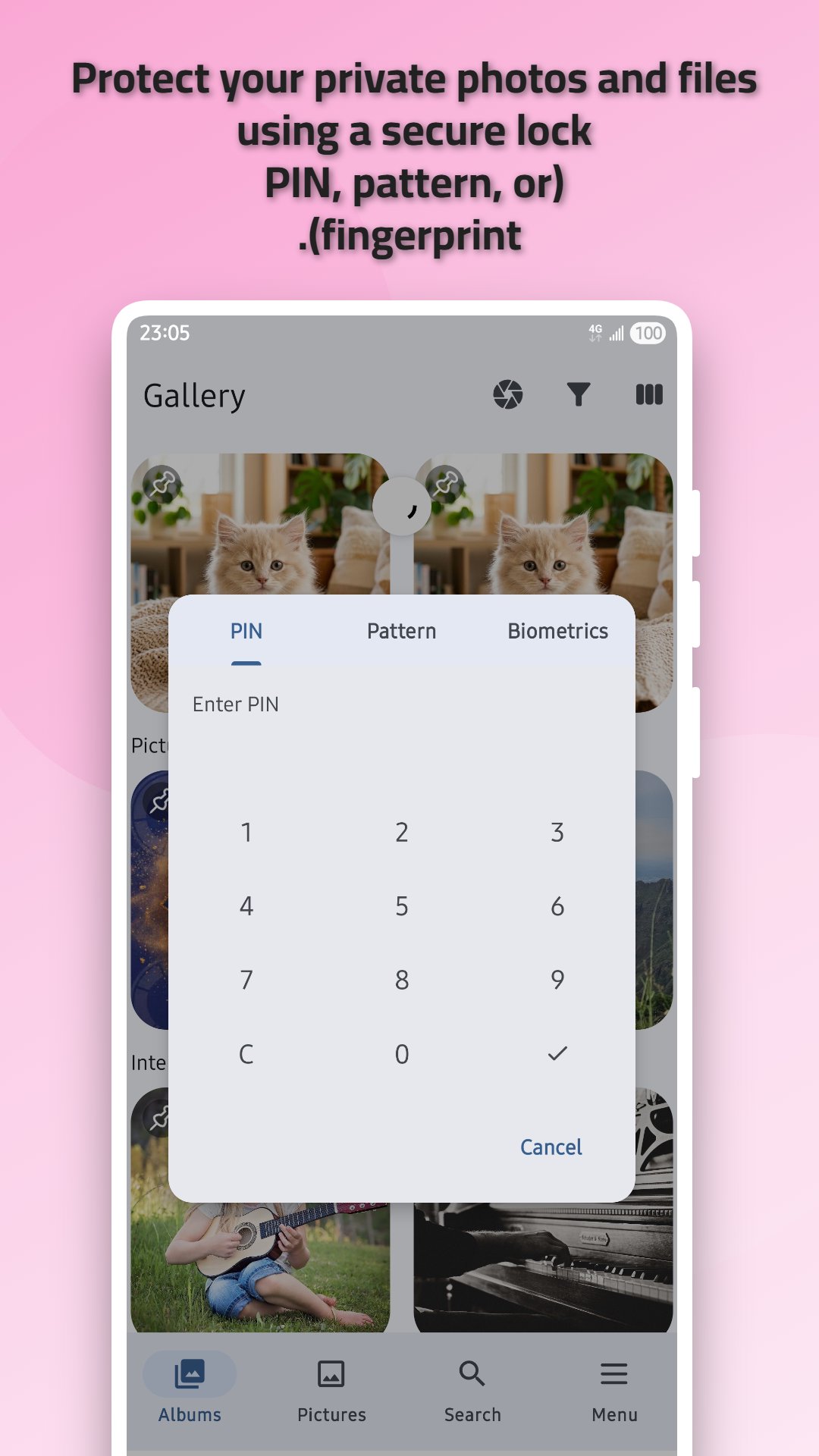
Secure Lock: Protect specific albums or the entire app using a PIN, Pattern, or Biometric (Fingerprint) authentication.
BUILT-IN PHOTO EDITOR
No need for a separate editing app. Refine your images directly within the gallery.
Crop & Rotate: Adjust your photos to the perfect angle or aspect ratio (1:1, 4:3, 16:9, and more).
Flexible Editing: Effortlessly flip and transform images for a professional look.
ENHANCED VIEWING EXPERIENCE
Enjoy your media exactly the way you want to.
Custom Slideshows: View your photos in a beautiful sequence with adjustable intervals and transition animations.
Detailed EXIF Data: View technical metadata for every image, including camera settings (ISO, Aperture), resolution, date taken, and file path.
High-Resolution Support: Smoothly browse high-quality 4K videos and large image files without lag.
MODERN DESIGN & LIGHTWEIGHT PERFORMANCE
Material 3 UI: Enjoy a clean, adaptive, and modern interface that feels native to your Android device.
Fast & Battery Efficient: Optimized for speed to ensure smooth navigation even with large media libraries.
Take control of your media today. Download Gallery and discover the perfect balance of performance, organization, and privacy.
پیش نظارہ
ٹیگز
اوزارمعلومات
ڈویلپر
Anas Mugally
تازہ ترین ورژن
3.3
آخری تازہ کاری
2026-08-18
قسم
اوزار
پر دستیاب ہے۔
Google Play
مزید دکھائیں
پی سی پر گیم لوپ کے ساتھ Gallery & Photo editor کیسے کھیلا جائے۔
1. آفیشل ویب سائٹ سے گیم لوپ ڈاؤن لوڈ کریں، پھر گیم لوپ انسٹال کرنے کے لیے exe فائل چلائیں۔
2. گیم لوپ کھولیں اور "Gallery & Photo editor" تلاش کریں، تلاش کے نتائج میں Gallery & Photo editor تلاش کریں اور "انسٹال کریں" پر کلک کریں۔
3. گیم لوپ پر Gallery & Photo editor کھیلنے کا لطف اٹھائیں۔
Minimum requirements
OS
Windows 8.1 64-bit or Windows 10 64-bit
GPU
GTX 1050
CPU
i3-8300
Memory
8GB RAM
Storage
1GB available space
Recommended requirements
OS
Windows 8.1 64-bit or Windows 10 64-bit
GPU
GTX 1050
CPU
i3-9320
Memory
16GB RAM
Storage
1GB available space