
G-MoN PC
C. Knuetter
گیم لوپ ایمولیٹر کے ساتھ PC پر G-MoN ڈاؤن لوڈ کریں۔
پی سی پر G-MoN
G-MoN، جو ڈویلپر C. Knuetter سے آرہا ہے، ماضی میں اینڈرائیڈ سسٹم پر چل رہا ہے۔
اب، آپ پی سی پر G-MoN آسانی سے GameLoop کے ساتھ چلا سکتے ہیں۔
اسے GameLoop لائبریری یا تلاش کے نتائج میں ڈاؤن لوڈ کریں۔ مزید غلط وقت پر بیٹری یا مایوس کن کالوں پر نظر نہیں ڈالی جائے گی۔
بس بڑی سکرین پر G-MoN PC کا مفت میں لطف اٹھائیں!
G-MoN تعارف
Now LTE ready! Fieldtest shows LTE RSRP and RSRQ.
A permanent RXL level of -115dBm on some Samsung phones is a Samsung bug! Only Samsung is able to fix that.
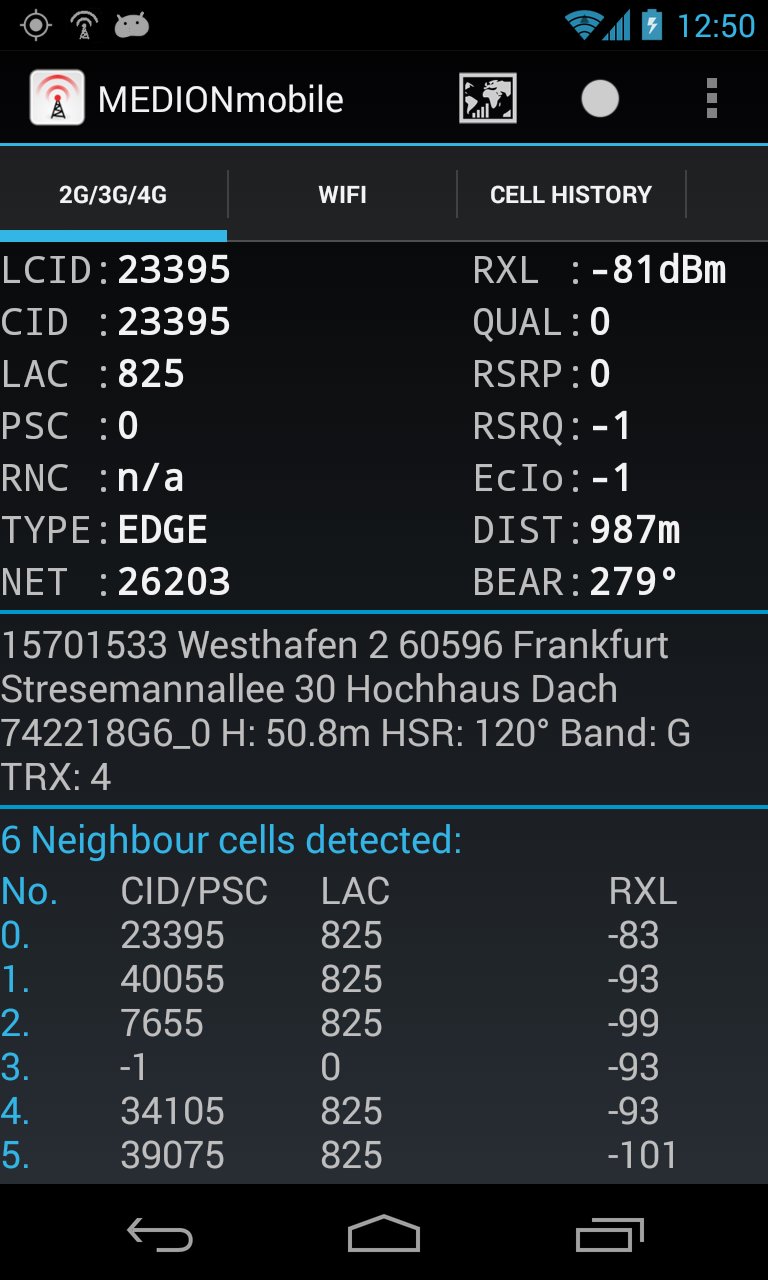
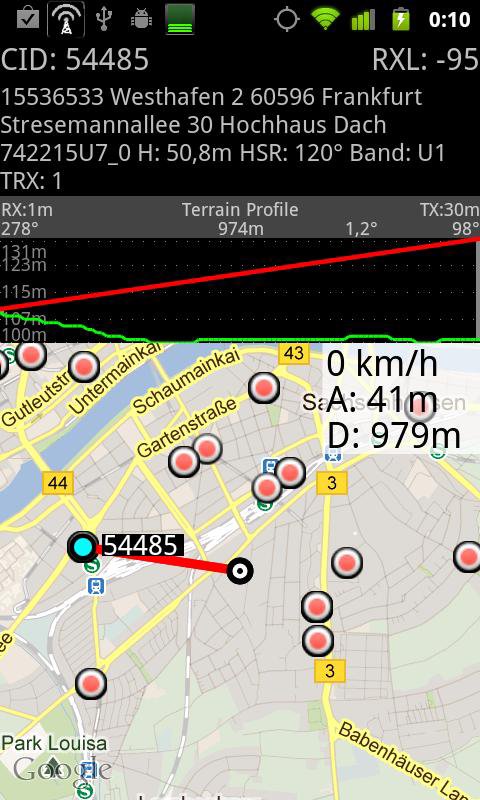
Powerful WarDriving scanner and GSM / CDMA / EVDO / UMTS and LTE Netmonitor and drive test tool with voice notifications. It scans for all WiFi networks in range & saves the data with GPS coordinates into a file on your sd card. You can create a kml file for Google Earth. It shows you the encrytion, channel an signal strength. It shows all APs in range in a live map.
G-MoN is a Wardriving scanner to collect and map all received wifi access points. It is also a 2G/3G netmonitor and field test drive tool for radio planning engineers. Needs enabled GPS for correct position in map!
To import a V3.0 (decimal cell data and coordinates without characters) CLF file, remove all comment lines, rename it to import.clf and copy it to /sdcard/gmon/ then start import CLF from menu.
You can log GSM or UMTS RX levels into a kml file for Google Earth or a csv file. There are 5 color groups for different levels. These levels can be defined by the user in the settings menue. This file is saved into the gmon folder on the sdcard or external memory. When the log is running, the G-MoN Notification Icon changes color to red. 2G/3G logging does not work when the screen is off!
پیش نظارہ
ٹیگز
اوزارمعلومات
ڈویلپر
C. Knuetter
تازہ ترین ورژن
4.2.3
آخری تازہ کاری
2020-03-28
قسم
اوزار
پر دستیاب ہے۔
Google Play
مزید دکھائیں
پی سی پر گیم لوپ کے ساتھ G-MoN کیسے کھیلا جائے۔
1. آفیشل ویب سائٹ سے گیم لوپ ڈاؤن لوڈ کریں، پھر گیم لوپ انسٹال کرنے کے لیے exe فائل چلائیں۔
2. گیم لوپ کھولیں اور "G-MoN" تلاش کریں، تلاش کے نتائج میں G-MoN تلاش کریں اور "انسٹال کریں" پر کلک کریں۔
3. گیم لوپ پر G-MoN کھیلنے کا لطف اٹھائیں۔
Minimum requirements
OS
Windows 8.1 64-bit or Windows 10 64-bit
GPU
GTX 1050
CPU
i3-8300
Memory
8GB RAM
Storage
1GB available space
Recommended requirements
OS
Windows 8.1 64-bit or Windows 10 64-bit
GPU
GTX 1050
CPU
i3-9320
Memory
16GB RAM
Storage
1GB available space